
Plugin
Updated
BWD Creative Buttons
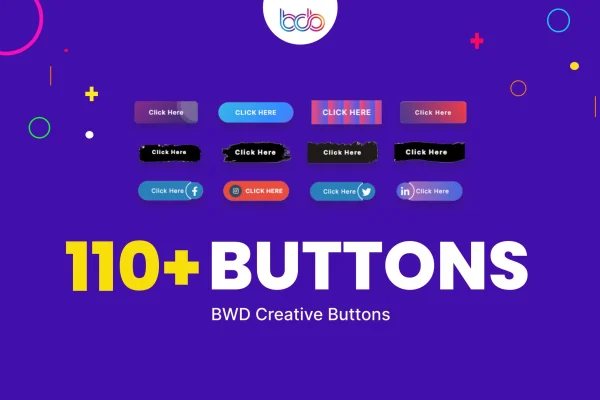
BWD Creative Buttons by BestWpDeveloper is a WordPress plugin that adds creative button designs to the Elementor page builder. It gives you a large library of animated hover effects and detailed style settings, so your sign-up, purchase and link buttons can match your brand.
- Version
- 2.6
- Released
- Jan 24, 2026
- Type
- WordPress plugin
- Requires
- Elementor
- Licence
- GPL
- Included in
- Every plan, or $3.99 on its own
What’s new in BWD Creative Buttons 1.0
Version 1.0
Latest
- NewThe first virsion
What it does
Default buttons often look plain, and styling them by hand with custom CSS takes time. This addon gives Elementor users a ready library of more than 110 button designs with hover effects, so you can pick a style and adjust it instead of building one from scratch. It works with Elementor and fits into your normal page building workflow, which makes it a practical choice for business sites, portfolios and online stores that rely on clear calls to action.
Once a design is in place, you can change colors, gradients, shadows and typography, and pull in Google Fonts for the button text. The buttons are responsive and Retina ready, so they display cleanly on desktops, tablets and phones. The plugin also supports right-to-left languages, includes a POT file for translating the interface, and offers a social share button option. It has been tested in Chrome, Firefox, Safari, Opera and Edge.
Best for
- Elementor users who want styled call-to-action buttons
- Business, portfolio and online store websites
- Multilingual sites that use right-to-left languages
Features
Over 110 hover effects
Choose from a library of more than 110 animated hover styles to give buttons movement and make them easier for visitors to notice.
Flexible style settings
Adjust colors, gradients, shadows, typography and other settings so each button fits your branding and the look of your pages.
Google Fonts for button text
Use Google Fonts directly within the addon to style the text on your buttons without adding a separate font tool.
Responsive and Retina ready
Buttons scale to fit different devices and screen resolutions, keeping visuals crisp on desktops, tablets and mobile phones.
Right-to-left language support
Buttons render correctly for right-to-left languages, which helps sites that serve readers of languages such as Arabic or Hebrew.
Social share button option
Add social sharing to your buttons so visitors can pass your content along to their own networks.
Translation ready with POT file
A POT file is included so you can translate the plugin interface into the language your team works in.
Cross-browser tested
The buttons are tested in Chrome, Firefox, Safari, Opera and Edge for consistent display across major browsers.
BWD Creative Buttons older versions
- 1.0Jan 25, 2025
Members and buyers of this product can download older versions.
Questions about BWD Creative Buttons
Do I need Elementor to use this plugin?
Yes. This is an addon built for the Elementor page builder, so Elementor must be active on your site. The button designs and settings appear inside Elementor, where you add and edit them alongside your other page elements.
How many button designs are included?
The plugin offers more than 110 unique button designs with hover effects. You can start from any of them and then adjust colors, gradients, shadows, typography and Google Fonts to suit your site.
Will the buttons work on mobile devices?
Yes. The buttons are fully responsive and Retina ready, so they scale to different screen sizes and resolutions. They are also tested in Chrome, Firefox, Safari, Opera and Edge for consistent display.
Can I use it on a site in a right-to-left language?
Yes. The plugin supports right-to-left languages, so buttons render correctly in that layout. It also includes a POT file, which lets you translate the plugin interface into other languages.
Is BWD Creative Buttons free?
The code of BWD Creative Buttons is licensed under the GPL, so anyone may use, change and share it. GPL Feast is a paid service: a plan or a single purchase gives you the download and automatic updates. The developer's own support, licence key and online services are not included.
Which version of BWD Creative Buttons is this?
Version 2.6, released Jan 24, 2026. New versions appear here when the developer publishes them, and members get them as automatic updates.
How do I update BWD Creative Buttons?
Install the free GPL Feast Updater on your site and connect it with your API key. It installs new versions of BWD Creative Buttons automatically and keeps a backup, so you can roll back.
What does BWD Creative Buttons need?
BWD Creative Buttons needs Elementor installed and active.
You might also like






