
Plugin
Updated
BWD Pricing Table
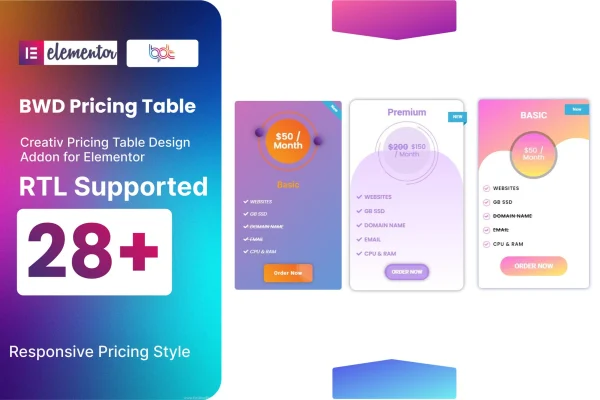
BWD Pricing Table by BestWpDeveloper is a WordPress plugin that adds a pricing table widget to Elementor. It lets you build plan comparison sections with preset designs and animations, then adjust text, shapes, colors and ribbons to match your site, all without writing code.
- Version
- 1.4
- Released
- Oct 11, 2025
- Type
- WordPress plugin
- Requires
- Elementor
- Licence
- GPL
- Included in
- Every plan, or $3.99 on its own
What’s new in BWD Pricing Table 1.4
Version 1.4 · Oct 11, 2025
Latest
What it does
Most service and product sites need a clear way to lay out plans side by side, and building that by hand in a page builder can take a lot of fiddling. This addon gives Elementor users a ready pricing table element with more than 28 preset animations and design styles to start from. You pick a design, drop it into your page, and fill in your plan names, prices and features through the familiar drag and drop editor.
Once a table is on the page, you can change its text, shapes and colors so it fits your brand. Three ribbon styles let you flag a featured plan or special offer. Tables are responsive, so they adapt to phones and tablets, and they support right-to-left languages. A .pot file is included for translation, and the plugin works alongside Elementor-friendly WordPress themes, which makes it a practical fit for multilingual sites and client projects.
Best for
- Businesses presenting service plans or packages
- Freelancers and agencies building Elementor sites for clients
- Multilingual or right-to-left language websites
Features
Preset animations and designs
Choose from more than 28 preset animations and design styles as a starting point for your pricing tables instead of building each layout from scratch.
Custom text, shapes and colors
Adjust the text, shapes and colors of each table so the pricing section matches your brand and the rest of your website design.
Three ribbon styles
Add one of three ribbon styles to a plan to point visitors toward a featured package, a popular option or a special offer.
Responsive layouts
Pricing tables adapt to different screen sizes, so plans stay readable for visitors browsing on phones, tablets and desktop computers.
RTL language support
Build pricing tables for right-to-left languages, which is useful for sites that publish in Arabic, Hebrew or other RTL scripts.
Translation ready
An included .pot file lets you translate the plugin's text strings into other languages for multilingual sites.
Works with Elementor
The addon plugs into the Elementor editor, so you design and edit pricing tables with the same drag and drop workflow you already use.
Cross-browser display
Tables are built to look and behave consistently across major web browsers, with clean, documented code for easier customization.
Questions about BWD Pricing Table
Do I need Elementor to use this plugin?
Yes. BWD Pricing Table is an addon for Elementor, so Elementor needs to be active on your site. The pricing table is added and edited inside the Elementor editor using its drag and drop interface.
Can I highlight a recommended plan?
Yes. The plugin includes three ribbon styles you can place on a table to mark a featured plan, a popular package or a special offer, and you can also change colors and shapes to make that plan stand out.
Will the pricing tables work on a site in Arabic or Hebrew?
The plugin supports right-to-left languages, so tables display correctly on RTL sites. It also ships with a .pot file, which lets you translate its text strings into other languages.
Will it work with my current theme?
It is designed to work with Elementor-friendly WordPress themes. Because you can customize text, shapes and colors, you can match the tables to your theme's look.
Is BWD Pricing Table free?
The code of BWD Pricing Table is licensed under the GPL, so anyone may use, change and share it. GPL Feast is a paid service: a plan or a single purchase gives you the download and automatic updates. The developer's own support, licence key and online services are not included.
Which version of BWD Pricing Table is this?
Version 1.4, released Oct 11, 2025. New versions appear here when the developer publishes them, and members get them as automatic updates.
How do I update BWD Pricing Table?
Install the free GPL Feast Updater on your site and connect it with your API key. It installs new versions of BWD Pricing Table automatically and keeps a backup, so you can roll back.
What does BWD Pricing Table need?
BWD Pricing Table needs Elementor installed and active.
You might also like






