
Plugin
Updated
BWL Poll Manager
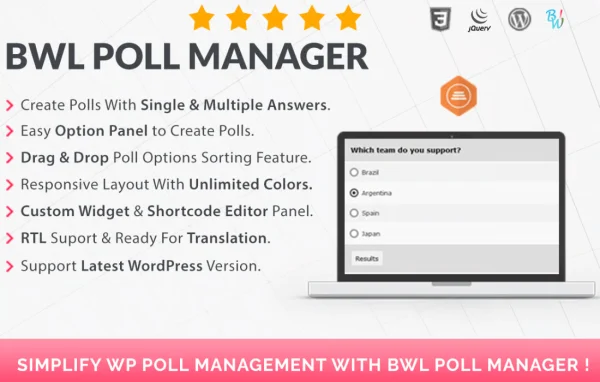
BWL Poll Manager is a WordPress plugin for creating and managing polls on your site. It gives you a drag-and-drop builder, several question types and real-time response tracking, so you can ask visitors for their opinions without writing any code.
- Version
- 2.0.0
- Released
- Feb 15, 2026
- Type
- WordPress plugin
- Licence
- GPL
- Included in
- Every plan, or $3.99 on its own
What’s new in BWL Poll Manager 2.0.0
Version 2.0.0 · Feb 15, 2026
Latest
What it does
Collecting opinions from readers usually means reaching for a separate survey tool or writing custom code. This plugin keeps the whole process inside WordPress. You build a poll with a drag-and-drop builder, choose from single choice, multiple choice or rating scale questions, and adjust the design so it matches your site's branding. Polls are responsive, so visitors on phones and desktops see a layout that fits their screen.
Once a poll is live, you can place it in pages, posts or widgets, wherever it makes sense for your content. Responses are tracked in real time, and an analytics dashboard presents results with charts and detailed reports. Security features help guard against fraudulent voting, and the plugin is translation-ready and compatible with multilingual plugins. It suits bloggers, marketers and business owners who want quick feedback from their audience.
Best for
- Bloggers who want reader opinions on their posts
- Marketers gathering quick audience feedback
- Business sites running simple customer surveys
Features
Drag-and-drop poll builder
Create polls by arranging elements visually in a drag-and-drop builder, with no coding or technical knowledge needed to put a poll together.
Customizable poll designs
Adjust the look of each poll so it matches your website's branding and style, keeping polls consistent with the rest of your pages.
Several question types
Choose single choice, multiple choice or rating scale questions, depending on whether you want one answer, several answers or a scored response.
Real-time response tracking
Watch votes come in as they happen and see audience opinions and voting patterns without waiting for a poll to close.
Analytics dashboard with charts
Review poll results in a dashboard that displays charts and detailed reports, making it easier to read what your visitors chose.
Flexible poll placement
Add polls to WordPress pages, posts and widgets, so you can put a question inside an article, on a landing page or in a sidebar.
Responsive, mobile-friendly polls
Polls adapt to different screen sizes, giving visitors on phones, tablets and desktops a usable voting experience.
Fraud prevention and translation
Security features help prevent fraudulent voting, and the plugin is translation-ready and works with multilingual plugins for sites in other languages.
BWL Poll Manager older versions
- 1.0.9Jun 5, 2023
Members and buyers of this product can download older versions.
Questions about BWL Poll Manager
What kinds of questions can I ask in a poll?
You can build polls with single choice questions, multiple choice questions and rating scales. That covers simple one-answer votes, questions where visitors pick several options, and questions where they rate something on a scale.
Where can I display polls on my site?
Polls can be placed in WordPress pages, posts and widgets. This lets you embed a poll inside an article, add one to a dedicated page, or keep one running in a sidebar or other widget area.
How do I see the results of a poll?
Responses are tracked in real time, so you can follow votes as they arrive. An analytics dashboard also displays results with charts and detailed reports, giving you a clear view of how visitors answered.
Can I stop people from voting multiple times or gaming results?
The plugin includes security features designed to prevent fraudulent voting and protect the integrity of your poll data, so your results better reflect what your real visitors think.
Is BWL Poll Manager free?
The code of BWL Poll Manager is licensed under the GPL, so anyone may use, change and share it. GPL Feast is a paid service: a plan or a single purchase gives you the download and automatic updates. The developer's own support, licence key and online services are not included.
Which version of BWL Poll Manager is this?
Version 2.0.0, released Feb 15, 2026. New versions appear here when the developer publishes them, and members get them as automatic updates.
How do I update BWL Poll Manager?
Install the free GPL Feast Updater on your site and connect it with your API key. It installs new versions of BWL Poll Manager automatically and keeps a backup, so you can roll back.
You might also like






