
Plugin
Updated
Canvas, by Bonfire
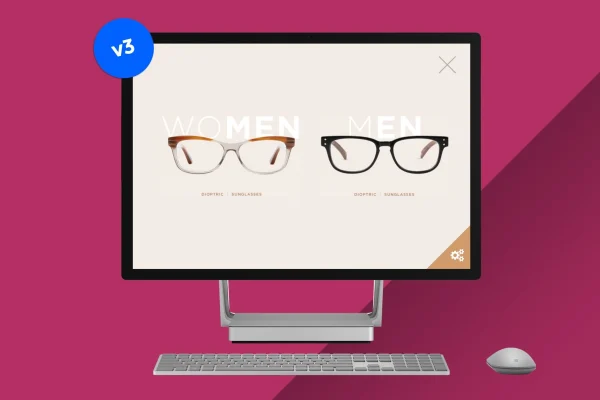
Canvas, by Bonfire is a WordPress plugin that opens a fullscreen slideout panel on your site and fills it with whatever content you choose. You build that content in the regular WordPress editor, so text, images, videos, forms and shortcodes all work inside the slide.
- Version
- 3.0
- Released
- May 2, 2023
- Type
- WordPress plugin
- Licence
- GPL
- Included in
- Every plan, or $3.99 on its own
What’s new in Canvas, by Bonfire 3.0
Version 3.0 · May 2, 2023
Latest
What it does
Some content needs the whole screen. An announcement, a campaign message, a signup form or a portfolio piece can get lost in a sidebar or buried halfway down a page. This plugin gives that content its own space: a clean, fullscreen overlay that slides out over your site and keeps distractions out of view while visitors read, watch or fill something in.
You create the slide content in the WordPress editor, the same way you write a page or post. There are no preset layouts to work around, so you can mix text, images, video embeds, forms and shortcodes and style each slide to match your site. The panel is responsive and retina ready, built with clean CSS and HTML, and configuring it requires no coding. It suits marketing pushes, site announcements, presentations and storytelling content.
Best for
- Sites running announcements or marketing campaigns
- Portfolio sites presenting work in fullscreen
- Site owners displaying forms or videos in an overlay
Features
Fullscreen slideout panel
Content appears in a clean fullscreen overlay that slides out over the page, giving visitors a distraction-free view of your message.
Built in the WordPress editor
Write and arrange slide content in the standard WordPress editor, just as you would when building any page or post.
Text, media and forms
Place text, images, videos and forms inside the slide, so one panel can hold a promotion, a video or a contact form.
Shortcode support
Drop shortcodes into the slide content to display output from other plugins or dynamic elements inside the fullscreen panel.
No preset layouts
Each slide is designed freely rather than fitted into a template, so you can match it to your site's style and purpose.
Responsive and retina ready
The fullscreen content adapts to different screen sizes, from desktop monitors to smartphones, and displays sharply on high-resolution screens.
Setup without coding
Configure the panel through simple settings without writing code, so you can spend your time on the content itself.
Clean CSS and HTML
The plugin is built with lightweight, clean CSS and HTML, which keeps its markup tidy alongside your existing theme.
Questions about Canvas, by Bonfire
What kind of content can I put in the fullscreen slide?
Anything you can create in the WordPress editor. That includes text, images, videos, forms and shortcodes, so you can combine a heading, an embedded video and a signup form in the same slide if you like.
Do I need to know how to code to set it up?
No. The plugin is configured through settings without coding, and the slide content is built in the familiar WordPress editor, so anyone comfortable creating a page or post can put together a fullscreen slide.
Will the slide look right on phones and tablets?
Yes. The fullscreen panel is responsive, so it adjusts to screens from desktop monitors down to smartphones, and it is retina ready for sharp display on high-resolution devices.
Am I limited to a set of templates for the slide design?
No. There are no preset layouts. You design each slide yourself in the editor, which lets you match the panel to your site's look and the goal of the content.
Is Canvas, by Bonfire free?
The code of Canvas, by Bonfire is licensed under the GPL, so anyone may use, change and share it. GPL Feast is a paid service: a plan or a single purchase gives you the download and automatic updates. The developer's own support, licence key and online services are not included.
Which version of Canvas, by Bonfire is this?
Version 3.0, released May 2, 2023. New versions appear here when the developer publishes them, and members get them as automatic updates.
How do I update Canvas, by Bonfire?
Install the free GPL Feast Updater on your site and connect it with your API key. It installs new versions of Canvas, by Bonfire automatically and keeps a backup, so you can roll back.
You might also like






