
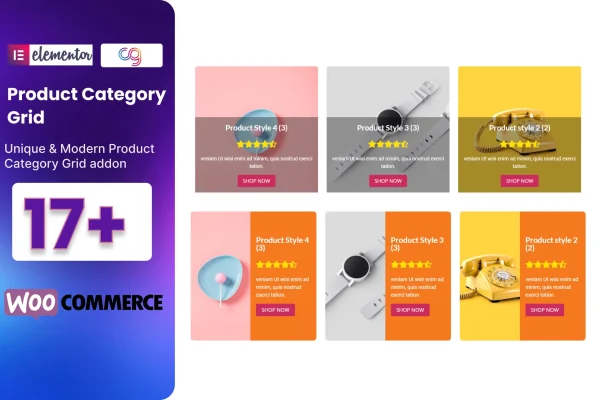
Plugin
Updated
Cat Product Grid
Cat Product Grid is a WordPress plugin that adds a product category grid to Elementor for WooCommerce stores. It gives you preset designs and styling controls so you can lay out your shop categories in a clean, organized grid without writing code.
- Version
- 2.5
- Released
- Aug 27, 2026
- Type
- WordPress plugin
- Licence
- GPL
- Included in
- Every plan, or $3.99 on its own
What’s new in Cat Product Grid 2.5
Version 2.5 · Aug 27, 2026
Latest
What it does
Many WooCommerce stores need a clear way to point shoppers toward their product categories, and building that layout by hand can take time. This addon brings a category grid element into Elementor, so you can place it on a homepage, shop page or landing page and set it up visually. You pick from 22 preset designs, then adjust titles, descriptions, buttons and colors to match the look of your brand.
The grid adapts its columns to different screen sizes, so the layout holds together on desktops, tablets and phones. It works with Elementor and is built to run alongside common WordPress themes. The output is retina ready for sharp display on high-resolution screens, and the code is described as clean and W3C validated. A POT file is included, which lets you translate the plugin's text into other languages for stores that serve visitors outside English.
Best for
- WooCommerce store owners using Elementor
- Web designers building shop homepages for clients
- Stores with many product categories to organize
Features
22 preset grid designs
Start from one of 22 ready-made category grid layouts, each with its own styling, and pick the one that suits your store's look.
Custom titles and descriptions
Edit the title and description text shown in each category grid so the wording fits your store and the categories you sell.
Button and color controls
Change the buttons and colors in your grid to match your brand, giving each category display a consistent look across your pages.
Responsive column options
Set how many columns the grid shows, and the layout adjusts to screen size so categories display properly on desktops, tablets and phones.
Visual building in Elementor
Build and arrange category grids with Elementor's drag and drop editor, so no coding is needed to get a finished layout on the page.
Retina ready display
Grids are prepared for high-resolution screens, so category displays stay crisp on retina devices as well as standard monitors.
Translation ready with POT file
A POT file is included so you can translate the plugin's text into another language for a store that serves a non-English audience.
Clean, validated code
The plugin is built with clean, W3C validated code and is described as cross-browser compatible for consistent display in modern browsers.
Questions about Cat Product Grid
Do I need Elementor to use this category grid?
Yes. The plugin works as an addon for Elementor, so the category grid is placed and styled inside the Elementor editor. It is built to display WooCommerce product categories, so your site should also be running WooCommerce.
How many grid designs come with it?
There are 22 preset designs included. Each one can be adjusted further by changing the titles, descriptions, buttons and colors, so you can start from a preset and shape it to fit your store's style.
Will the grid look right on mobile devices?
The grid has responsive column options that adapt to screen size, so the layout works on desktops, tablets and phones. It is also retina ready, which keeps the display sharp on high-resolution screens.
Can I translate the grid text into another language?
Yes. The plugin includes a POT file, which is the standard file used to translate WordPress plugin text. You can use it to create translations for stores that serve visitors in other languages.
Is Cat Product Grid free?
The code of Cat Product Grid is licensed under the GPL, so anyone may use, change and share it. GPL Feast is a paid service: a plan or a single purchase gives you the download and automatic updates. The developer's own support, licence key and online services are not included.
Which version of Cat Product Grid is this?
Version 2.5, released Aug 27, 2026. New versions appear here when the developer publishes them, and members get them as automatic updates.
How do I update Cat Product Grid?
Install the free GPL Feast Updater on your site and connect it with your API key. It installs new versions of Cat Product Grid automatically and keeps a backup, so you can roll back.
You might also like






