
Plugin
Updated
CF7 Autoresponder Addon
This WordPress plugin extends Contact Form 7 so that people who fill out your forms are added to your email marketing lists. It connects your forms to autoresponder services, keeps a copy of every submission in WordPress and adds lead capture widgets you can use on any site.
- Version
- 2.5
- Released
- Oct 11, 2025
- Type
- WordPress plugin
- Requires
- Contact Form 7
- Licence
- GPL
- Included in
- Every plan, or $3.99 on its own
What’s new in CF7 Autoresponder Addon 2.5
Version 2.5 · Oct 11, 2025
Latest
What it does
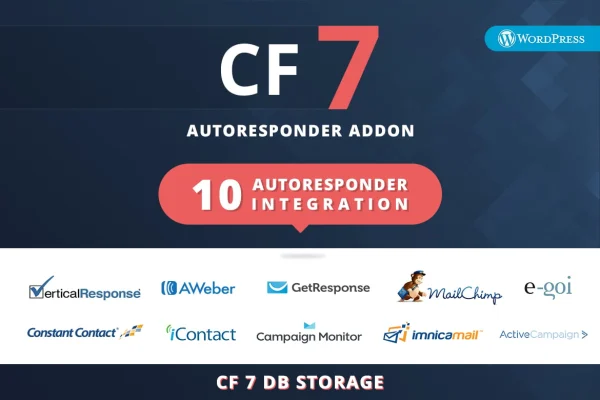
Contact Form 7 sends inquiry emails when someone submits a form, and the data stops there. If you run an email list, you then have to copy each contact into your marketing service by hand. This addon closes that gap. It connects your existing forms to autoresponder and email marketing platforms such as AWeber, Mailchimp, GetResponse, iContact, Constant Contact, Vertical Response and Campaign Monitor, so new contacts go straight into your campaigns and receive your follow-up emails.
It also keeps every submission inside the WordPress admin, which gives you a central record of inquiries and a backup if something goes wrong elsewhere. You can export that lead data in Excel format for offline work or reporting. Since it works with the forms you already built, there is no need to start over. For sites without Contact Form 7 forms in place, four drag-and-drop widgets let you add simple lead capture forms.
Best for
- Small businesses growing an email list from contact forms
- Sites using Contact Form 7 with Mailchimp or AWeber
- Freelancers setting up lead capture for client sites
Features
Contact Form 7 connection
Links the forms already on your site to your autoresponder account, so submissions are passed along to your email marketing lists automatically.
Several email platforms supported
Works with AWeber, Mailchimp, GetResponse, iContact, Constant Contact, Vertical Response and Campaign Monitor, so you can keep using the service you prefer.
Lead storage in WordPress
Saves every form submission in the plugin's backend, giving you one place to review inquiries and a stored copy of your lead data.
Excel export
Lets you export collected leads in Excel format, which is handy for offline use, sharing with a team or keeping a separate backup.
Four drag-and-drop widgets
Includes four lead capture widgets you can place on your site to collect emails, even on pages that do not use Contact Form 7.
Works with existing forms
Uses the Contact Form 7 forms you have already created, so you can add list building without rebuilding your contact pages.
Questions about CF7 Autoresponder Addon
Which email marketing services can it send leads to?
It connects with AWeber, Mailchimp, GetResponse, iContact, Constant Contact, Vertical Response and Campaign Monitor. Contacts from your forms are added to your chosen service, where your autoresponder can send follow-up emails.
Do I need to rebuild my current contact forms?
No. The plugin works with the Contact Form 7 forms already on your site, so you can connect them to your email platform and keep your existing layouts and fields as they are.
Can I keep a copy of my leads outside my email service?
Yes. Every submission is stored in the plugin's backend inside WordPress, and you can export the lead data in Excel format for backup, reporting or offline use.
Is Contact Form 7 required to collect leads?
The main features build on Contact Form 7, but the plugin also includes four drag-and-drop widgets that let you capture emails and leads on your site without using Contact Form 7 forms.
Is CF7 Autoresponder Addon free?
The code of CF7 Autoresponder Addon is licensed under the GPL, so anyone may use, change and share it. GPL Feast is a paid service: a plan or a single purchase gives you the download and automatic updates. The developer's own support, licence key and online services are not included.
Which version of CF7 Autoresponder Addon is this?
Version 2.5, released Oct 11, 2025. New versions appear here when the developer publishes them, and members get them as automatic updates.
How do I update CF7 Autoresponder Addon?
Install the free GPL Feast Updater on your site and connect it with your API key. It installs new versions of CF7 Autoresponder Addon automatically and keeps a backup, so you can roll back.
What does CF7 Autoresponder Addon need?
CF7 Autoresponder Addon needs Contact Form 7 installed and active.
You might also like






