
Plugin
Updated
CF7 Mailchimp Addon
This WordPress plugin links Contact Form 7 with Mailchimp so form submissions are added to your Mailchimp lists automatically. It also keeps a copy of every entry in WordPress and lets you view subscribers and campaigns from your dashboard.
- Version
- 2.5
- Released
- Jun 22, 2026
- Type
- WordPress plugin
- Requires
- Contact Form 7
- Licence
- GPL
- Included in
- Every plan, or $3.99 on its own
What’s new in CF7 Mailchimp Addon 2.5
Version 2.5 · Jun 22, 2026
Latest
What it does
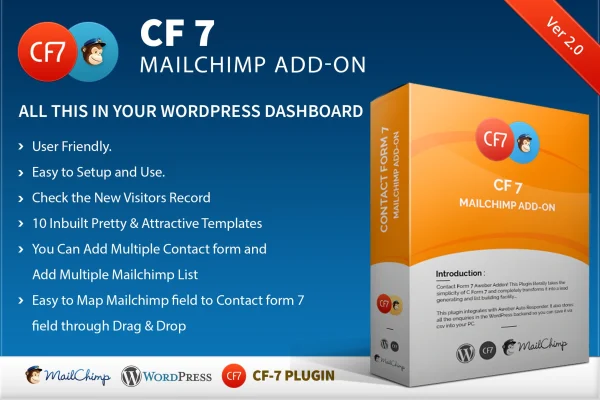
If you already collect contacts with Contact Form 7, moving those entries into Mailchimp by hand gets tedious and leads to missed sign-ups. This add-on, which requires Contact Form 7, closes that gap. Each submission syncs to the Mailchimp list you choose, and you can connect several forms to different lists, so a newsletter form and a webinar form can feed separate audiences. Field mapping uses a drag and drop interface, which means you match form fields to Mailchimp fields visually instead of typing tags.
The plugin also works as a small data hub inside WordPress. Submissions are stored in the backend, where you can review them and export them as CSV files for analysis or for use in other tools. You can see subscribed and unsubscribed Mailchimp contacts and check your broadcast campaigns without logging into Mailchimp. For faster setup, there are 10 pre-built responsive subscriber form templates, and you can add custom fields to capture whatever details your segments need.
Best for
- Sites already using Contact Form 7 for sign-ups
- Small businesses building a Mailchimp newsletter list
- Freelancers setting up lead capture for clients
Features
Drag and drop field mapping
Match Contact Form 7 fields to the corresponding Mailchimp fields by dragging them into place, which cuts down on manual configuration mistakes.
Multiple forms and lists
Connect different Contact Form 7 forms to different Mailchimp lists so each audience group lands in the right place for targeted campaigns.
Custom fields support
Add as many custom fields as you need to your forms, capturing the exact details you want for segmenting and targeting subscribers.
Subscriber list management
View your Mailchimp lists, including subscribed and unsubscribed contacts, directly in the WordPress dashboard without switching to the Mailchimp site.
Ten subscriber form templates
Pick from 10 pre-built responsive form templates to put a subscription form on your site quickly without designing one from scratch.
Submissions stored in WordPress
Every form submission is saved in your WordPress backend, giving you a local record you can review and manage whenever you like.
CSV export
Export collected subscriber data to CSV files at any time for offline review, reporting, or importing into other marketing tools.
Broadcast campaign overview
Check your Mailchimp broadcast campaigns from inside WordPress so you can keep track of what has gone out to your lists.
Questions about CF7 Mailchimp Addon
Do I need Contact Form 7 for this to work?
Yes. The add-on is built on top of Contact Form 7 and connects its forms to Mailchimp. You create or use your existing Contact Form 7 forms, then map their fields to your Mailchimp list fields.
Can different forms send contacts to different Mailchimp lists?
Yes. You can connect multiple Contact Form 7 forms to different Mailchimp lists. That lets you keep audiences separate, for example sending newsletter sign-ups to one list and event registrations to another.
Will I still have a copy of submissions if something goes wrong with Mailchimp?
Form submissions are stored in your WordPress backend as well as being synced. You can review them there and export them to CSV files whenever you need a backup or want to move the data elsewhere.
Does it come with ready-made form designs?
It includes 10 pre-built subscriber form templates that are responsive, so you can launch a subscription form quickly. You can also add custom fields to collect extra details beyond a name and email.
Is CF7 Mailchimp Addon free?
The code of CF7 Mailchimp Addon is licensed under the GPL, so anyone may use, change and share it. GPL Feast is a paid service: a plan or a single purchase gives you the download and automatic updates. The developer's own support, licence key and online services are not included.
Which version of CF7 Mailchimp Addon is this?
Version 2.5, released Jun 22, 2026. New versions appear here when the developer publishes them, and members get them as automatic updates.
How do I update CF7 Mailchimp Addon?
Install the free GPL Feast Updater on your site and connect it with your API key. It installs new versions of CF7 Mailchimp Addon automatically and keeps a backup, so you can roll back.
What does CF7 Mailchimp Addon need?
CF7 Mailchimp Addon needs Contact Form 7 installed and active.
You might also like






