
Plugin
Updated
Charts for Elementor
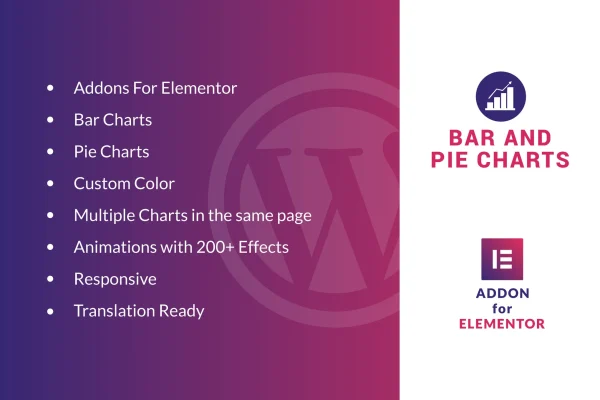
Charts for Elementor is a WordPress plugin that adds bar and pie charts to the Elementor page builder. It lets you turn raw numbers into clear, animated graphics and place them right inside your page layouts, with color options to match your site.
- Version
- 1.0
- Released
- May 2, 2023
- Type
- WordPress plugin
- Requires
- Elementor
- Licence
- GPL
- Included in
- Every plan, or $3.99 on its own
What’s new in Charts for Elementor 1.0
Version 1.0 · May 2, 2023
Latest
What it does
Numbers in a table or paragraph are easy for visitors to skip. A chart makes figures such as sales results, survey answers or performance metrics easier to read at a glance. This plugin works inside Elementor, so you build charts in the same editor you already use for the rest of your pages. You pick a bar or pie chart, enter your data, choose colors and set an animation, all without leaving the page builder.
The plugin requires Elementor and fits sites that publish reports, dashboards or data summaries. You can place several charts on a single page, which helps when one page compares different sets of figures. Charts are responsive and retina ready, so they adapt to desktop and mobile screens and stay sharp on high resolution displays. It is also translation ready with .po and .mo files, which helps if your site runs in a language other than English.
Best for
- Elementor sites that publish reports or data summaries
- Business sites presenting sales or performance figures
- Agencies building client dashboards in Elementor
Features
Bar and pie charts
Choose between classic bar charts and pie charts, depending on whether your data compares values side by side or shows parts of a whole.
Built into Elementor
Add and edit charts directly inside the Elementor editor, so charts sit alongside your other page content and follow your existing layout.
Custom chart colors
Set chart colors to match your brand or theme, so every chart on your site keeps a consistent look with the rest of your design.
Multiple charts per page
Place several charts on the same page without conflicts, which suits dashboards, reports and pages that compare more than one data set.
Over 200 animation effects
Pick from more than 200 animation effects to control how each chart appears as visitors scroll to it on the page.
Responsive and retina ready
Charts resize to fit different screen sizes, from desktops to phones, and display crisply on high resolution screens.
Translation ready
Includes .po and .mo files so you can translate the plugin's text and use your charts on sites in other languages.
Questions about Charts for Elementor
Do I need Elementor to use this plugin?
Yes. The plugin requires Elementor and works inside the Elementor editor. You add charts to your pages the same way you add other content in the page builder.
What kinds of charts can I create?
You can create bar charts and pie charts. Bar charts work well for comparing values, while pie charts suit data that shows how parts make up a whole, such as survey responses.
Can I show more than one chart on the same page?
Yes. You can place multiple charts on one page without conflicts, which is handy for report pages, dashboards or any page that compares several sets of figures.
Will the charts look right on phones and tablets?
The charts are responsive and retina ready. They adapt to different screen sizes, from desktops down to mobile devices, and stay sharp on high resolution displays.
Is Charts for Elementor free?
The code of Charts for Elementor is licensed under the GPL, so anyone may use, change and share it. GPL Feast is a paid service: a plan or a single purchase gives you the download and automatic updates. The developer's own support, licence key and online services are not included.
Which version of Charts for Elementor is this?
Version 1.0, released May 2, 2023. New versions appear here when the developer publishes them, and members get them as automatic updates.
How do I update Charts for Elementor?
Install the free GPL Feast Updater on your site and connect it with your API key. It installs new versions of Charts for Elementor automatically and keeps a backup, so you can roll back.
What does Charts for Elementor need?
Charts for Elementor needs Elementor installed and active.
You might also like






