
Plugin
Updated
Chronos CountDown
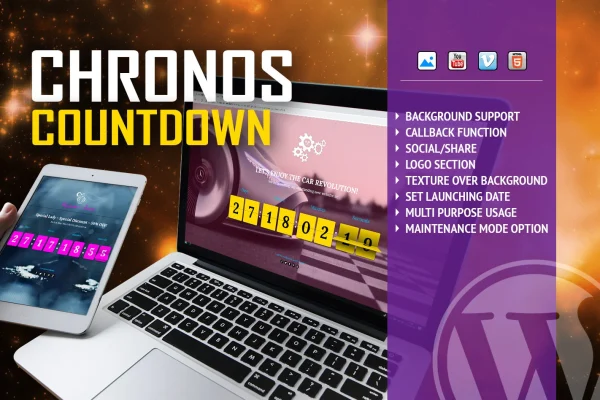
Chronos CountDown is a WordPress plugin that displays a countdown timer with a flip animation over a background image or video. It suits coming soon pages, event countdowns, limited-time offers and maintenance notices, and it can run a custom function the moment the timer reaches zero.
- Version
- 1.2.4
- Released
- May 2, 2023
- Type
- WordPress plugin
- Licence
- GPL
- Included in
- Every plan, or $3.99 on its own
What’s new in Chronos CountDown 1.2.4
Version 1.2.4 · May 2, 2023
Latest
What it does
Many sites need to tell visitors that something is on the way: a product launch, an event, a sale that ends soon or a site that is temporarily down for work. This plugin gives you a flip-style timer that counts down to a date you set, down to the second. You place it over a background image or video and can lay an optional texture on top so the numbers stay easy to read without editing the image yourself.
The timer comes with more than 50 configurable options, so you can match it to your site's colors and messaging. It adapts to desktops, tablets and phones and is built to work in modern browsers. A full maintenance mode or under-construction page with the countdown is included, and a callback function lets you trigger actions when time runs out, such as redirecting visitors or opening a promotional pop-up.
Best for
- Sites preparing a coming soon or product launch page
- Stores running flash sales or limited-time offers
- Event organizers counting down to a date
Features
Flip animation timer
Numbers turn over with a flip animation as the countdown runs, giving a clear and readable display for any upcoming date.
Over 50 configurable options
Adjust more than 50 settings to fit the timer's look and behavior to your site's design, branding and message.
Precise target date
Set the end point by year, month, day, hour, minute and second so the countdown tracks your event accurately.
Image or video backgrounds
Place the timer over a background image or video, with optional textures overlaid to keep the digits legible against busy visuals.
End of countdown callback
Run a custom function the moment the timer reaches zero, for example redirecting users or showing a promotional pop-up.
Maintenance mode page
Switch on a full maintenance mode or under-construction page that shows the countdown so visitors know when the site returns.
Responsive layout
The timer adapts to different screen sizes and resolutions, so it displays properly on desktops, tablets and smartphones.
Questions about Chronos CountDown
Can I use a video behind the countdown timer?
Yes. The timer can sit over a background image or a video. You can also apply an optional texture over that background, which helps the flip numbers stay readable without editing the media in another program.
What happens when the countdown finishes?
The plugin offers a callback function that runs custom code as soon as the timer ends. Examples given include redirecting visitors to another page or triggering a promotional pop-up.
Can it work as a maintenance or under-construction page?
Yes. It includes a maintenance mode that displays a full under-construction page with the countdown timer, so visitors can see when your site is expected to be back while you work on it.
Will the timer look right on phones?
The design is responsive and adapts to different screen sizes and resolutions, covering desktops, tablets and smartphones. It is also built to behave consistently across modern browsers.
Is Chronos CountDown free?
The code of Chronos CountDown is licensed under the GPL, so anyone may use, change and share it. GPL Feast is a paid service: a plan or a single purchase gives you the download and automatic updates. The developer's own support, licence key and online services are not included.
Which version of Chronos CountDown is this?
Version 1.2.4, released May 2, 2023. New versions appear here when the developer publishes them, and members get them as automatic updates.
How do I update Chronos CountDown?
Install the free GPL Feast Updater on your site and connect it with your API key. It installs new versions of Chronos CountDown automatically and keeps a backup, so you can roll back.
You might also like






