
Plugin
Updated
Clever Mega Menu
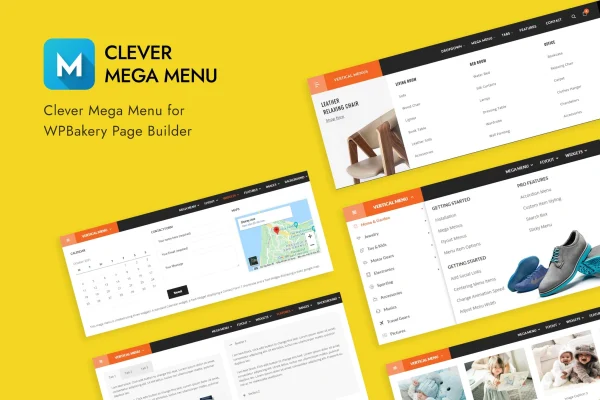
Clever Mega Menu is a WordPress plugin for building mega menus with WPBakery Page Builder. It lets you design horizontal, vertical or dropdown menus using the familiar drag-and-drop interface, and you can place HTML, widgets and shortcodes inside them without writing code.
- Version
- 1.0.12
- Released
- May 2, 2023
- Type
- WordPress plugin
- Licence
- GPL
- Included in
- Every plan, or $3.99 on its own
What’s new in Clever Mega Menu 1.0.12
Version 1.0.12 · May 2, 2023
Latest
What it does
Standard WordPress menus handle simple lists of links well, but they fall short when a site needs wide dropdown panels with columns, images or extra content. This plugin connects your menus to the WPBakery Page Builder (Visual Composer) interface, so you lay out a submenu the same way you would lay out a page. You can drop in HTML content, widgets or shortcodes, which makes it practical for sites with many categories, sections or services to organize.
You choose between traditional flyout submenus and full mega menu layouts, and set how submenus open: on hover, with hover intent or on click. Submenus can be aligned to suit your header, and CSS3 transitions animate them as they appear. A sticky option keeps the menu in view as visitors scroll. Each menu can be configured on its own, so different parts of a site can use different setups, and the output is responsive and retina-ready across screen sizes.
Best for
- WordPress sites already built with WPBakery Page Builder
- Stores or blogs with many categories to organize
- Agencies building custom headers for client sites
Features
Horizontal, vertical and dropdown menus
Build mega menus in horizontal, vertical or dropdown formats, so the navigation can match a top header bar, a sidebar or a compact dropdown.
WPBakery drag-and-drop layouts
Create complex menu layouts with the Visual Composer drag-and-drop interface, arranging content inside submenus without needing to write any code.
HTML, widgets and shortcodes
Place HTML content, WordPress widgets or shortcodes directly inside your menus to show richer content than a plain list of links.
Sticky menu option
Keep the navigation fixed in view as visitors scroll down the page, so the menu stays within reach on long pages.
Choice of open triggers
Set submenus to open on hover, with hover intent or on click, depending on how you want visitors to interact with the menu.
CSS3 submenu transitions
Built-in CSS3 transitions animate submenus as they open, giving dropdowns and flyouts smooth motion instead of an abrupt appearance.
Submenu alignment and styles
Align dropdowns and flyouts to fit your header, and pick between traditional flyout submenus and fully customizable mega menu layouts.
Independent menu settings
Manage multiple menus separately, each with its own configuration, and rely on a responsive, retina-ready design across screen sizes.
Questions about Clever Mega Menu
Do I need WPBakery Page Builder to use this plugin?
The plugin is built around WPBakery Page Builder, also known as Visual Composer. Menu layouts are created through its drag-and-drop interface, so it suits sites where WPBakery is part of the setup.
Can I put things other than links in my menus?
Yes. You can add HTML content, WordPress widgets and shortcodes inside menus. That lets a submenu hold richer content, such as a widget block or shortcode output, alongside regular navigation links.
How do submenus open for visitors?
You can choose hover, hover intent or click as the trigger. Submenus open with CSS3 transitions, and you can adjust their alignment so dropdowns and flyouts sit where you want them in the header.
Will the menus work on phones and tablets?
The menus are responsive and retina-ready, so they adapt to different screen sizes and display sharply on high-resolution screens. You can also enable a sticky option to keep the menu visible while scrolling.
Is Clever Mega Menu free?
The code of Clever Mega Menu is licensed under the GPL, so anyone may use, change and share it. GPL Feast is a paid service: a plan or a single purchase gives you the download and automatic updates. The developer's own support, licence key and online services are not included.
Which version of Clever Mega Menu is this?
Version 1.0.12, released May 2, 2023. New versions appear here when the developer publishes them, and members get them as automatic updates.
How do I update Clever Mega Menu?
Install the free GPL Feast Updater on your site and connect it with your API key. It installs new versions of Clever Mega Menu automatically and keeps a backup, so you can roll back.
You might also like






