
Plugin
Updated
Click To Mail Pro
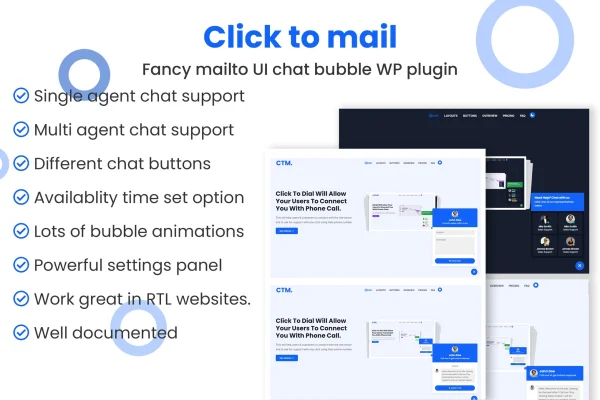
Click To Mail Pro is a WordPress plugin that adds email contact buttons to your site. Visitors click a bubble button or a styled mail button, and their email app opens with your address, subject and message already filled in.
- Version
- 1.1.5
- Released
- Nov 8, 2024
- Type
- WordPress plugin
- Requires
- Elementor
- Licence
- GPL
- Included in
- Every plan, or $3.99 on its own
What’s new in Click To Mail Pro 1.1.5
Version 1.1.5 · Nov 8, 2024
Latest
- ImprovedEscaped some strings
- NewAdded some string translations
What it does
Many visitors would rather send a quick email than fill out a form, but hunting for an address and typing it into a mail app adds friction. This plugin places a mailto bubble button or custom mail buttons on your pages so people can start an email in a few clicks. You can set the subject line and body text in advance, which guides visitors to include the details you need when they reach out.
The plugin works in two modes. With single-agent support, every message goes to one email address, which suits solo owners and small teams. With multiple agents, visitors pick the department or person they want to contact, and you can add CC and BCC recipients so others on your team stay informed. The buttons are responsive and retina ready, setup needs no coding, and the plugin relies on Elementor.
Best for
- Small businesses that prefer email over contact forms
- Companies with several support departments or staff
- Consultants and service providers taking inquiries by email
Features
Single-agent bubble button
Add a floating bubble button that sends every email to one address you choose, a simple setup for solo entrepreneurs or small teams.
Multiple agents support
Add unlimited agents so visitors can choose which department or team member they want to email, keeping messages with the right person.
Customizable mail buttons
Pick from a range of mail button styles so the contact buttons match the look of your website.
CC and BCC recipients
Automatically include extra recipients on outgoing emails, which helps your team keep track of incoming customer inquiries.
Pre-filled subject and body
Set the email subject line and message body in advance so visitors know what information to include when they contact you.
Responsive and retina ready
Buttons are built to look sharp and work properly across phones, tablets and desktops at different screen resolutions.
No coding required
Add the email buttons to your WordPress site without writing code, using the plugin settings instead.
Lightweight scripts and styles
The plugin uses lightweight JavaScript and CSS files, keeping the added code on your pages small.
Click To Mail Pro older versions
- 1.0Apr 19, 2025
Members and buyers of this product can download older versions.
Questions about Click To Mail Pro
Can visitors choose who they send an email to?
Yes. With multiple agents support you can add unlimited agents, such as departments or individual team members. Visitors pick the one they want, and their email opens addressed to that person.
Can I pre-fill the email visitors send?
Yes. You can set a custom subject line and message body for the email. This helps guide visitors to share relevant details, such as an order question or the service they are interested in.
Does the plugin need Elementor?
Yes, the plugin lists Elementor as a requirement, so you should have Elementor active on your WordPress site before using it. Once it is in place, you can add the email buttons without writing any code.
Will the buttons work on mobile devices?
The mail buttons are responsive and retina ready, so they are designed to display clearly and work on phones, tablets and desktop screens alike.
Is Click To Mail Pro free?
The code of Click To Mail Pro is licensed under the GPL, so anyone may use, change and share it. GPL Feast is a paid service: a plan or a single purchase gives you the download and automatic updates. The developer's own support, licence key and online services are not included.
Which version of Click To Mail Pro is this?
Version 1.1.5, released Nov 8, 2024. New versions appear here when the developer publishes them, and members get them as automatic updates.
How do I update Click To Mail Pro?
Install the free GPL Feast Updater on your site and connect it with your API key. It installs new versions of Click To Mail Pro automatically and keeps a backup, so you can roll back.
What does Click To Mail Pro need?
Click To Mail Pro needs Elementor installed and active.
You might also like






