
Plugin
Updated
CodEntor Syntax Highlighter
CodEntor Syntax Highlighter is a WordPress plugin that adds code highlighting blocks to Elementor. You drag a block onto a page or post, paste your snippet, pick a language and a theme, and visitors see clean, colored code that is easy to read.
- Version
- 1.4
- Released
- Aug 27, 2026
- Type
- WordPress plugin
- Requires
- Elementor
- Licence
- GPL
- Included in
- Every plan, or $3.99 on its own
What’s new in CodEntor Syntax Highlighter 1.4
Version 1.4 · Aug 27, 2026
Latest
What it does
Pasting raw code into a page builder usually gives you a plain, hard to scan block of text. This addon fixes that by giving Elementor a dedicated code block with syntax coloring. It supports over 300 programming languages, from HTML and CSS to JavaScript and many more, so tutorials, documentation pages and blog posts can present code the way readers expect to see it.
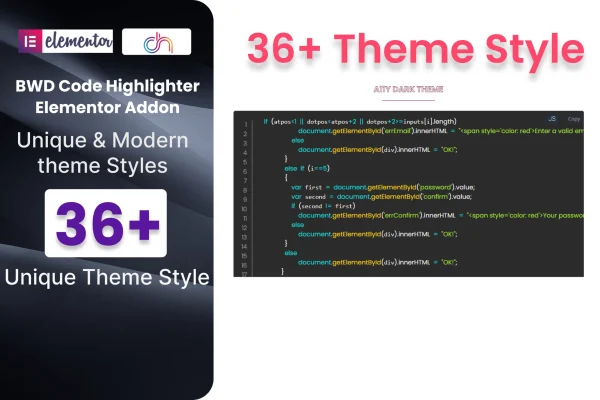
Everything happens inside the Elementor editor with drag and drop controls, so no coding knowledge is needed to set it up. You can choose from more than 36 preset themes and then adjust the language, background, font colors and other settings to match your site. The blocks are responsive and retina ready, and the plugin ships with a .pot file for translation and detailed documentation.
Best for
- Tech blogs publishing tutorials with code examples
- Educators and course sites teaching programming
- Developers building portfolio or documentation sites in Elementor
Features
Over 36 preset themes
Pick from more than 36 ready made color themes so your code snippets match the look of your site or brand.
Support for 300+ languages
Apply accurate syntax coloring to over 300 programming languages, covering common choices like HTML, CSS and JavaScript and many others.
Custom styling controls
Adjust the language, background color, font colors and more settings to create a code preview that fits your design.
Drag and drop in Elementor
Place code blocks anywhere on your pages or posts using the familiar Elementor drag and drop editor, with no coding required.
Responsive and retina ready
Highlighted code adapts to different screen sizes and stays sharp on high resolution displays, so snippets read well on phones and desktops.
Cross-browser display
Code blocks are built to display consistently across major browsers, giving every visitor the same clean presentation.
Translation ready
A .pot file is included so you can translate the plugin's text into other languages for multilingual or international sites.
Documented, standards-based code
The plugin includes detailed documentation and follows W3C validated coding standards, which helps developers who want to understand how it works.
Questions about CodEntor Syntax Highlighter
Do I need Elementor to use this plugin?
Yes. The plugin works as an Elementor addon, adding a code highlighting block that you place with the Elementor drag and drop editor. You will need Elementor active on your site to use it.
Which programming languages can it highlight?
It supports syntax highlighting for over 300 programming languages. That includes everyday web languages such as HTML, CSS and JavaScript, plus a wide range of others, so most code you want to share on a page should be covered.
Can I make the code blocks match my site design?
Yes. You can start from more than 36 preset themes and then change the background, font colors, language and other settings. This lets you keep code snippets consistent with your site colors or brand style.
Do I need to know how to code to add snippets?
No coding is required to add or style the blocks. You drag a block into your layout, paste the code you want to display and choose your settings in the Elementor editor.
Is CodEntor Syntax Highlighter free?
The code of CodEntor Syntax Highlighter is licensed under the GPL, so anyone may use, change and share it. GPL Feast is a paid service: a plan or a single purchase gives you the download and automatic updates. The developer's own support, licence key and online services are not included.
Which version of CodEntor Syntax Highlighter is this?
Version 1.4, released Aug 27, 2026. New versions appear here when the developer publishes them, and members get them as automatic updates.
How do I update CodEntor Syntax Highlighter?
Install the free GPL Feast Updater on your site and connect it with your API key. It installs new versions of CodEntor Syntax Highlighter automatically and keeps a backup, so you can roll back.
What does CodEntor Syntax Highlighter need?
CodEntor Syntax Highlighter needs Elementor installed and active.
You might also like






