
Plugin
Updated
Coder for Elementor
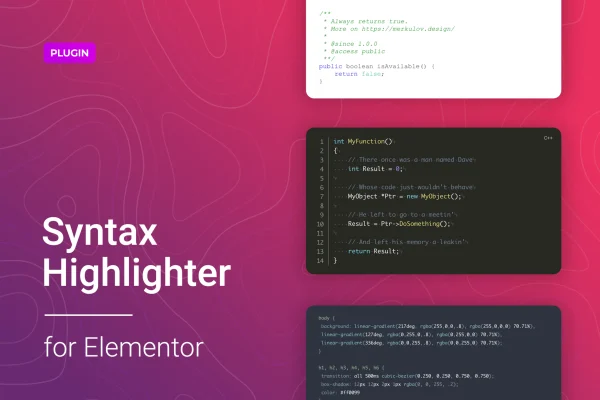
Coder for Elementor is a WordPress plugin that adds a code syntax highlighting widget to Elementor. It uses the prism.js library to display formatted code snippets with color, line numbers and selectable themes, so programming examples on your pages are easier to read.
- Version
- 1.0.16
- Released
- Mar 20, 2026
- Type
- WordPress plugin
- Requires
- Elementor
- Licence
- GPL
- Included in
- Every plan, or $3.99 on its own
What’s new in Coder for Elementor 1.0.16
Version 1.0.16 · Mar 20, 2026
Latest
- ImprovedInternal improvements for better stability and reliability.
What it does
Pasting raw code into a page builder often leaves you with plain, hard to scan text. This plugin gives you an Elementor widget built for code. You drop it onto a page, paste or link your snippet, choose a language and a theme, and the widget renders it with syntax highlighting. It supports more than 200 programming, scripting and markup languages, including mathematical markup, and offers over 30 visual themes so code blocks can match the rest of your design.
The plugin fits sites where code is part of the content: tech blogs, tutorials, course pages and product documentation. Besides pasting code directly, you can embed code from GitHub or BitBucket by URL, which helps when your examples already live in a repository. Line numbers and line highlighting let you point readers to the exact lines you are discussing. Output is responsive and retina ready, so snippets stay sharp on phones and large screens. It requires Elementor.
Best for
- Tech blogs that publish code examples
- Tutorial and online course sites built with Elementor
- Developer documentation and knowledge base pages
Features
Over 200 supported languages
Highlight code in more than 200 programming, scripting and markup languages, so one widget covers most of the examples a technical site needs to publish.
More than 30 themes
Pick from over 30 style themes to change the colors and look of your code blocks so they suit your site's design.
GitHub and BitBucket embedding
Pull code into a block by pasting a URL from GitHub or BitBucket, instead of copying the snippet into the page by hand.
Line numbers and highlighting
Show line numbers alongside your code and highlight specific lines to direct readers to the part of the snippet you are explaining.
Built on prism.js
Syntax highlighting runs on the lightweight prism.js library, a widely used tool for coloring code in the browser.
Responsive, retina ready output
Code blocks adapt to different screen sizes and display crisply on high resolution screens, from phones to desktop monitors.
Native Elementor widget
Add and configure code blocks inside Elementor's drag and drop editor, adjusting settings from the widget panel like any other element.
Questions about Coder for Elementor
Do I need Elementor to use this plugin?
Yes. The plugin works as an Elementor widget, so Elementor must be active on your site. You add code blocks from the Elementor editor and set the language, theme and display options from the widget's controls.
Can I show code that is stored on GitHub?
Yes. You can embed code from GitHub or BitBucket by entering its URL in the widget. This is useful when your examples already live in a repository and you would rather reference them than paste them into each page manually.
Which languages can it highlight?
It supports more than 200 programming, scripting and markup languages through the prism.js library, including mathematical markup. That range covers common web languages as well as many less common ones you might use in tutorials or documentation.
Can I point readers to specific lines in a snippet?
Yes. You can turn on line numbers and highlight chosen lines in a code block. This makes it easier to walk readers through an example and call attention to the exact lines your text is describing.
Is Coder for Elementor free?
The code of Coder for Elementor is licensed under the GPL, so anyone may use, change and share it. GPL Feast is a paid service: a plan or a single purchase gives you the download and automatic updates. The developer's own support, licence key and online services are not included.
Which version of Coder for Elementor is this?
Version 1.0.16, released Mar 20, 2026. New versions appear here when the developer publishes them, and members get them as automatic updates.
How do I update Coder for Elementor?
Install the free GPL Feast Updater on your site and connect it with your API key. It installs new versions of Coder for Elementor automatically and keeps a backup, so you can roll back.
What does Coder for Elementor need?
Coder for Elementor needs Elementor installed and active.
You might also like






