
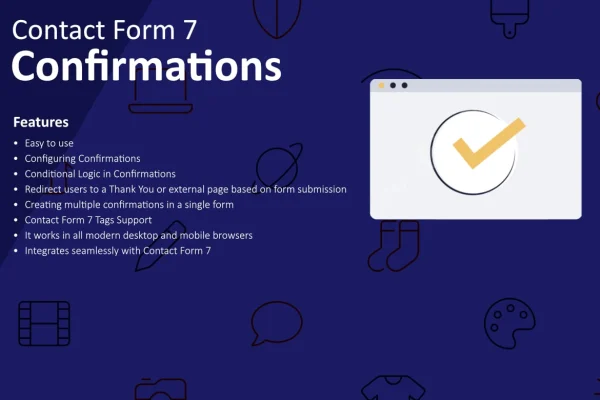
Plugin
Updated
Contact Form 7 - Confirmations
This WordPress plugin adds custom confirmation messages to forms built with Contact Form 7. After a visitor submits a form, they see clear feedback that their submission was received. It comes with step-by-step guidance and practical tips for setting the messages up.
- Version
- 1.2.0
- Released
- Jun 7, 2024
- Type
- WordPress plugin
- Requires
- Contact Form 7
- Licence
- GPL
- Included in
- Every plan, or $3.99 on its own
What’s new in Contact Form 7 - Confirmations 1.2.0
Version 1.2.0 · Jun 7, 2024
Latest
- ImprovedDocumentation link update
- ImprovedLanguage file update
What it does
A generic or missing response after someone submits a form can leave visitors unsure whether their message actually arrived. Contact Form 7 - Confirmations addresses that by letting you write your own confirmation messages that appear once a form is sent. You can match the wording to your site's tone and branding, so the reply feels like it comes from you and tells people clearly that everything worked.
The plugin works with your existing Contact Form 7 forms, so you can add confirmations without rebuilding anything or writing complex code. It is meant to handle different form types and setups. Along with the messaging options, it includes step-by-step instructions, tips on writing clear messages and guidance on troubleshooting common issues. That makes it approachable for site owners new to Contact Form 7 as well as developers managing many forms.
Best for
- Websites already using Contact Form 7 for contact or inquiry forms
- Site owners who want branded replies after form submissions
- Freelancers and agencies managing forms on client sites
Features
Custom confirmation messages
Write your own message that appears after a visitor submits a form, giving them immediate and clear feedback that their submission was received.
Works with existing forms
Add confirmations to the forms you have already built in Contact Form 7, with no need for complex coding or rebuilding forms.
Branded message wording
Tailor the content of each confirmation to match your website's tone and branding, so replies sound consistent with the rest of your site.
Support for varied form setups
Use confirmations across multiple form types and setups, from a simple contact form to more involved forms with additional fields.
Step-by-step instructions
Follow clear, ordered instructions for customizing confirmation messages, written to be usable by beginners and experienced developers alike.
Tips for clearer messages
Get practical advice on wording confirmations so visitors understand what happened after they hit submit and are less likely to be confused.
Troubleshooting guidance
Find help with common issues that can come up while setting up confirmations, so your form replies keep working as expected.
Questions about Contact Form 7 - Confirmations
Do I need Contact Form 7 to use this?
Yes. This plugin is built specifically for Contact Form 7 and adds confirmation messages to forms created with it. You will need Contact Form 7 active on your site for it to work.
Can I change the wording to fit my brand?
Yes. The messaging options let you tailor the content of your confirmations to match your website's tone and branding, so the message visitors see after submitting feels consistent with the rest of your site.
Will it work with the forms I have already built?
It is designed to integrate with existing Contact Form 7 forms without complex coding, and it supports multiple form types and setups, so you can add confirmations to forms you already have.
I'm new to Contact Form 7. Is this hard to set up?
It includes step-by-step instructions and practical tips aimed at users of all skill levels, plus guidance on troubleshooting common issues, so newcomers can follow along and configure their confirmation messages.
Is Contact Form 7 - Confirmations free?
The code of Contact Form 7 - Confirmations is licensed under the GPL, so anyone may use, change and share it. GPL Feast is a paid service: a plan or a single purchase gives you the download and automatic updates. The developer's own support, licence key and online services are not included.
Which version of Contact Form 7 - Confirmations is this?
Version 1.2.0, released Jun 7, 2024. New versions appear here when the developer publishes them, and members get them as automatic updates.
How do I update Contact Form 7 - Confirmations?
Install the free GPL Feast Updater on your site and connect it with your API key. It installs new versions of Contact Form 7 - Confirmations automatically and keeps a backup, so you can roll back.
What does Contact Form 7 - Confirmations need?
Contact Form 7 - Confirmations needs Contact Form 7 installed and active.
You might also like






