
Plugin
Updated
Contact Form 7 - Signature Field
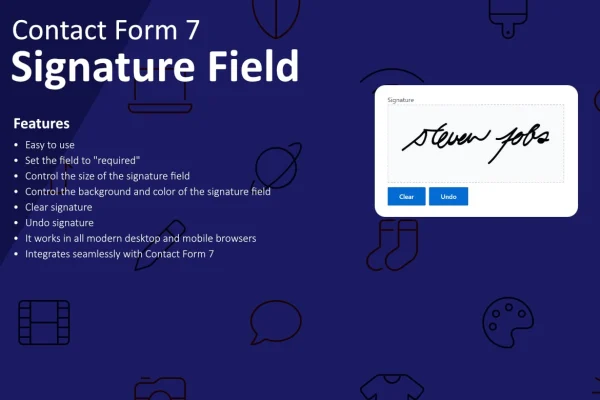
This WordPress plugin adds a signature field to forms built with Contact Form 7. Visitors draw their signature with a mouse, touchscreen or stylus, and the signature is captured along with the rest of the form. It suits contracts, agreements, approvals and consent forms.
- Version
- 1.5.0
- Released
- Sep 3, 2025
- Type
- WordPress plugin
- Requires
- Contact Form 7
- Licence
- GPL
- Included in
- Every plan, or $3.99 on its own
What’s new in Contact Form 7 - Signature Field 1.5.0
Version 1.5.0 · Sep 3, 2025
Latest
What it does
Many forms need more than a checkbox to confirm that someone agrees. Contracts, approvals and consent forms often call for a signature, and printing, signing and scanning paper slows everyone down. This plugin lets visitors sign directly on your Contact Form 7 forms. You add the signature field to a form without writing code, and it sits alongside your existing fields without changing how the rest of the form is built.
You can adjust the signature area's colors, size and style so it matches the look of your site. The field responds to different screen sizes, so people can sign on a phone, tablet or desktop. Captured signatures can be saved, viewed or downloaded as a record of agreement. The field works across multiple Contact Form 7 forms, and developers get hooks and filters for extending its behavior or connecting it to other plugins and services.
Best for
- Freelancers collecting signed client agreements
- Businesses gathering approvals or consent online
- Sites already built around Contact Form 7 forms
Features
Signature field without code
Add a signature field to your Contact Form 7 forms without writing any code, keeping the structure of your existing forms intact.
Customizable signature area
Change the colors, size and style of the signature pad so it fits your site's branding and sits naturally within your form design.
Mouse, touch and stylus input
Visitors can sign using a mouse on a desktop, a finger on a touchscreen, or a stylus, depending on the device they have at hand.
Responsive on any screen
The signature field adapts to different screen sizes, so people filling in your forms on phones and tablets can sign as easily as desktop users.
Saved signature records
Captured signatures can be saved, viewed or downloaded, giving you a record that a person agreed to the terms or gave consent on your form.
Works across multiple forms
Use the signature field in as many Contact Form 7 forms as you need, from client contracts to event waivers and internal approval requests.
Hooks and filters
Developers can use the included hooks and filters to extend the field's behavior or connect signature data with other plugins and services.
Questions about Contact Form 7 - Signature Field
Do I need Contact Form 7 for this to work?
Yes. The plugin adds a signature field to forms created with Contact Form 7, so you need that plugin on your site. Once both are in place, you can add the signature field to any of your Contact Form 7 forms.
Can visitors sign on their phones?
Yes. The signature field is responsive and accepts touchscreen input, so visitors can sign with a finger on a phone or tablet. Desktop users can sign with a mouse, and stylus input is supported as well.
Can I change how the signature box looks?
You can adjust the signature area's colors, size and style. This lets you match the field to your site's branding so it looks consistent with the rest of your form instead of standing out awkwardly.
What happens to the signatures after a form is submitted?
Signatures are captured with the form submission and can be saved, viewed or downloaded. That gives you a record of consent or agreement you can refer back to later, such as for a signed contract or approval.
Is Contact Form 7 - Signature Field free?
The code of Contact Form 7 - Signature Field is licensed under the GPL, so anyone may use, change and share it. GPL Feast is a paid service: a plan or a single purchase gives you the download and automatic updates. The developer's own support, licence key and online services are not included.
Which version of Contact Form 7 - Signature Field is this?
Version 1.5.0, released Sep 3, 2025. New versions appear here when the developer publishes them, and members get them as automatic updates.
How do I update Contact Form 7 - Signature Field?
Install the free GPL Feast Updater on your site and connect it with your API key. It installs new versions of Contact Form 7 - Signature Field automatically and keeps a backup, so you can roll back.
What does Contact Form 7 - Signature Field need?
Contact Form 7 - Signature Field needs Contact Form 7 installed and active.
You might also like






