
Plugin
Updated
Contact Form 7 Styler
Contact Form 7 Styler is a WordPress plugin that works inside Elementor to style Contact Form 7 forms. You adjust colors, fonts and spacing from the Elementor interface, so your forms match the rest of your site without writing any CSS.
- Version
- 1.6
- Released
- Aug 27, 2026
- Type
- WordPress plugin
- Requires
- Elementor
- Licence
- GPL
- Included in
- Every plan, or $3.99 on its own
What’s new in Contact Form 7 Styler 1.6
Version 1.6
Latest
- ImprovedUpdate
What it does
Contact Form 7 is a common choice for site forms, but its default look rarely fits a custom design, and changing it usually means editing CSS. This addon moves that work into Elementor. You place a form on a page, then use visual controls to set colors, typography and spacing until it lines up with your site's style. No coding knowledge is needed, which helps site owners who build with Elementor and prefer to stay in its editor.
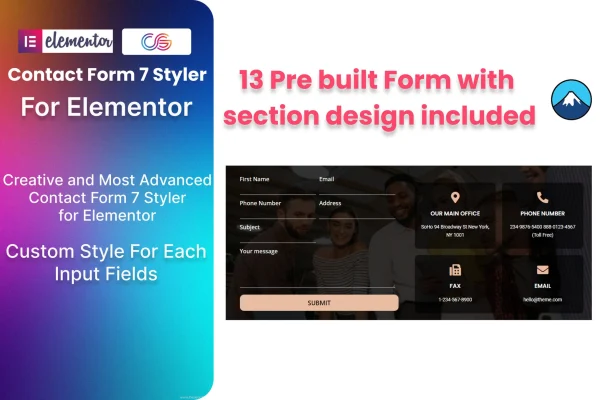
If you would rather not start from a blank form, the plugin includes 13 pre-built forms and sections you can drop into a page and adjust. Forms use responsive column layouts that adapt to desktops, tablets and phones, and the output is retina ready and built to work across major browsers. A POT file is included for translation, which is useful on multilingual sites. The plugin requires Elementor and fits business sites, portfolios and blogs that use Contact Form 7.
Best for
- Elementor users who run Contact Form 7 on their sites
- Business sites, portfolios and blogs needing on-brand contact forms
- Freelancers styling client forms without writing CSS
Features
Visual form styling
Change colors, fonts and spacing of Contact Form 7 forms directly from the Elementor interface, with no code required to match your site design.
13 pre-built forms and sections
Start from one of 13 ready-made form layouts and sections, then adjust the styling instead of building every contact form from scratch.
Responsive column layouts
Form columns adapt to different screen sizes, so forms display properly on desktops, tablets and mobile devices.
Retina ready output
Form visuals are designed to stay crisp on high-resolution displays, giving forms a clean appearance on modern screens.
Cross-browser compatibility
Styled forms are built to work consistently across major browsers, so visitors see the same layout regardless of what they use.
Translation ready
A POT file is included, letting you translate the plugin's text for sites published in other languages.
Clean, validated code
The plugin is built with W3C validated code, keeping the markup behind your styled forms tidy.
Questions about Contact Form 7 Styler
Do I need Elementor to use this plugin?
Yes. The plugin requires Elementor and works as an addon inside it. All of the styling controls for your Contact Form 7 forms appear in the Elementor editor, which is where you adjust colors, fonts and spacing.
Can I style forms without knowing CSS?
Yes. The styling is done visually through Elementor controls, so you can change the look of Contact Form 7 forms without any coding. You pick colors, fonts and spacing and see the result as you work.
Does it come with ready-made form designs?
It includes 13 pre-built forms and sections. You can add one to a page and then adjust its styling to fit your site, which saves time compared with designing each contact form from a blank start.
Will the forms work on mobile devices and multilingual sites?
Forms use responsive column layouts that adapt to desktops, tablets and phones. For multilingual sites, the plugin includes a POT file so its text can be translated into other languages.
Is Contact Form 7 Styler free?
The code of Contact Form 7 Styler is licensed under the GPL, so anyone may use, change and share it. GPL Feast is a paid service: a plan or a single purchase gives you the download and automatic updates. The developer's own support, licence key and online services are not included.
Which version of Contact Form 7 Styler is this?
Version 1.6, released Aug 27, 2026. New versions appear here when the developer publishes them, and members get them as automatic updates.
How do I update Contact Form 7 Styler?
Install the free GPL Feast Updater on your site and connect it with your API key. It installs new versions of Contact Form 7 Styler automatically and keeps a backup, so you can roll back.
What does Contact Form 7 Styler need?
Contact Form 7 Styler needs Elementor installed and active.
You might also like






