
Plugin
Updated
Content Protector
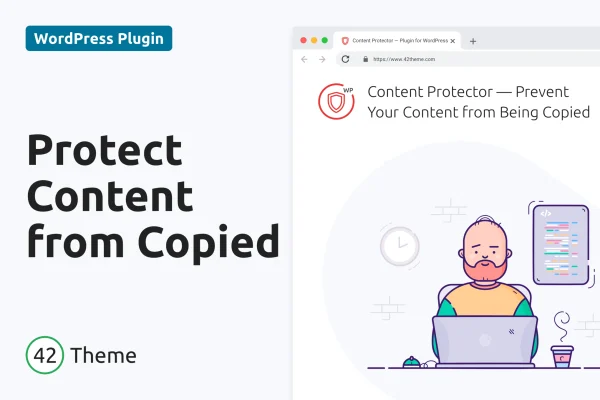
Content Protector is a WordPress plugin that makes it harder for visitors to copy your site's content. It blocks text selection, the right-click menu, keyboard shortcuts and attempts to open developer tools, and you can choose which of those protections to switch on.
- Version
- 2.0.1
- Released
- Dec 29, 2023
- Type
- WordPress plugin
- Licence
- GPL
- Included in
- Every plan, or $3.99 on its own
What’s new in Content Protector 2.0.1
Version 2.0.1 · Dec 29, 2023
Latest
- NewAdded "42Theme Plugins" on Add Plugins page
- FixedResolved AJAX request failures caused by concurrent use of multiple 42Theme plugins
- ImprovedImproved WordPress 6.4 compatibility
- ImprovedImproved Code Quality
- ImprovedUpdated Master Plugin Framework
What it does
If you publish original articles, images or videos, it can be frustrating to see them lifted and reposted elsewhere. Most casual copying happens through a few familiar routes: highlighting text, right-clicking to save or copy, using keyboard shortcuts, or opening the browser's developer tools. This plugin closes off those common methods so that typical visitors can't grab your work with a couple of clicks. It won't stop a determined expert, but it raises the bar for everyday copying.
The protection runs quietly in the background, so regular readers browsing your pages shouldn't notice it. Settings let you enable or disable each protection on its own, which is handy if you want to block right-click but still allow text selection, for example. It is described as compatible with ad platforms such as Google Adsense, works across desktop, tablet and mobile screens, and needs no coding to set up. It suits bloggers, designers, content creators, businesses and agencies.
Best for
- Bloggers publishing original articles
- Designers and photographers sharing visual work
- Businesses and agencies guarding site content
Features
Text selection blocking
Stops visitors from highlighting text on your pages, which removes the simplest way to copy and paste your written content.
Right-click menu disabled
Turns off the browser's right-click context menu, so visitors can't use it to copy text or save images from your site.
Keyboard shortcut protection
Blocks common keyboard shortcuts used for copying content, closing another quick route people use to take text from a page.
Developer tools blocking
Tries to prevent visitors from opening browser developer tools, a method sometimes used to pull content straight out of the page source.
Per-protection settings
Enable or disable each protection individually, so you can match the level of restriction to your content and the needs of your visitors.
Ad platform compatibility
Described as working alongside advertising platforms such as Google Adsense, so you can protect content on sites that run ads.
Works on all devices
Responsive and retina ready, with protection applied across desktop, tablet and mobile screens at different resolutions.
Content Protector older versions
- 2.0.0Nov 2, 20236 new, 4 improvements, 2 fixes
Members and buyers of this product can download older versions.
Questions about Content Protector
Will this stop everyone from copying my content?
No tool can stop every determined person. The plugin blocks the common methods typical visitors use, such as text selection, right-click, keyboard shortcuts and developer tools, which makes casual copying much harder.
Can I turn off some protections and keep others?
Yes. The settings let you enable or disable specific protections, so you can, for example, block the right-click menu while still letting readers select text.
Does it work with Google Adsense?
The plugin is described as compatible with advertising platforms like Google Adsense, so the copy protection is meant to run without interfering with the ads on your pages.
Will regular visitors notice it on mobile?
It is designed to run quietly in the background and is responsive and retina ready, applying protection on desktop, tablet and mobile without changing how your pages look.
Is Content Protector free?
The code of Content Protector is licensed under the GPL, so anyone may use, change and share it. GPL Feast is a paid service: a plan or a single purchase gives you the download and automatic updates. The developer's own support, licence key and online services are not included.
Which version of Content Protector is this?
Version 2.0.1, released Dec 29, 2023. New versions appear here when the developer publishes them, and members get them as automatic updates.
How do I update Content Protector?
Install the free GPL Feast Updater on your site and connect it with your API key. It installs new versions of Content Protector automatically and keeps a backup, so you can roll back.
You might also like






