
Plugin
Updated
Content Switcher Plus
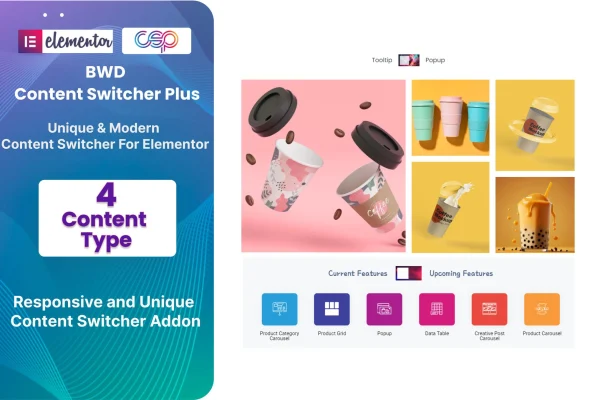
Content Switcher Plus is an Elementor addon plugin that lets visitors switch between different blocks of content in one section. It suits pricing plans, feature comparisons or seasonal offers, and you set it up inside Elementor without writing code.
- Version
- 1.6
- Released
- Aug 24, 2026
- Type
- WordPress plugin
- Requires
- Elementor
- Licence
- GPL
- Included in
- Every plan, or $3.99 on its own
What’s new in Content Switcher Plus 1.6
Version 1.6 · Aug 24, 2026
Latest
What it does
Pages that try to show every option at once can feel crowded. A switcher section solves this by holding several pieces of content in one spot and letting visitors flip between them. Content Switcher Plus brings this to Elementor, so you can present monthly and yearly pricing, two product tiers or a set of seasonal offers in a compact, interactive block that keeps the page tidy and easy to read.
The addon works with four content types, including your own custom content, shortcodes and saved Elementor templates you import into the switcher. An advanced options panel controls how the switcher looks and behaves. Layouts are responsive and retina ready, and it works with Elementor based WordPress themes. A POT file is included, so you can translate the switcher text into other languages for multilingual sites.
Best for
- Business sites comparing pricing plans or service tiers
- Elementor designers building interactive page sections
- Stores or agencies presenting seasonal offers and promotions
Features
Four content types
Choose from four content types for each switcher, so you can display different formats depending on what the section needs to present.
Custom content
Add your own custom content directly into the switcher panels for text, offers or details written specifically for that section.
Shortcode support
Place shortcodes inside the switcher to embed elements from other plugins, such as forms or galleries, within each content panel.
Saved template import
Import Elementor templates you have already saved and reuse them as switcher content, which saves rebuilding the same layouts again.
Advanced options panel
Adjust the appearance and behavior of the content switcher from an options panel, with no code needed to make changes.
Responsive and retina ready
Switcher sections adapt to different screen sizes and display crisply on high resolution screens, from phones to desktop monitors.
Translation ready
An included POT file lets you translate the switcher into other languages, which helps when running a multilingual WordPress site.
Content Switcher Plus older versions
- 1.0Sep 11, 2023
Members and buyers of this product can download older versions.
Questions about Content Switcher Plus
Does this work with my Elementor theme?
It requires the Elementor page builder and is described as compatible with WordPress themes based on Elementor. If your site is built with Elementor, you can add the switcher to your pages through the editor like other Elementor elements.
Can I put other plugins' content inside the switcher?
Yes, through shortcode support. Many plugins output their content with shortcodes, and you can place those inside a switcher panel. You can also use custom content or import saved Elementor templates as panel content.
Do I need to know how to code to style it?
No coding is needed. The advanced options panel gives you control over the switcher's appearance and behavior, so you can adjust it visually inside Elementor.
Can I use it on a site in another language?
Yes. The plugin is localization ready and includes a POT file, which you can use with standard translation tools to translate the switcher's text into the language your site uses.
Is Content Switcher Plus free?
The code of Content Switcher Plus is licensed under the GPL, so anyone may use, change and share it. GPL Feast is a paid service: a plan or a single purchase gives you the download and automatic updates. The developer's own support, licence key and online services are not included.
Which version of Content Switcher Plus is this?
Version 1.6, released Aug 24, 2026. New versions appear here when the developer publishes them, and members get them as automatic updates.
How do I update Content Switcher Plus?
Install the free GPL Feast Updater on your site and connect it with your API key. It installs new versions of Content Switcher Plus automatically and keeps a backup, so you can roll back.
What does Content Switcher Plus need?
Content Switcher Plus needs Elementor installed and active.
You might also like






