
Plugin
Updated
Cornerstone
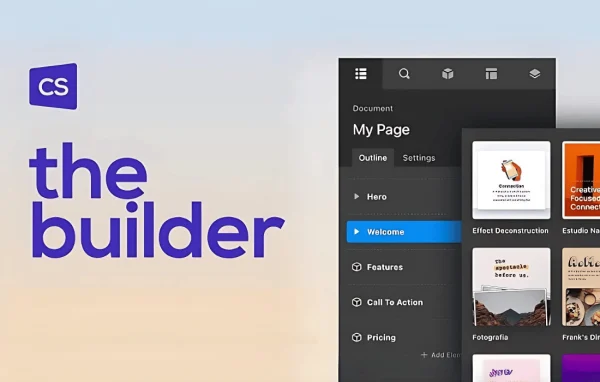
Cornerstone is a WordPress page builder plugin by Themeco. It gives you a drag and drop interface with real-time frontend editing, so you can build and arrange pages visually from a library of customizable elements without writing code.
- Version
- 7.9.7
- Released
- Oct 13, 2026
- Developer
- Themeco
- Type
- WordPress plugin
- Licence
- GPL
- Included in
- Every plan, or $3.19 on its own
- Topics
- Page Builders
What’s new in Cornerstone 7.9.7
Version 7.9.7 · Oct 13, 2026
Latest
- NewFeature: HTTP Status code conditions
- NewFeature: More Section separators have been added
- FixedApp windows could take multiple clicks to close if a subtle drag was detected
- FixedCs_atts_flatten issue on comma separated HTML attributes
- FixedOur template redirect code could cause some unintented content to be displayed if you were on an author or term archive
- FixedCSV input was able to utilize file schemas. It now only allows http and https
What it does
Building custom page layouts in WordPress often means editing templates or writing code. This plugin moves that work into a visual editor on the front end of your site. You drag elements such as buttons, sliders and galleries onto the page, adjust them, and see each change as you make it. There is no need to refresh or switch between an editor screen and a preview, which makes trying out different layouts quicker and less tedious.
The builder fits a range of projects, including personal blogs, online stores and company websites. Responsive controls let you adjust how layouts appear on mobile and tablet screens, and revision history with undo and redo lets you experiment and roll back when something does not work. Developers get an API for extending features or customizing elements, and the plugin is translation ready for multilingual sites. It is designed to work alongside your existing WordPress themes and plugins.
Best for
- Site owners who want to design pages without code
- Developers who need to extend or customize page elements
- Blogs, online stores and company websites
Features
Drag and drop interface
Place and arrange content elements on the page by dragging them into position, so you can build layouts without writing any code.
Real-time frontend editing
Edit directly on the front end and see every change live, without refreshing the page or switching between an editor and a preview.
Library of customizable elements
Choose from pre-built components such as buttons, sliders and galleries, then adjust each one to suit the design of your pages.
Responsive design controls
Use built-in mobile and tablet settings to adjust how your layouts display on smaller screens across different devices.
Revision history with undo and redo
Step back through earlier versions of your work or undo recent edits, so you can try new ideas and revert changes whenever needed.
Developer-friendly API
Extend the builder's functionality or customize its elements through an API, which helps when a project has more complex requirements.
Translation ready
The plugin is localization and translation ready, so you can use it to build multilingual websites for audiences in different languages.
Cornerstone older versions
- 7.9.6Sep 301 fix
- 7.9.4Sep 151 new, 2 improvements, 2 fixes
- 7.9.3Sep 12 new, 2 improvements, 6 fixes
- 7.9.2Aug 17
- 7.9.1Aug 11
- 7.9.0Aug 5
- 7.8.12Jul 16
- 7.8.11Jun 29
- 7.8.10Jun 16
- 7.8.9Jun 1
Members and buyers of this product can download older versions.
84 older versions in all. If you need one that is not listed, ask support.
Questions about Cornerstone
Do I need to know how to code to use Cornerstone?
No. The plugin uses a drag and drop interface with real-time frontend editing, so you can place and customize elements visually. Developers who do want to write code can use its API to extend features or build custom elements.
Can I make my pages look right on phones and tablets?
Yes. The builder includes responsive design controls with mobile and tablet settings, so you can adjust how your layouts appear on smaller screens and check that each page displays well across devices.
What happens if I make a design change I do not like?
You can use undo and redo to reverse recent edits, and revision history lets you go back to an earlier version of your page. That makes it safe to experiment with layouts and revert when needed.
Will it work with my current theme and plugins?
The plugin is described as compatible with popular WordPress themes and plugins and is meant to fit into an existing setup. It is also translation ready, so it can be used on multilingual sites.
Is Cornerstone free?
The code of Cornerstone is licensed under the GPL, so anyone may use, change and share it. GPL Feast is a paid service: a plan or a single purchase gives you the download and automatic updates. The developer's own support, licence key and online services are not included.
Which version of Cornerstone is this?
Version 7.9.7, released Oct 13, 2026. New versions appear here when the developer publishes them, and members get them as automatic updates.
How do I update Cornerstone?
Install the free GPL Feast Updater on your site and connect it with your API key. It installs new versions of Cornerstone automatically and keeps a backup, so you can roll back.
You might also like






