
Plugin
Updated
Countdown for Elementor
Countdown for Elementor is a WordPress plugin that adds countdown timers to pages built with Elementor. You can count down to a set date, run an evergreen timer or show a recurring event, then style each timer with colors, backgrounds and animations.
- Version
- 1.0
- Released
- May 2, 2023
- Type
- WordPress plugin
- Requires
- Elementor
- Licence
- GPL
- Included in
- Every plan, or $3.99 on its own
What’s new in Countdown for Elementor 1.0
Version 1.0 · May 2, 2023
Latest
What it does
Many sites need a visible deadline: a product launch, an event start time or a sale that ends soon. Building a timer by hand usually means custom code or a separate script. This plugin works as an addon for the Elementor page builder, so you add a countdown the same way you add any other element, using drag and drop and real-time editing. No coding is needed to place or configure a timer.
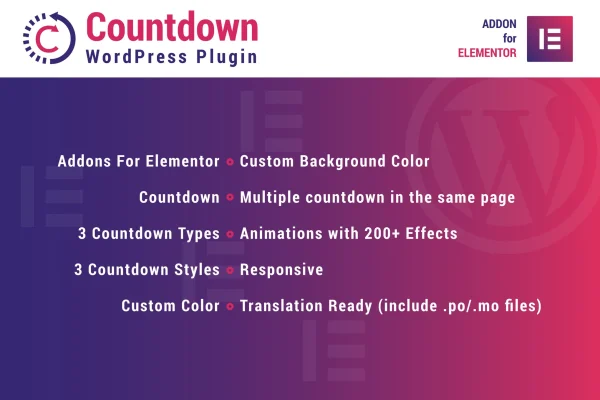
There are three countdown types and three visual styles to choose from, plus custom color and background settings so the timer fits your design. You can place several countdowns on one page, which helps when you promote more than one offer or deadline at once. Timers are responsive and retina ready, more than 200 animation effects are available, and translation files (.po and .mo) are included for sites in other languages. Elementor is required.
Best for
- Online stores running limited-time sales and promotions
- Event sites counting down to launches or start dates
- Elementor users who want timers without writing code
Features
Three countdown types
Count down to a specific date, run an evergreen timer, or set up a recurring event timer, depending on how your campaign or schedule works.
Three visual styles
Switch between three distinct countdown styles to find the look that best matches your site's branding and page design.
Custom colors and backgrounds
Set the colors and background of each timer so it sits naturally within your theme and matches the rest of the page.
Multiple timers per page
Place several countdowns on the same page to promote different offers, events or deadlines side by side.
Over 200 animation effects
Pick from a library of more than 200 animation effects to give your countdown timers motion and draw attention to them.
Responsive and retina ready
Timers adapt to desktops, tablets and phones, and display crisp graphics on high-resolution screens.
Translation ready
Included .po and .mo files let you translate the countdown text into other languages for international audiences.
Built for Elementor editing
Add and configure timers inside the Elementor interface with drag and drop and see your changes in real time.
Questions about Countdown for Elementor
Do I need Elementor to use this plugin?
Yes. The plugin is built as an addon for the Elementor page builder, so Elementor must be active on your site. Countdown timers are added and configured inside the Elementor editor using drag and drop.
What kinds of countdowns can I create?
There are three countdown types: a countdown to a specific date, an evergreen timer, and a recurring event timer. That covers fixed deadlines like a launch day as well as ongoing or repeating promotions.
Can I show more than one countdown on the same page?
Yes. You can add multiple countdown timers to a single page, which is useful when you want to promote several offers, events or deadlines at the same time.
Will the timers work on mobile devices and in other languages?
The timers are responsive and retina ready, so they adjust to desktops, tablets and phones and stay sharp on high-resolution screens. The plugin is also translation ready, with .po and .mo files included for translating it into other languages.
Is Countdown for Elementor free?
The code of Countdown for Elementor is licensed under the GPL, so anyone may use, change and share it. GPL Feast is a paid service: a plan or a single purchase gives you the download and automatic updates. The developer's own support, licence key and online services are not included.
Which version of Countdown for Elementor is this?
Version 1.0, released May 2, 2023. New versions appear here when the developer publishes them, and members get them as automatic updates.
How do I update Countdown for Elementor?
Install the free GPL Feast Updater on your site and connect it with your API key. It installs new versions of Countdown for Elementor automatically and keeps a backup, so you can roll back.
What does Countdown for Elementor need?
Countdown for Elementor needs Elementor installed and active.
You might also like






