
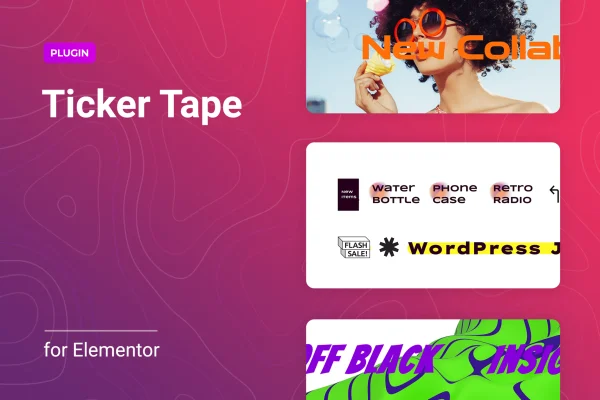
Plugin
Updated
Crawler for Elementor
Crawler for Elementor is a WordPress plugin that adds a news ticker widget to Elementor. It lets you place scrolling or sliding bars of headlines, announcements, promotions or product mentions anywhere you build pages, with control over content sources, speed, direction, labels and animation.
- Version
- 1.0.9
- Released
- Feb 14, 2026
- Type
- WordPress plugin
- Requires
- Elementor
- Licence
- GPL
- Included in
- Every plan, or $3.99 on its own
What’s new in Crawler for Elementor 1.0.9
Version 1.0.9 · Feb 14, 2026
Latest
- SecurityFixed plugin security issues.
What it does
Many sites have short updates that deserve a spot on the page without taking over the layout: a sale, a new announcement, the latest posts. A news ticker handles this by running a compact strip of content across the screen. This plugin brings that format into Elementor as a widget you drag onto a page and configure in the editor, with no coding needed. You can add as many tickers or sliders as your site calls for.
Content can come from posts, pages, landing pages or products, or you can hand-pick a mix of items. Built-in filters narrow down which entries appear, so a ticker can stick to a single topic or offer. From there you set the scrolling speed and direction, add a label with an icon from the library or your own SVG, and choose animation effects and navigation options. The widget is responsive and retina-ready, so it adapts to different screens. It requires Elementor.
Best for
- News and magazine sites showing latest headlines
- Online stores promoting products or current offers
- Agencies building Elementor sites with announcement bars
Features
Unlimited ticker instances
Add as many news tickers or slider instances as you need across your pages, each set up with its own content and styling.
Multiple content sources
Pull items dynamically from posts, pages, landing pages or products, or manually curate a mixed set of content types for one ticker.
Content filtering
Use the built-in filters to choose exactly which news items or offers show up, keeping each ticker focused on the messages you want.
Speed and direction control
Adjust how fast the ticker scrolls and set its direction to run left to right or right to left to suit your layout.
Labels with custom icons
Give each ticker a custom label and pair it with an icon from the included library or an SVG file you upload yourself.
Animation and navigation options
Pick from different animation effects and turn on navigation features so visitors can move through slider items on their own.
Responsive, retina-ready display
The ticker adapts to different devices and screen resolutions, keeping text and icons sharp on high-density displays.
Built into the Elementor editor
Works inside the Elementor drag-and-drop interface, so you can place and configure tickers visually without writing code.
Crawler for Elementor older versions
- 1.0.8Jun 18, 20251 new
Members and buyers of this product can download older versions.
Questions about Crawler for Elementor
Do I need Elementor to use this plugin?
Yes. The plugin works as a widget inside Elementor, so Elementor must be active on your site. You add and configure tickers through the Elementor drag-and-drop editor.
Can the ticker show products instead of blog posts?
Yes. Content can be pulled from products as well as posts, pages and landing pages. You can also manually curate a mix of content types, and filters let you narrow down which items appear.
Can I change how the ticker looks and moves?
You can set the scrolling speed, choose left to right or right to left direction, add a label with a library icon or your own SVG, and pick animation effects and navigation features.
Will the ticker work on phones and tablets?
The widget is built to be responsive and retina-ready, so it adapts to different devices and screen resolutions and keeps icons and text looking sharp on high-density screens.
Is Crawler for Elementor free?
The code of Crawler for Elementor is licensed under the GPL, so anyone may use, change and share it. GPL Feast is a paid service: a plan or a single purchase gives you the download and automatic updates. The developer's own support, licence key and online services are not included.
Which version of Crawler for Elementor is this?
Version 1.0.9, released Feb 14, 2026. New versions appear here when the developer publishes them, and members get them as automatic updates.
How do I update Crawler for Elementor?
Install the free GPL Feast Updater on your site and connect it with your API key. It installs new versions of Crawler for Elementor automatically and keeps a backup, so you can roll back.
What does Crawler for Elementor need?
Crawler for Elementor needs Elementor installed and active.
You might also like






