
Plugin
Updated
Creative Timeline
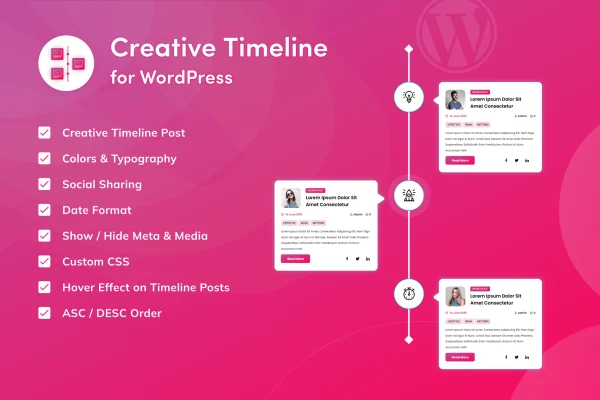
Creative Timeline is a WordPress plugin for presenting chronological content as a timeline. It pulls entries from WordPress custom posts and lays them out with pre-built templates, so you can tell a company history, an author biography or a project story without writing code.
- Version
- 1.0.7
- Released
- Aug 25, 2026
- Type
- WordPress plugin
- Requires
- Elementor
- Licence
- GPL
- Included in
- Every plan, or $3.99 on its own
What’s new in Creative Timeline 1.0.7
Version 1.0.7 · Aug 25, 2026
Latest
- ImprovedLatest WordPress 7.1 compatibility check
- SecurityHardened code editor, capability checks, and file-loading
- FixedTranslations no longer load too early (WordPress 6.7+ notice)
What it does
Showing events in order sounds simple, but building a clean timeline by hand usually means hunting for scripts or writing custom layout code. This plugin handles that part for you. You add your entries as WordPress custom posts, and the plugin arranges them into a timeline layout. Because the content lives in posts, you can add, edit or reorder milestones through the familiar WordPress editor instead of touching markup each time something changes.
The plugin ships with several pre-designed timeline templates, and you can adjust colors, fonts and layout elements so the result matches your site. Layouts are responsive, so timelines adapt to desktops, tablets and phones. It requires Elementor, which makes it a natural fit for sites already built with that page builder. Typical uses include company history pages, author biographies, event timelines, storytelling posts and project milestone pages.
Best for
- Businesses presenting their company history
- Authors and bloggers sharing biographies or stories
- Elementor sites showing events or project milestones
Features
Timelines from custom posts
Build timelines directly from WordPress custom posts, so each milestone or event is a post you can manage in the regular editor without any coding.
Pre-designed timeline templates
Pick from multiple ready-made timeline templates as a starting point, then choose the one that best suits your site's style and branding.
Color and font controls
Customize colors and fonts on your timeline so it sits comfortably alongside the rest of your site's design.
Adjustable layout elements
Change layout elements of the timeline to shape how entries are arranged and presented on the page.
Responsive layouts
Timeline layouts adapt to different screen sizes, so your content stays readable on desktops, tablets and smartphones.
Flexible use cases
Use timelines for company histories, author biographies, storytelling, event schedules, project milestones or any custom post series you want shown in order.
Creative Timeline older versions
- 1.0.5Jul 281 improvement
- 1.0.2Nov 11, 20231 improvement
Members and buyers of this product can download older versions.
Questions about Creative Timeline
Do I need to know how to code to build a timeline?
No. Timelines are built from WordPress custom posts, and you style them with the included templates and customization options for colors, fonts and layout. You manage entries the same way you manage other posts.
Does this plugin need Elementor?
Yes, Elementor is listed as a requirement. The plugin is a good match for sites that already use Elementor to build their pages.
Will my timeline work on mobile devices?
Yes. The timeline layouts are responsive and are designed to adjust to desktops, tablets and smartphones, so visitors can follow your content on any screen size.
Can I match the timeline to my site's design?
You can start from one of several pre-designed templates and then adjust colors, fonts and layout elements, which lets the timeline fit your existing branding.
Is Creative Timeline free?
The code of Creative Timeline is licensed under the GPL, so anyone may use, change and share it. GPL Feast is a paid service: a plan or a single purchase gives you the download and automatic updates. The developer's own support, licence key and online services are not included.
Which version of Creative Timeline is this?
Version 1.0.7, released Aug 25, 2026. New versions appear here when the developer publishes them, and members get them as automatic updates.
How do I update Creative Timeline?
Install the free GPL Feast Updater on your site and connect it with your API key. It installs new versions of Creative Timeline automatically and keeps a backup, so you can roll back.
What does Creative Timeline need?
Creative Timeline needs Elementor installed and active.
You might also like






