
Plugin
Updated
CSS3 Tooltips for WordPress
CSS3 Tooltips for WordPress is a plugin that adds styled tooltips to your posts and pages. It uses pure CSS3 to show extra text, images or videos when visitors hover over or click an element, and a shortcode generator handles the setup.
- Version
- 1.9
- Released
- Jan 27, 2026
- Type
- WordPress plugin
- Licence
- GPL
- Included in
- Every plan, or $3.99 on its own
What’s new in CSS3 Tooltips for WordPress 1.9
Version 1.9 · Jan 27, 2026
Latest
What it does
Some content needs a little extra explanation, such as a technical term, a product detail or a quick tip. Putting all of that in the main text can clutter a page. Tooltips let you keep the page clean and still give readers context when they want it. This plugin is suited to blogs, online shops, portfolios and business sites that want short notes or media to appear right where the reader is looking.
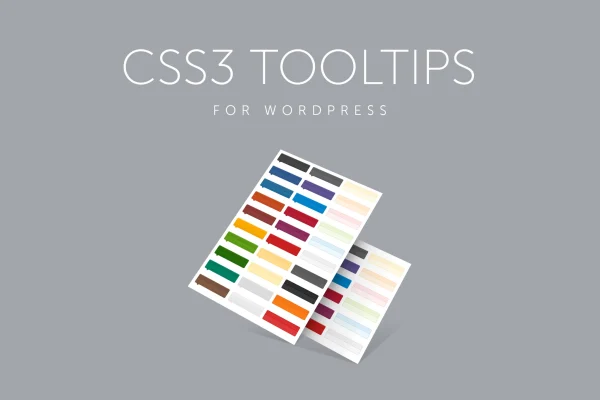
You build each tooltip with the shortcode generator, pick from more than 50 predefined CSS3 styles and choose one of 10 positions. Tooltips can open on hover or on click, and they adapt to desktop and mobile screens. Global settings let you manage defaults across the site, and an option can turn links into tooltips automatically. Headers, notification icons and show and hide delays give you more control over how each tooltip looks and behaves.
Best for
- Bloggers who explain terms or add side notes
- Online stores describing product features on hover
- Portfolio and business sites adding images or videos in context
Features
Shortcode generator
Build tooltips through a built-in shortcode generator, then place them anywhere on your site without writing the shortcode by hand.
Hover or click triggers
Choose whether each tooltip opens when a visitor hovers over an element or when they click it, depending on how you want people to interact.
More than 50 CSS3 styles
Pick from over 50 predefined CSS3 designs so your tooltips match the look of your site without any custom coding.
Ten position options
Place tooltips above, below, left, right or at other positions, with 10 options in total to fit your content layout.
Images and videos inside tooltips
Embed images and videos within a tooltip to show product photos, visual examples or short clips next to the related text.
Headers and notification icons
Add an optional title to a tooltip for clearer structure, and use the included notification icons to draw attention to it.
Adjustable show and hide delays
Set how long a tooltip waits before appearing and before disappearing, so it behaves the way you want for your readers.
Global link conversion
Use global settings to manage tooltips centrally, including an option that turns your site's links into tooltips by default.
Questions about CSS3 Tooltips for WordPress
Do I need to know CSS to style the tooltips?
No. The plugin includes more than 50 predefined CSS3 styles that you choose from, along with 10 position options. You can match tooltips to your site's design through the settings and shortcode generator without writing code.
Can tooltips contain images or videos?
Yes. You can embed images and videos inside tooltips, which is useful for showing product photos or visual examples. You can also add an optional header and notification icons to make the tooltip content clearer.
Will the tooltips work on phones and tablets?
The tooltips are responsive and built to display on different screen sizes. You can also set them to open on click instead of hover, which can suit touch devices where hovering is not an option.
Can I apply tooltips across my whole site at once?
Yes. Global settings let you manage tooltips centrally, and there is an option to convert links into tooltips automatically by default, so you do not have to set each one up individually.
Is CSS3 Tooltips for WordPress free?
The code of CSS3 Tooltips for WordPress is licensed under the GPL, so anyone may use, change and share it. GPL Feast is a paid service: a plan or a single purchase gives you the download and automatic updates. The developer's own support, licence key and online services are not included.
Which version of CSS3 Tooltips for WordPress is this?
Version 1.9, released Jan 27, 2026. New versions appear here when the developer publishes them, and members get them as automatic updates.
How do I update CSS3 Tooltips for WordPress?
Install the free GPL Feast Updater on your site and connect it with your API key. It installs new versions of CSS3 Tooltips for WordPress automatically and keeps a backup, so you can roll back.
You might also like






