
Plugin
Updated
Custom JavaScript & CSS in Pages!
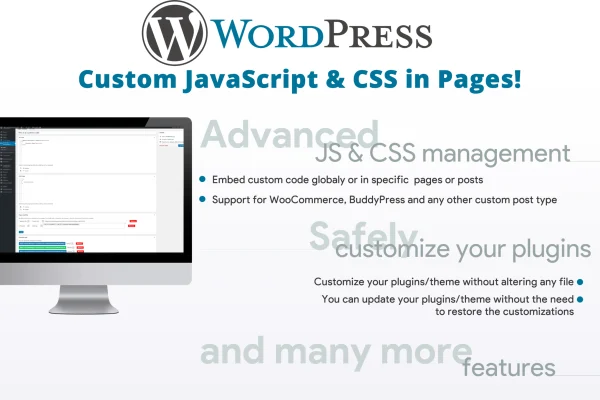
This WordPress plugin lets you add your own JavaScript and CSS code to posts, pages and custom post types. You can apply code site-wide or to specific pages, choose header or footer placement, and keep your changes outside the theme files.
- Version
- 3.8
- Released
- Aug 25, 2026
- Type
- WordPress plugin
- Requires
- WooCommerce
- Licence
- GPL
- Included in
- Every plan, or $3.99 on its own
What’s new in Custom JavaScript & CSS in Pages! 3.8
Version 3.8
Latest
- FixedFixed an issue with the WP-CLI usage.
What it does
Adding custom styles or scripts usually means editing theme files, and those edits can be lost when the theme changes or updates. Custom JavaScript & CSS in Pages! moves that code into the plugin, so your customizations stay in place when you switch themes. It works for styling tweaks beyond what your theme options allow, for extra interactivity, and for third-party scripts you need on certain pages. The plugin lists WooCommerce as a requirement, so it fits sites that already run a WooCommerce store.
You write code in an editor with syntax highlighting, which makes snippets easier to read and debug. Each snippet can be added inline or loaded as an external file, and placed in the header or the footer. Code can apply to the entire site or be assigned to individual posts, pages or custom post types, with visibility filters by page, post or URL. There is no cap on the number of snippets, so you can keep separate customizations organized on their own.
Best for
- WooCommerce store owners adding custom styles or scripts
- Developers placing third-party scripts on specific pages
- Designers customizing styling beyond theme options
Features
Syntax-highlighted code editor
Write and edit JavaScript and CSS in an editor with code coloring, which keeps snippets readable and makes mistakes easier to spot.
Inline or external file
Choose whether each snippet is printed inline on the page or included as an external file, depending on how you prefer to load code.
Header or footer placement
Decide whether your custom code goes into the page header or the footer, giving you control over where scripts and styles load.
Global and per-page code
Apply a snippet across the whole site, or assign it only to particular posts, pages or custom post types that need it.
Visibility filters
Set where code applies using filters by page, post or URL, so styles and scripts appear only in the places you choose.
External library support
Include outside JavaScript and CSS libraries and load them in the header or footer to bring third-party resources into your site.
Survives theme changes
Because the code lives in the plugin instead of theme files, your customizations stay intact when you switch to a different theme.
Unlimited code snippets
Add as many separate JavaScript or CSS snippets as you need, keeping each customization organized as its own entry.
Questions about Custom JavaScript & CSS in Pages!
Can I add code to just one page instead of the whole site?
Yes. You can apply a snippet globally or assign it to individual posts, pages or custom post types. Visibility filters by page, post or URL let you narrow down exactly where each piece of code runs.
Will my custom CSS disappear if I change themes?
No. Your code is stored in the plugin instead of in theme files, so your customizations remain in place when you switch themes or when the theme itself changes.
Can I load an external JavaScript library with it?
Yes. The plugin supports including external JavaScript and CSS libraries, and you can choose to load them in the header or the footer. Your own snippets can also be added inline or as external files.
Does it need any other plugin to work?
The plugin lists WooCommerce as a requirement, so you will need WooCommerce active on your WordPress site to use it.
Is Custom JavaScript & CSS in Pages! free?
The code of Custom JavaScript & CSS in Pages! is licensed under the GPL, so anyone may use, change and share it. GPL Feast is a paid service: a plan or a single purchase gives you the download and automatic updates. The developer's own support, licence key and online services are not included.
Which version of Custom JavaScript & CSS in Pages! is this?
Version 3.8, released Aug 25, 2026. New versions appear here when the developer publishes them, and members get them as automatic updates.
How do I update Custom JavaScript & CSS in Pages!?
Install the free GPL Feast Updater on your site and connect it with your API key. It installs new versions of Custom JavaScript & CSS in Pages! automatically and keeps a backup, so you can roll back.
What does Custom JavaScript & CSS in Pages! need?
Custom JavaScript & CSS in Pages! needs WooCommerce installed and active.
You might also like






