
Plugin
Updated
Datalentor
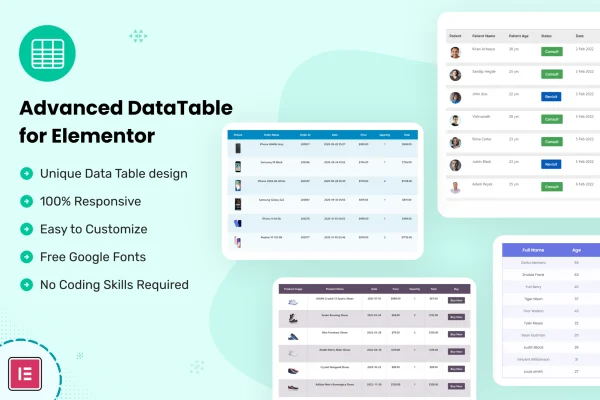
Datalentor is a WordPress plugin that adds advanced data tables to the Elementor page builder. It lets you build, fill and style tables inside Elementor's visual editor without writing code, so you can present product details, comparisons and larger sets of data in a clean, organized layout.
- Version
- 1.0.7
- Released
- Aug 31, 2026
- Type
- WordPress plugin
- Requires
- Elementor
- Licence
- GPL
- Included in
- Every plan, or $3.99 on its own
What’s new in Datalentor 1.0.7
Version 1.0.7 · Aug 31, 2026
Latest
- ImprovedLatest WordPress 7.1 compatibility check
What it does
Tables are one of the clearest ways to present structured information, yet building a good one in WordPress often means custom HTML or a separate tool that doesn't match your page design. Datalentor solves this by working inside Elementor, which it requires. You create and edit tables in the same drag and drop interface you already use for your pages, and you can adjust colors, fonts and layout so each table fits your brand.
To get started faster, the plugin includes a collection of pre-designed, multipurpose table templates. They suit uses such as eCommerce listings, affiliate marketing and product comparisons, and you can replace the sample content with your own data. Tables are fully responsive, so they adapt to different screen sizes from desktops to phones. The plugin is also built to handle larger datasets, which makes it a practical choice for sites that need to display a lot of rows.
Best for
- Affiliate sites publishing product comparison tables
- eCommerce stores listing product details and specs
- Elementor designers building data-heavy client pages
Features
Built into Elementor
Create and customize data tables directly inside Elementor's drag and drop interface, so you can build tables alongside the rest of your page without coding.
Fully responsive tables
Tables adapt to different screen sizes and devices, giving visitors on desktops, tablets and smartphones a readable view of your data.
Multipurpose table templates
Start from a collection of pre-designed templates suited to eCommerce, affiliate marketing, product comparisons and other common table uses.
Custom styling options
Adjust design details such as colors and fonts so your tables match your website's branding and the style of the surrounding page.
Support for large datasets
The plugin is designed to handle extensive data, so you can present bigger tables for larger projects while keeping them usable for visitors.
Visual drag and drop editing
Organize and modify table content in a visual editor, moving and changing items without touching code or leaving the page builder.
Datalentor older versions
- 1.0.6Aug 281 improvement
- 1.0.4Oct 13, 20251 improvement
- 1.0.3Feb 7, 20251 improvement
- 1.0.1Feb 22, 2024
Members and buyers of this product can download older versions.
Questions about Datalentor
Do I need Elementor to use this plugin?
Yes. Datalentor works inside the Elementor page builder, so Elementor needs to be active on your site. You build and edit your tables in Elementor's drag and drop interface alongside the rest of your page content.
Can I build tables without knowing how to code?
Yes. Tables are created and edited in a visual drag and drop editor, and you can style colors, fonts and layout through the interface. You can also start from a pre-designed template and swap in your own data.
Will my tables look right on mobile phones?
The tables are fully responsive, meaning they adapt to different screen sizes and devices. Visitors on smartphones, tablets and desktops should all get a layout that fits their screen.
Is it suitable for product comparison tables?
Yes. The included table templates cover uses such as product comparisons, affiliate marketing and eCommerce listings. You can customize the design and content so comparisons match your brand and products.
Is Datalentor free?
The code of Datalentor is licensed under the GPL, so anyone may use, change and share it. GPL Feast is a paid service: a plan or a single purchase gives you the download and automatic updates. The developer's own support, licence key and online services are not included.
Which version of Datalentor is this?
Version 1.0.7, released Aug 31, 2026. New versions appear here when the developer publishes them, and members get them as automatic updates.
How do I update Datalentor?
Install the free GPL Feast Updater on your site and connect it with your API key. It installs new versions of Datalentor automatically and keeps a backup, so you can roll back.
What does Datalentor need?
Datalentor needs Elementor installed and active.
You might also like






