
Plugin
Updated
DearFlip
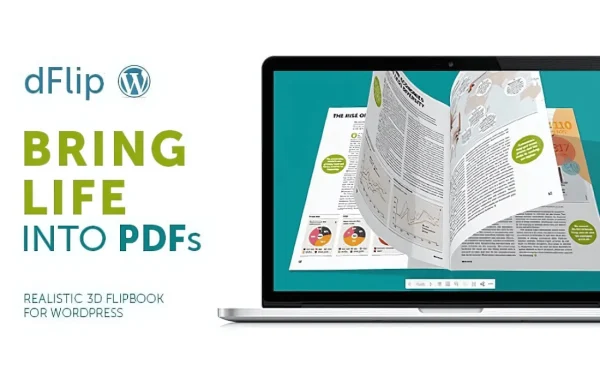
DearFlip by DearHive is a WordPress plugin that turns PDF files into interactive flipbooks with a realistic 3D page-turning effect. It suits sites that publish eBooks, brochures, magazines or catalogs and want readers to browse them right on the page.
- Version
- 2.3.58
- Released
- Jun 24, 2025
- Developer
- DearHive
- Type
- WordPress plugin
- Licence
- GPL
- Included in
- Every plan, or $3.99 on its own
What’s new in DearFlip 2.3.58
Version 2.3.58
Latest
- FixedVulnerability (CVE-2024-11830)
- ImprovedFreemius upgraded to v2.11.0
What it does
Plain PDF links send visitors away from your page or ask them to open a separate file, which can feel clunky for publications meant to be browsed. This plugin takes an existing PDF and displays it as a flipbook inside your WordPress site, with page-turning animations that mimic a physical book. You do not need to reformat or convert the file first, and the interface is built so people without coding skills can set up a flipbook.
Once a flipbook is created, you can embed it on any page or post, and you can place several different flipbooks across your site. Readers can zoom in for closer reading, search for keywords inside the publication, and flip pages with touch and swipe gestures on phones and tablets. The layout is responsive, so it adapts to desktops and smaller screens. You can also adjust controls, navigation buttons and themes to match your brand, and share flipbooks on social media or through direct links.
Best for
- Publishers sharing digital magazines and eBooks
- Businesses presenting brochures and product catalogs
- Agencies building content-rich client sites with PDF publications
Features
Realistic 3D page flip
Pages turn with smooth animations that imitate flipping through a printed book, giving readers a familiar way to move through your publication.
Direct PDF conversion
Turn any PDF into an interactive flipbook without extra formatting or separate conversion steps, so your existing files work as they are.
Customizable reader interface
Adjust the controls, navigation buttons and themes so the flipbook viewer fits the look of your brand and the rest of your site.
Zoom and keyword search
Readers can zoom into pages for a closer look and search for keywords within the flipbook to find the section they need.
Touch and swipe navigation
On touch-enabled devices, visitors flip pages with natural swipe gestures, which makes browsing on phones and tablets feel intuitive.
Responsive layout
Flipbooks adapt to different screen sizes, so the same publication works on desktops, tablets and smartphones without separate versions.
Multiple flipbook embeds
Embed several flipbooks on different pages or posts, which helps when you publish a range of brochures, catalogs or magazine issues.
Social and link sharing
Share flipbooks on social media or through direct links so readers can pass a publication along to others.
DearFlip older versions
- 1.7.6.2Apr 18, 2023
Members and buyers of this product can download older versions.
Questions about DearFlip
Do I need to reformat my PDFs before turning them into flipbooks?
No. The plugin converts an existing PDF into an interactive flipbook without extra formatting or separate conversion work, so you can use the files you already have.
Will the flipbooks work for visitors on phones and tablets?
Yes. The flipbooks use a responsive design that adapts to desktops, tablets and smartphones, and touch and swipe support lets mobile readers turn pages with natural gestures.
Can I make the flipbook viewer match my brand?
Yes. You can customize the controls, navigation buttons and themes of the viewer so the flipbook fits your brand style and the rest of your site.
Can I put more than one flipbook on my site?
Yes. DearFlip lets you embed multiple flipbooks on different pages or posts, which is handy for sites that publish several catalogs, brochures or magazine issues.
Is DearFlip free?
The code of DearFlip is licensed under the GPL, so anyone may use, change and share it. GPL Feast is a paid service: a plan or a single purchase gives you the download and automatic updates. The developer's own support, licence key and online services are not included.
Which version of DearFlip is this?
Version 2.3.58, released Jun 24, 2025. New versions appear here when the developer publishes them, and members get them as automatic updates.
How do I update DearFlip?
Install the free GPL Feast Updater on your site and connect it with your API key. It installs new versions of DearFlip automatically and keeps a backup, so you can roll back.
You might also like






