
Plugin
Updated
DeBlocker
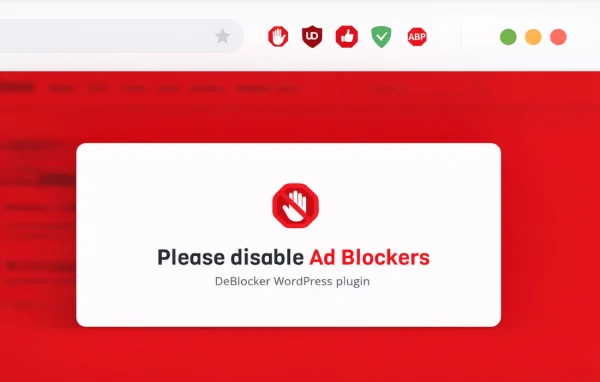
DeBlocker by Merkulove is a WordPress plugin that detects when visitors are using ad-blocking software. It can show them a custom message asking them to turn the blocker off, or hold back content until they do, so your ads have a fair chance of being seen.
- Version
- 3.4.12
- Released
- Feb 19, 2025
- Developer
- Merkulove
- Type
- WordPress plugin
- Licence
- GPL
- Included in
- Every plan, or $3.19 on its own
What’s new in DeBlocker 3.4.12
Version 3.4.12 · Feb 19, 2025
Latest
- FixedFixed full-screen popup layout
What it does
Many sites that rely on display ads lose visibility when visitors run ad blockers. This plugin checks for popular ad-blocking software as a page loads and then responds in the way you choose. You can keep things polite with a notification that asks readers to whitelist your site, or take a firmer approach and restrict access to certain pages or sections until the blocker is disabled.
Setup happens through a settings interface with step-by-step guidance, and no coding is needed. It works with any WordPress theme and with major caching plugins, and the messages display on phones and tablets as well as desktops. If your site serves more than one language, it works with WPML and other translation plugins, so the notice can appear in each visitor's language.
Best for
- Blogs and news sites funded by display advertising
- Publishers who want to lock content for ad blocker users
- Multilingual WordPress sites that run ads
Features
Ad blocker detection
Identifies popular ad-blocking software running in a visitor's browser so the plugin can respond before they continue reading your content.
Custom notification messages
Write your own alert asking visitors to disable their ad blocker, with control over the wording and tone so it fits your site and audience.
Content locking
Restrict access to specific pages or parts of your content until the visitor turns off their ad blocker, for sites that depend on ad views.
Works with any theme
Runs alongside any WordPress theme and with major caching plugins, so you can add it to an existing site without redesigning anything.
No-code setup
An intuitive settings interface with step-by-step guidance lets you configure detection and messages without writing or editing any code.
Mobile-friendly display
Anti-adblock notices and locks are responsive, so they work on smartphones and tablets as well as on desktop screens.
Translation plugin support
Compatible with WPML and other translation plugins, letting you show localized ad blocker messages to visitors in different languages.
DeBlocker older versions
- 3.4.10Oct 29, 20241 improvement
- 3.4.2Jul 26, 20241 fix
- 3.3.9Sep 19, 20231 fix
- 3.3.8Aug 30, 2023
- 3.3.7Aug 1, 2023
- 3.3.5May 25, 2023
- 3.3.4May 2, 2023
- 3.3.3Apr 18, 2023
Members and buyers of this product can download older versions.
Questions about DeBlocker
Can I just ask visitors to turn off their ad blocker instead of blocking them?
Yes. You can show a customizable notification message that politely asks visitors to disable their ad blocker. Content locking is a separate option, so you can choose a gentle request or restrict access depending on how strict you want to be.
Can I lock only certain pages rather than the whole site?
Yes. The content locking option lets you restrict access to specific pages or parts of your content until the ad blocker is turned off, so the rest of your site can stay open to everyone.
Will it work with my theme and caching plugin?
DeBlocker is described as working with any WordPress theme and with major caching plugins. That means you can add it to an existing site without changing your design or giving up your caching setup.
Can the message be shown in different languages?
Yes. It is compatible with WPML and other translation plugins, so you can translate the ad blocker notice and show visitors a localized message in their own language.
Is DeBlocker free?
The code of DeBlocker is licensed under the GPL, so anyone may use, change and share it. GPL Feast is a paid service: a plan or a single purchase gives you the download and automatic updates. The developer's own support, licence key and online services are not included.
Which version of DeBlocker is this?
Version 3.4.12, released Feb 19, 2025. New versions appear here when the developer publishes them, and members get them as automatic updates.
How do I update DeBlocker?
Install the free GPL Feast Updater on your site and connect it with your API key. It installs new versions of DeBlocker automatically and keeps a backup, so you can roll back.
You might also like