Plugin
Updated
Speaker
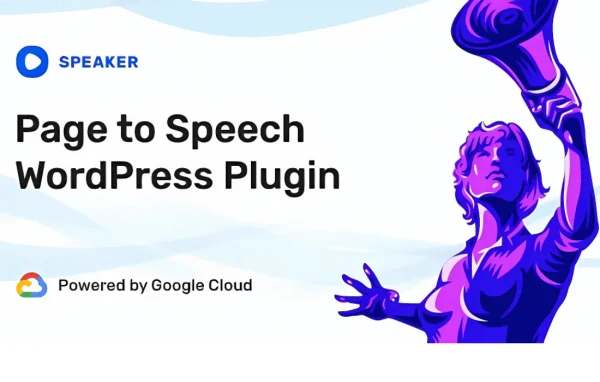
Speaker by Merkulove is a WordPress plugin that converts your page and post content into spoken audio. Visitors get a player they can use to listen instead of read, and you choose the voice, language, speed, pitch and volume.
- Version
- 4.1.14
- Released
- Jul 23, 2026
- Developer
- Merkulove
- Type
- WordPress plugin
- Licence
- GPL
- Included in
- Every plan, or $4.79 on its own
What’s new in Speaker 4.1.14
Version 4.1.14 · Jul 23, 2026
Latest
- SecurityFixed a security vulnerability in the post metabox AJAX endpoint: added nonce verification, capability checks, and a post meta whitelist (CVE-2026-57783)
- FixedFixed an issue where the API key could be reset by transient network or server errors instead of only definitive authentication failures
- ImprovedImproved displaying of the player and playback controls on the mobile lock screen
What it does
Plenty of visitors would rather listen than read, and some can't comfortably read long text at all. Speaker adds an audio version of your written content so people with visual impairments or reading difficulties, busy readers and listeners on the go can take in your pages. It works with pages, posts, custom post types and WooCommerce product descriptions, so one tool covers most of the text on a typical site.
Setup needs no coding. Once it is in place, you pick from several text-to-speech voices, set the language or regional accent, and adjust speed, pitch and volume to suit your audience. Visitors use play, pause and stop controls, and you can customize those controls and decide where the player appears. The player works on desktops, tablets and phones, and playback controls can also show on the mobile lock screen.
Best for
- Blogs and news sites with long written articles
- Educational sites that want listenable lessons
- Sites improving access for visually impaired readers
Features
Page and post to speech
Converts the text of WordPress pages and posts into spoken audio that visitors can play directly on the page.
Adjustable voice settings
Set speech speed, pitch and volume so the narration matches the tone of your content and the preferences of your audience.
Multiple languages and accents
Produce audio in several languages and regional accents, which helps when your site serves visitors from different countries.
Choice of voices
Select from a range of voices provided by text-to-speech engines to find narration that sounds clear and fits your site.
Custom player controls
Visitors can play, pause or stop the narration, and you can customize the controls and choose where the player sits on the page.
Works on any device
The player adapts to desktops, tablets and smartphones, and playback controls can appear on the mobile lock screen.
Custom post types and WooCommerce
Audio playback extends beyond pages and posts to custom post types and WooCommerce product descriptions.
Speaker older versions
- 4.1.13Apr 102 fixes
- 4.1.12Jan 271 improvement
- 4.1.11Jan 161 fix
- 4.1.10Jan 8
- 4.1.9Dec 25, 2025
- 4.1.8Sep 11, 2025
- 4.1.7Aug 9, 2025
- 4.1.6May 23, 2025
- 4.1.5Apr 10, 2025
- 4.1.3Oct 24, 2024
Members and buyers of this product can download older versions.
32 older versions in all. If you need one that is not listed, ask support.
Questions about Speaker
What content can Speaker read aloud?
It can create audio for pages, posts and custom post types. If you run a WooCommerce shop, it can also read product descriptions, so shoppers can listen to the details of an item.
Can I change how the voice sounds?
Yes. You can choose from several voices and adjust the speed, pitch and volume of the narration. That lets you match the voice to your brand's tone or slow it down for easier listening.
Does it support languages other than English?
The plugin supports multiple languages and regional accents, so you can offer audio versions of your content to visitors in different parts of the world.
Will the audio player work for mobile visitors?
Yes. The player works on desktops, tablets and smartphones, and its playback controls can display on the mobile lock screen so listeners can keep control while their phone is locked.
Is Speaker free?
The code of Speaker is licensed under the GPL, so anyone may use, change and share it. GPL Feast is a paid service: a plan or a single purchase gives you the download and automatic updates. The developer's own support, licence key and online services are not included.
Which version of Speaker is this?
Version 4.1.14, released Jul 23, 2026. New versions appear here when the developer publishes them, and members get them as automatic updates.
How do I update Speaker?
Install the free GPL Feast Updater on your site and connect it with your API key. It installs new versions of Speaker automatically and keeps a backup, so you can roll back.
You might also like