
Plugin
Updated
Dominion Pro
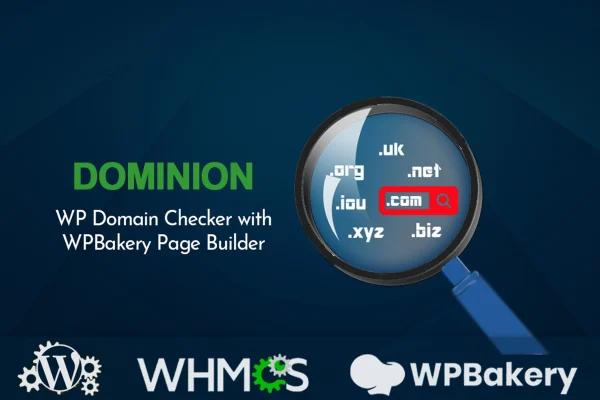
Dominion Pro is a WordPress plugin that places a domain name search form on your site. Visitors type a name and check whether it is available across generic top-level domains, and results can point them to WHMCS or a third-party registrar to complete the purchase.
- Version
- 2.2.1
- Released
- Nov 3, 2025
- Type
- WordPress plugin
- Licence
- GPL
- Included in
- Every plan, or $3.99 on its own
What’s new in Dominion Pro 2.2.1
Version 2.2.1 · Nov 3, 2025
Latest
- ImprovedCompatible with WordPress version v6.8.3
What it does
If you run a hosting business or a site that refers people to domain sellers, visitors need a quick way to see whether the name they want is free. This plugin adds a domain availability checker directly to your pages, so the search happens on your site instead of somewhere else. Once a visitor finds an available name, the results can link to your WHMCS domain sales page or to an outside registrar, which makes it useful for both hosting providers and affiliates.
The search form can be placed with WPBakery Page Builder or used as a standalone plugin, so it works whether or not you build pages with WPBakery. Styling is handled inside the plugin interface, where you can adjust fonts, colors, buttons, backgrounds and animations without writing code. The form is responsive and adapts to different screen sizes. It is built with HTML, CSS and JavaScript, and documentation and video tutorials are included to walk you through setup and customization.
Best for
- Web hosting providers selling domains through WHMCS
- Affiliate sites referring visitors to domain registrars
- Webmasters adding a domain search to their site
Features
Domain availability search
Visitors can check whether a domain name is available across generic top-level domains using a search form placed on your WordPress site.
WHMCS connection
Search results can be connected to your WHMCS domain sales page, sending visitors from the availability check straight to where they can register the name.
Third-party registrar links
Results can also point to external domain registrars, which lets affiliate sites send visitors to partner sellers through their referral programs.
No-code styling options
Fonts, colors, backgrounds, buttons and animations can be changed from the plugin interface so the search form matches the look of your site.
Works with or without WPBakery
Add the domain search form through WPBakery Page Builder, or use the plugin on its own if you build pages another way.
Responsive layout
The search form adjusts to different screen sizes, so visitors on phones, tablets and desktops can check domains without layout problems.
Documentation and video tutorials
Written guides and step-by-step videos cover setup and customization, which helps beginners and experienced users get the form configured.
Dominion Pro older versions
- 2.1Jun 18, 20251 improvement
- 1.9.5Jun 25, 20241 improvement
- 1.9.3Sep 5, 20231 fix
Members and buyers of this product can download older versions.
Questions about Dominion Pro
Can visitors check any domain extension?
The plugin checks availability across generic top-level domains. A visitor enters the name they want, and the search form reports whether it is available, all without leaving your WordPress site.
Does it work with WHMCS?
Yes. Search results can be connected to your WHMCS domain sales page, so a visitor who finds an available name can move straight to registering it through your existing WHMCS setup.
Do I need WPBakery Page Builder to use it?
No. You can place the domain search form using WPBakery Page Builder if you already use it, or run the plugin as a standalone tool. Either way you control where the form appears on your site.
Can I make the search form match my site design?
Yes. The plugin interface lets you change fonts, colors, buttons, backgrounds and animations without any coding. The form is also responsive, so it adapts to mobile and desktop screens.
Is Dominion Pro free?
The code of Dominion Pro is licensed under the GPL, so anyone may use, change and share it. GPL Feast is a paid service: a plan or a single purchase gives you the download and automatic updates. The developer's own support, licence key and online services are not included.
Which version of Dominion Pro is this?
Version 2.2.1, released Nov 3, 2025. New versions appear here when the developer publishes them, and members get them as automatic updates.
How do I update Dominion Pro?
Install the free GPL Feast Updater on your site and connect it with your API key. It installs new versions of Dominion Pro automatically and keeps a backup, so you can roll back.
You might also like






