
Plugin
Updated
Droip
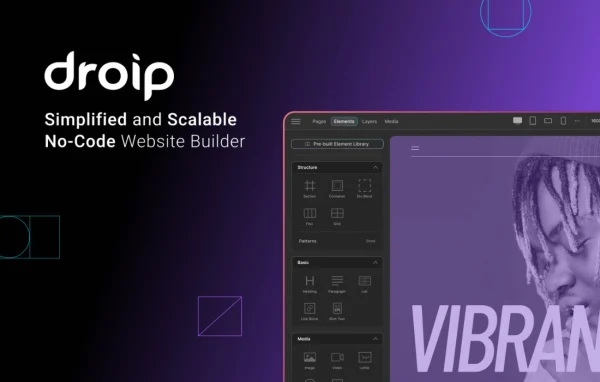
Droip is a no-code website builder plugin that works inside WordPress. It gives you a drag-and-drop visual editor with detailed layout control, animations and responsive design tools, plus content, media and SEO management, so you can design and run a full site without writing code.
- Version
- 2.5.7
- Released
- Feb 27, 2026
- Type
- WordPress plugin
- Licence
- GPL
- Included in
- Every plan, or $5.59 a year on its own
- Topics
- Page Builders
What’s new in Droip 2.5.7
Version 2.5.7 · Feb 27, 2026
Latest
What it does
Building a custom WordPress site usually means choosing between rigid themes and hand-written code. This plugin offers a visual editor where you place and style elements directly on the page, with precise control over layout and styling. You can add customizable animations to content and adjust how each design behaves on desktops, tablets and smartphones, which helps you produce a finished, responsive layout from one workspace instead of juggling several tools.
Beyond page design, the builder includes a Content Manager for organizing site content in one place and a Media Manager for uploading and arranging images, videos and other files. Built-in SEO tools cover metadata, schema and keywords. Global styling variables keep fonts, colors and design elements consistent across the whole site, and integrations with Mailchimp and LiveChat let you collect email signups and chat with visitors from the pages you build.
Best for
- Designers who want custom WordPress sites without writing code
- Freelancers and agencies building responsive client websites
- Site owners who want email signups and live chat built in
Features
Drag-and-drop visual editor
Build and customize pages in a visual editor by dragging elements into place, with no coding needed to create complete layouts.
Precise layout and styling
Control layouts and detailed styling closely, so pages match your design down to spacing, sizing and other fine visual details.
Customizable animations
Add smooth animations to your content and adjust them to bring movement and interactivity to sections of a page.
Responsive design tools
Adjust designs so the site looks right and works properly across desktops, tablets and smartphones.
Content and Media Managers
Organize site content from a central hub and upload, sort and manage images, videos and other media assets in one place.
Built-in SEO tools
Manage metadata, schema and keywords from within the builder instead of handling these settings separately.
Global styling variables
Define fonts, colors and design elements once and apply them across the entire site to keep branding consistent and edits quick.
Mailchimp and LiveChat integrations
Connect Mailchimp to build email lists and run campaigns, and use LiveChat to talk with visitors in real time.
Droip older versions
- 2.5.6Feb 13
- 2.5.5Jan 9
- 2.5.4Dec 27, 2025
- 2.5.3Dec 17, 2025
- 2.5.2Dec 11, 2025
- 2.5.0Nov 10, 2025
- 2.4.4Nov 2, 2025
- 2.4.3Oct 18, 2025
- 2.4.2Oct 18, 2025
- 2.4.0Oct 9, 2025
Members and buyers of this product can download older versions.
21 older versions in all. If you need one that is not listed, ask support.
Questions about Droip
Do I need to know how to code to use Droip?
No. It is a no-code builder with a drag-and-drop visual editor. You design pages, set styles, add animations and adjust responsive layouts visually, so beginners and experienced site builders can both create full layouts without touching code.
Can I keep fonts and colors consistent across my whole site?
Yes. Global styling variables let you set fonts, colors and other design elements once and apply them throughout the site. When you change a variable, the update carries across your pages, which makes branding changes much quicker.
Does it handle SEO settings?
The builder includes SEO tools for managing metadata, schema and keywords. These settings sit alongside your design work, so you can handle page details for search engines without switching to another tool.
Which third-party services does it connect to?
It integrates with Mailchimp, so you can build email lists and run campaigns from your site, and with LiveChat, so you can chat with visitors in real time. It is also designed to work alongside other WordPress plugins.
Is Droip free?
The code of Droip is licensed under the GPL, so anyone may use, change and share it. GPL Feast is a paid service: a plan or a single purchase gives you the download and automatic updates. The developer's own support, licence key and online services are not included.
Which version of Droip is this?
Version 2.5.7, released Feb 27, 2026. New versions appear here when the developer publishes them, and members get them as automatic updates.
How do I update Droip?
Install the free GPL Feast Updater on your site and connect it with your API key. It installs new versions of Droip automatically and keeps a backup, so you can roll back.
You might also like






