
Plugin
Updated
Duplicator Pro
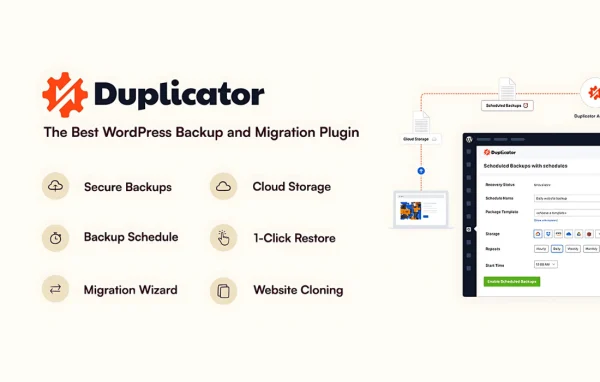
Duplicator Pro by Snap Creek is a WordPress plugin for backing up, cloning and migrating websites. It packages your site's files and database so you can restore them after a problem or move the whole site to a new host or domain, without writing code.
- Version
- 5.0.6
- Released
- Oct 15, 2026
- Developer
- Snap Creek
- Type
- WordPress plugin
- Licence
- GPL
- Included in
- Every plan, or $5.59 a year on its own
What’s new in Duplicator Pro 5.0.5
Version 5.0.5 · Sep 29, 2026
Latest
- FixedBackups: Clear error message when a DupArchive file reaches the host’s maximum file size
- ImprovedBackups: mysqldump now supports database connections through a Unix socket
- FixedBackups: Fixed mysqldump including tables excluded by the table filters
- FixedBackups: Fixed mysqldump Backups completing without the users tables when their export failed
- FixedBackups: Fixed Backups completing with a truncated database when the disk is full
- FixedBackups: Fixed ZipArchive Backups retrying endlessly on a full disk instead of reporting it
- FixedBackups: Fixed database export failing on tables with non UTF-8 primary keys (Installer)
- FixedBackups: Fixed slow database export on large tables with composite keys
What it does
Moving a WordPress site by hand means copying files, exporting the database, fixing URLs and hoping nothing breaks. Duplicator Pro bundles those jobs together. It creates full backups of your files and database, stores them locally or in remote cloud storage, and can run on a schedule so recent copies are always available. If an update goes wrong, recovery points let you roll the site back to an earlier working state with one click.
For migrations, a two-step wizard and an installer handle the transfer, while a search and replace tool updates URLs and file paths for the new location. You can import a backup straight from a remote server or cloud storage by URL, skipping the step of saving it to your computer first. The plugin also works with multisite networks and shared database hosting, so it fits agency workflows and more complex server setups as well as single sites.
Best for
- Developers moving client sites between hosts or domains
- Site owners who want scheduled offsite backups
- Agencies managing WordPress multisite networks
Features
Full site backups
Creates backups that include both your WordPress files and database, so the entire site can be recovered after data loss.
Scheduled automatic backups
Set backups to run hourly, daily, weekly or monthly, so recent copies of your site are saved without manual work.
Encrypted cloud storage
Send backups to Google Drive, Dropbox, Amazon S3, OneDrive, FTP/SFTP or other S3-compatible services, protected with AES-256 encryption.
One-click restore points
Roll your site back to a previous stable state with a single click after an error or a bad update.
Two-step migration wizard
Move a site to a new host or domain through a guided wizard and installer that require no coding knowledge.
Server-to-server import
Import a backup directly from a remote server or cloud storage using a URL instead of saving it locally first.
Search and replace tool
Update URLs, file paths and other data during a migration so links and references point to the new location.
Multisite and shared databases
Back up and migrate multisite networks, convert subsites to standalone sites and back, and migrate sites that use shared databases.
Duplicator Pro older versions
- 5.0.5Sep 30
- 5.0.4Sep 237 fixes
- 5.0.3Sep 184 improvements, 4 fixes
- 5.0.2Sep 101 fix
- 5.0.0Sep 9
- 4.6.10Aug 28
- 4.6.9Aug 11
- 4.6.8Jul 28
- 4.6.7Jul 16
- 4.6.6Jul 9
Members and buyers of this product can download older versions.
76 older versions in all. If you need one that is not listed, ask support.
Questions about Duplicator Pro
Can it back up my site to cloud storage automatically?
Yes. You can schedule backups to run hourly, daily, weekly or monthly and send them to remote storage such as Google Drive, Dropbox, Amazon S3, OneDrive, FTP/SFTP or other S3-compatible services. Stored backups are protected with AES-256 encryption.
Will my links still work after moving to a new domain?
The migration process includes a search and replace tool that updates URLs, file paths and other stored data for the new location. This helps internal links and references point to the right place once the transfer finishes.
Does it work with WordPress multisite?
Yes. Duplicator Pro can back up and migrate entire multisite networks. It can also convert a subsite into a standalone site, or bring a standalone site into a network as a subsite.
How do I recover if an update breaks my site?
You can use recovery points to restore the site to an earlier stable state with one click. This rolls back both files and database to the saved point, which helps cut downtime after a failed update or error.
Is Duplicator Pro free?
The code of Duplicator Pro is licensed under the GPL, so anyone may use, change and share it. GPL Feast is a paid service: a plan or a single purchase gives you the download and automatic updates. The developer's own support, licence key and online services are not included.
Which version of Duplicator Pro is this?
Version 5.0.6, released Oct 15, 2026. New versions appear here when the developer publishes them, and members get them as automatic updates.
How do I update Duplicator Pro?
Install the free GPL Feast Updater on your site and connect it with your API key. It installs new versions of Duplicator Pro automatically and keeps a backup, so you can roll back.
You might also like






