
Plugin
Updated
DV Loading
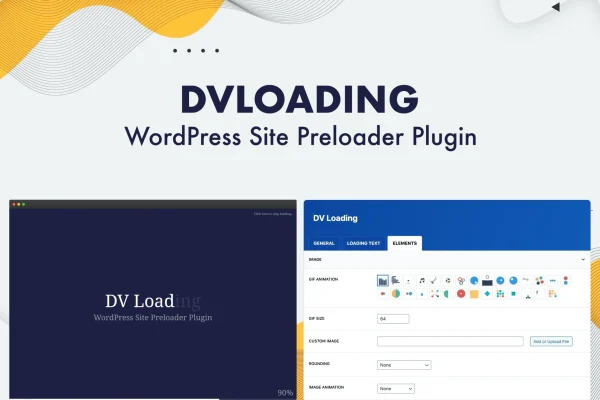
DV Loading is a WordPress plugin that shows a loading animation while your page content loads. You can pick text animations, ready-made GIFs or your own image, then choose which parts of your site display the preloader.
- Version
- 2.1
- Released
- Jan 30, 2023
- Type
- WordPress plugin
- Licence
- GPL
- Included in
- Every plan, or $3.99 on its own
What’s new in DV Loading 2.1
Version 2.1 · Jan 30, 2023
Latest
- ImprovedUpdated CMB2.
- FixedBug fixes.
What it does
Visitors often see a blank or half-built page while content loads. A preloader covers that moment with a loading screen of your choosing. This plugin gives you several ways to build that screen: a text loading animation, 29 ready-to-use animated GIFs, or a custom image of your own, such as your logo, with 5 CSS3 image animation options. You can also add 32 CSS3 page transitions, an animated loading bar and a percentage counter so visitors can see progress.
Setup happens in the plugin settings, so you can adjust colors and font sizes without writing code, and those sizes adapt to different screens. You decide where the animation appears: the homepage, archive pages, selected post types, or any specific page through a shortcode. A skip loading link lets visitors bypass the preloader if they prefer. Scripts load only when the preloader is enabled, which keeps it out of the way on pages where you don't use it.
Best for
- Brand-focused sites that want a logo-based loading screen
- Portfolio and creative sites wanting animated page transitions
- Freelancers adding preloaders to client sites without coding
Features
Text loading animation
Display an animated text loader as the page loads, giving visitors something to look at instead of a blank screen.
29 animated GIF loaders
Choose from 29 ready-to-use animated GIFs when you want a preloader running quickly without creating any graphics yourself.
Custom loading images
Upload your own image, like a logo, and apply one of 5 CSS3 image animation options to keep the loader consistent with your branding.
32 CSS3 page transitions
Pick from 32 CSS3 transition effects that control how the loading screen gives way to your page content.
Loading bar and percentage counter
Show an animated loading bar and a percentage counter so visitors get clear feedback on how far along the page load is.
Skip loading link
Add a link that lets visitors bypass the preloader and go straight to the page, giving them more control.
Flexible placement options
Show the animation on the homepage, archive pages or selected post types, or place it on any specific page with a shortcode.
Responsive colors and fonts
Customize colors and font sizes in the settings, with sizing that adapts across desktops, tablets and phones.
Questions about DV Loading
Can I use my own logo as the loading animation?
Yes. The plugin has a custom loading image option, so you can upload your own image. You can then apply one of 5 CSS3 image animation options to it, which helps the preloader match the rest of your branding.
Do I have to show the preloader on every page?
No. Placement settings let you choose the homepage, archive pages or selected post types. You can also add the animation to any specific page with a shortcode, so it only appears where you want it.
Can visitors skip the loading screen?
Yes. You can enable a skip loading link that lets visitors bypass the preloader and move straight to the page content. This is useful for returning visitors or anyone who prefers not to wait for the animation.
Do I need to know CSS to customize it?
No coding is required. Colors, font sizes, animations, transitions and placement are all set from the plugin settings. The CSS3 effects come built in, so you choose them from the options rather than writing styles yourself.
Is DV Loading free?
The code of DV Loading is licensed under the GPL, so anyone may use, change and share it. GPL Feast is a paid service: a plan or a single purchase gives you the download and automatic updates. The developer's own support, licence key and online services are not included.
Which version of DV Loading is this?
Version 2.1, released Jan 30, 2023. New versions appear here when the developer publishes them, and members get them as automatic updates.
How do I update DV Loading?
Install the free GPL Feast Updater on your site and connect it with your API key. It installs new versions of DV Loading automatically and keeps a backup, so you can roll back.
You might also like






