
Plugin
Updated
DZS Facebook Login Box
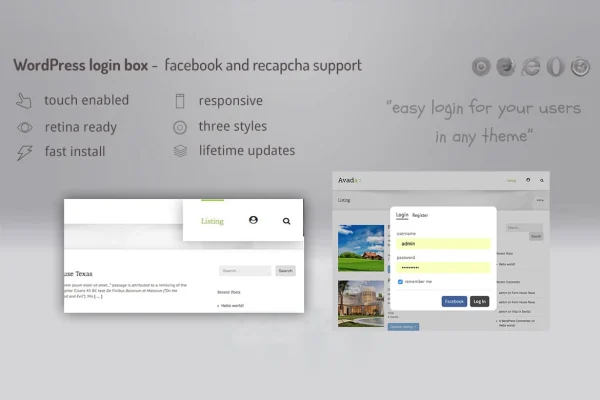
DZS Facebook Login Box is a WordPress plugin that moves login and registration into a lightbox popup. Visitors can sign in or create an account without leaving the page they are on, and Facebook login gives them a quicker way in.
- Version
- 1.00
- Released
- May 2, 2023
- Type
- WordPress plugin
- Licence
- GPL
- Included in
- Every plan, or $3.99 on its own
What’s new in DZS Facebook Login Box 1.00
Version 1.00 · May 2, 2023
Latest
What it does
Standard WordPress login and registration send visitors to a separate page, which interrupts whatever they were reading or doing. This plugin opens a modal window on top of the current page instead, so people can sign in or register and keep going. Facebook login is included as a social option, and optional reCAPTCHA helps keep bot registrations out. For sites built on BuddyPress, the registration form can include the extra fields BuddyPress adds.
Setup is handled through your menu or a shortcode. You can drag the login element into a navigation menu or place the shortcode in posts and pages wherever you want it to appear. There are three button types to pick from: a full login box, a login button or a register button. Predefined styles cover the visual side, and anyone comfortable with code can add custom CSS to match their branding. The layout is responsive and retina ready, so it works on phones and high resolution desktop screens.
Best for
- Membership sites that want quick sign in from any page
- BuddyPress communities needing extra registration fields
- Blogs and sites wanting Facebook login for visitors
Features
Lightbox login and registration
Opens login and sign up forms in a modal popup over the current page, so visitors never have to leave what they were viewing.
Facebook login
Gives visitors the option to sign in with their Facebook account, offering a faster route into the site than filling out a form.
Menu and shortcode placement
Drag the login element into a navigation menu or use a shortcode to place it inside posts, pages or other content.
Three button types
Choose between a login box, a login button or a register button depending on how you want access presented on your site.
Style presets and custom CSS
Pick from predefined styles and skins, or write your own CSS so the popup matches the rest of your site design.
Optional reCAPTCHA
Turn on reCAPTCHA for the forms to help block automated bot registrations and keep sign ups limited to real people.
BuddyPress registration fields
Supports the additional registration fields from BuddyPress, which is useful for social networks and community sites built with it.
Responsive, retina ready design
The popup adapts to screen size and displays sharply on high resolution displays, from mobile phones up to large desktop monitors.
Questions about DZS Facebook Login Box
Can visitors log in with Facebook?
Yes. The plugin includes a Facebook login option alongside the regular login and registration forms, so visitors can use their Facebook account to get into your site instead of typing in a username and password.
Where can I place the login popup on my site?
You can drag it into a navigation menu or use a shortcode to embed it in posts, pages or other content. You also choose whether it appears as a login box, a login button or a register button.
Does it work with BuddyPress?
It is compatible with BuddyPress and supports the additional registration fields BuddyPress adds, so members can fill those in through the lightbox registration form.
Can I change how the popup looks?
Yes. You can select from predefined styles and skins, and if you know CSS you can add your own rules to match your branding. The design is responsive and retina ready on every screen size.
Is DZS Facebook Login Box free?
The code of DZS Facebook Login Box is licensed under the GPL, so anyone may use, change and share it. GPL Feast is a paid service: a plan or a single purchase gives you the download and automatic updates. The developer's own support, licence key and online services are not included.
Which version of DZS Facebook Login Box is this?
Version 1.00, released May 2, 2023. New versions appear here when the developer publishes them, and members get them as automatic updates.
How do I update DZS Facebook Login Box?
Install the free GPL Feast Updater on your site and connect it with your API key. It installs new versions of DZS Facebook Login Box automatically and keeps a backup, so you can roll back.
You might also like






