
Plugin
Updated
DZS Tooltip
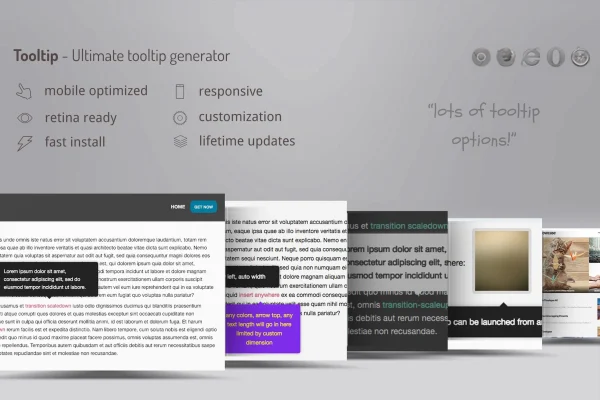
DZS Tooltip is a WordPress plugin for adding tooltips to text and images on your site. A shortcode generator builds each tooltip from selected content, and you can style the tooltips to match your design and choose whether they open on hover or on click.
- Version
- 1.02
- Released
- May 2, 2023
- Type
- WordPress plugin
- Licence
- GPL
- Included in
- Every plan, or $3.99 on its own
What’s new in DZS Tooltip 1.02
Version 1.02 · May 2, 2023
Latest
What it does
Some content needs a little extra explanation: a technical term, a product detail or a note about an image. Putting all of that into the main text makes pages harder to read. Tooltips let you keep the page clean while still giving readers the extra information when they want it. This plugin handles that job without any coding, so you can add small pop-up notes to posts and pages as you write them.
The workflow centers on a shortcode generator. You select the text or image, click a button, and the plugin creates the tooltip shortcode for you, so there is nothing to memorize. Images can also get tooltips based on their existing title or alt attributes. You can adjust colors, fonts and styles, and the plugin positions each tooltip automatically so it stays clear of the content around it. It is responsive and retina ready, and it is built to work with any properly coded WordPress theme.
Best for
- Blogs and documentation sites that explain terms inline
- Online stores adding notes to product images
- Freelancers building client sites without custom code
Features
Shortcode generator
Select text or an image, click a button, and the generator inserts the tooltip shortcode for you, so you never have to type shortcodes by hand.
Tooltips from image attributes
Wrap images with tooltips that use their existing title or alt attributes, which saves you from writing the tooltip text a second time.
Custom colors, fonts and styles
Change the colors, fonts and styles of your tooltips so they match your site branding and sit naturally alongside the rest of your design.
Automatic positioning
Tooltips are placed automatically in a spot where they do not cover the surrounding content, which keeps the page readable when a tooltip opens.
Hover or click triggers
Choose whether a tooltip appears when visitors hover over an element or when they click it, depending on how you want people to interact.
Responsive and retina ready
Tooltips display clearly on desktops, tablets and smartphones, including high resolution screens, so they stay sharp on every device.
Works with standard themes
The plugin is designed to work with any properly coded WordPress theme, so you can add tooltips without changing your current theme.
Questions about DZS Tooltip
Do I need to know how to code to add tooltips?
No. The shortcode generator does the work. You select the text or image you want, click a button, and the tooltip shortcode is created and inserted for you. You can then adjust the look through the plugin's style settings for colors, fonts and styles.
Can I add tooltips to images as well as text?
Yes. Besides text, you can wrap images with tooltips. The plugin can use an image's existing title or alt attribute as the tooltip content, which is handy if your images already have descriptive attributes filled in.
Will the tooltips work with my current theme?
The plugin is built to be compatible with any properly coded WordPress theme. Since you can customize the colors, fonts and styles, you can also make the tooltips fit the look of the theme you already use.
Can visitors open tooltips on mobile devices?
The tooltips are responsive and retina ready, so they display clearly on smartphones and tablets. You can also set tooltips to open on click instead of hover, which suits touch screens where hovering is not available.
Is DZS Tooltip free?
The code of DZS Tooltip is licensed under the GPL, so anyone may use, change and share it. GPL Feast is a paid service: a plan or a single purchase gives you the download and automatic updates. The developer's own support, licence key and online services are not included.
Which version of DZS Tooltip is this?
Version 1.02, released May 2, 2023. New versions appear here when the developer publishes them, and members get them as automatic updates.
How do I update DZS Tooltip?
Install the free GPL Feast Updater on your site and connect it with your API key. It installs new versions of DZS Tooltip automatically and keeps a backup, so you can roll back.
You might also like






