
Plugin
Updated
DZS Video Gallery
DZS Video Gallery is a WordPress plugin for building video galleries on your site. It pulls in videos from YouTube and Vimeo, plays self-hosted media, and lets you style each gallery with pre-built skins or your own custom designs.
- Version
- 12.40
- Released
- Feb 19, 2026
- Type
- WordPress plugin
- Licence
- GPL
- Included in
- Every plan, or $3.99 on its own
What’s new in DZS Video Gallery 12.40
Version 12.40 · Feb 19, 2026
Latest
What it does
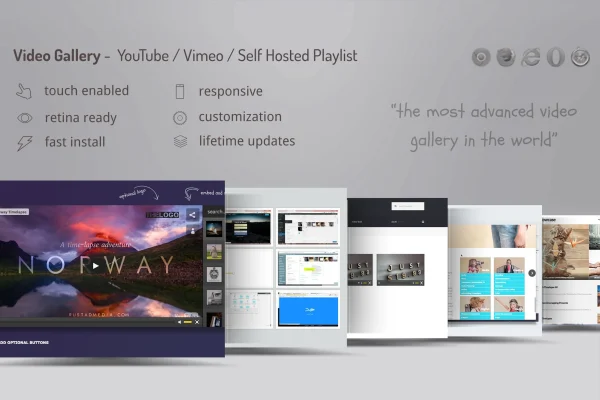
Embedding videos one at a time gets messy when you have a lot of them. This plugin gathers your videos into organized galleries instead. You can display handpicked videos, YouTube playlists, user channels or Vimeo albums, and it also handles Dailymotion, self-hosted video and audio files, and images. A hybrid player lets you combine several sources in one player setup, so a single gallery can mix platform videos with files you host yourself.
On the design side, you get more than five pre-built skins plus a skin generator in the Design Center, where you can set custom colors and adjust the details of your gallery. Galleries are responsive and retina ready, and HTML5 playback supports iPhone and iPad viewers. You can run multiple galleries on one website, which suits sites that sort videos by topic, client or series.
Best for
- Bloggers and creators who publish YouTube or Vimeo videos
- Business sites displaying product or company videos
- Agencies building branded video pages for clients
Features
YouTube and Vimeo sources
Display videos from YouTube playlists and user channels, Vimeo albums, or individually picked videos, all inside a gallery on your WordPress site.
Pre-built skins
Choose from more than five ready-made skins to set the look of your video gallery quickly without designing it from scratch.
Skin generator and colors
Use the Design Center to create your own skins and pick custom colors so your gallery matches the rest of your site's design.
Self-hosted media support
Play self-hosted video and audio files and display images alongside streamed videos, so one gallery can hold several kinds of media.
Hybrid video player
Combine multiple video sources in a single player setup, mixing platform videos such as YouTube or Vimeo with your own hosted files.
Responsive and retina ready
Galleries adapt to different screen sizes and display sharply on high-resolution screens, with HTML5 video playback for iPhone and iPad users.
Multiple galleries per site
Run several separate video galleries on the same website, each with its own set of videos, which helps organize content by topic.
Dailymotion compatibility
Along with YouTube and Vimeo, the plugin supports Dailymotion videos, giving you another source to draw from when building galleries.
DZS Video Gallery older versions
- 12.25Mar 12, 2024
Members and buyers of this product can download older versions.
Questions about DZS Video Gallery
Can I show a whole YouTube channel or playlist?
Yes. The plugin can display videos from YouTube playlists and user channels, as well as Vimeo albums. You can also build a gallery from individually chosen videos if you prefer to curate the selection yourself.
Does it work with videos I host myself?
It does. Besides YouTube, Vimeo and Dailymotion, the plugin plays self-hosted video and audio files and can display images. Its hybrid player lets you combine several of these sources in a single player setup.
Can I change how the gallery looks?
You can start with one of the more than five pre-built skins, or use the skin generator in the Design Center to create your own. Custom color options let you match the gallery to your site's style.
Will the galleries play on phones and tablets?
The galleries are responsive and retina ready, and the plugin uses HTML5 video playback, which supports viewers on iPhone and iPad. Layouts adjust to fit different screen sizes.
Is DZS Video Gallery free?
The code of DZS Video Gallery is licensed under the GPL, so anyone may use, change and share it. GPL Feast is a paid service: a plan or a single purchase gives you the download and automatic updates. The developer's own support, licence key and online services are not included.
Which version of DZS Video Gallery is this?
Version 12.40, released Feb 19, 2026. New versions appear here when the developer publishes them, and members get them as automatic updates.
How do I update DZS Video Gallery?
Install the free GPL Feast Updater on your site and connect it with your API key. It installs new versions of DZS Video Gallery automatically and keeps a backup, so you can roll back.
You might also like






