
Plugin
Updated
Easy Content Manager Pro
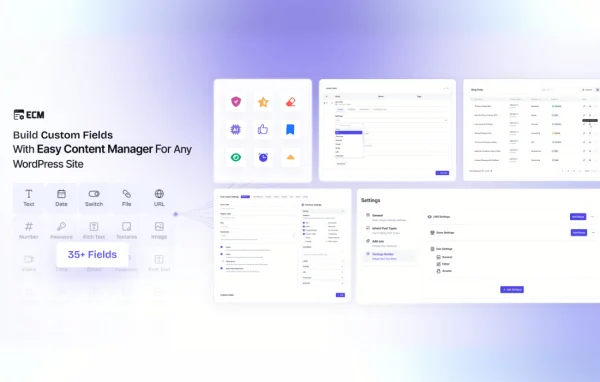
Easy Content Manager Pro is a WordPress plugin by Kodezen for creating and managing custom content types and fields without writing code. A drag and drop interface handles content types, reusable field groups, custom taxonomies and site-wide settings from one place.
- Version
- 1.2.2
- Released
- Apr 3, 2026
- Developer
- Kodezen
- Type
- WordPress plugin
- Licence
- GPL
- Included in
- Every plan, or $6.39 a year on its own
What’s new in Easy Content Manager Pro 1.2.2
Version 1.2.2 · Apr 3, 2026
Latest
- NewStoreEngine SDK compatibility
What it does
Default WordPress posts and pages only go so far. Once a site needs structured content, such as product listings, portfolio entries or special page types with their own fields, many site owners end up writing code or stacking several plugins together. This plugin puts that setup in one tool. You define the content types you need, add the fields each one should hold, and organize them with your own categories and tags, all without touching a theme file or a snippet.
Setup happens through a drag and drop interface, so you can arrange content types and fields visually. Field groups can be saved once and reused across different content types, which keeps data consistent and cuts down on repeated work. A global settings builder lets you manage site-wide content settings from a single dashboard. The clean layout suits people new to custom content, while advanced options give developers and experienced site owners room to customize further.
Best for
- Site owners who need custom content without writing code
- Freelancers and agencies building structured client sites
- Portfolio, catalog or listing sites with unique page types
Features
Drag and drop builder
Build and arrange custom content types and fields visually, with no coding required to get your content structure in place.
Custom content types
Create content types for posts, products or unique pages, shaped around the specific content your site needs to organize.
Reusable field groups
Save a field group once and apply it across different content types, keeping your data consistent and saving repeated setup work.
Custom taxonomies
Define your own categories and tags so content can be classified the way your site needs and visitors can browse it more easily.
Global settings builder
Manage site-wide content settings from a single dashboard, giving you one central place to control values that apply across the site.
Beginner friendly interface
A clean, intuitive layout helps new users understand the options quickly and start building custom content without a steep learning curve.
Advanced customization options
Extra options and customization tools give developers and experienced site owners more control over how content types and fields are configured.
Easy Content Manager Pro older versions
- 1.2.1Mar 616 new, 8 fixes, 1 removal
- 1.2.0Jan 2352 new, 6 fixes
- 1.1.3Dec 4, 20252 improvements, 9 fixes
- 1.1.2Nov 28, 2025
- 1.1.1Nov 7, 2025
- 1.1.0Oct 13, 2025
- 1.0.1Oct 1, 2025
Members and buyers of this product can download older versions.
Questions about Easy Content Manager Pro
Do I need coding skills to create custom content types?
No. Content types, fields, taxonomies and global settings are all set up through a drag and drop interface. You configure everything visually, so you can build a custom content structure without writing code or editing theme files.
Can I reuse the same fields on different content types?
Yes. You can save field groups and reuse them across different content types. This keeps your data consistent, for example when several content types share the same details, and it saves you from rebuilding the same fields each time.
Can I create my own categories and tags?
Yes. The plugin lets you define custom taxonomies, so you can create your own categories and tags for classifying content. This helps keep content organized and gives visitors clearer ways to navigate it.
Is it suitable for developers as well as beginners?
It is designed for both. Beginners get a clean, intuitive interface that is quick to learn, while developers and experienced site owners get advanced options and customization tools for more detailed content setups.
Is Easy Content Manager Pro free?
The code of Easy Content Manager Pro is licensed under the GPL, so anyone may use, change and share it. GPL Feast is a paid service: a plan or a single purchase gives you the download and automatic updates. The developer's own support, licence key and online services are not included.
Which version of Easy Content Manager Pro is this?
Version 1.2.2, released Apr 3, 2026. New versions appear here when the developer publishes them, and members get them as automatic updates.
How do I update Easy Content Manager Pro?
Install the free GPL Feast Updater on your site and connect it with your API key. It installs new versions of Easy Content Manager Pro automatically and keeps a backup, so you can roll back.
You might also like






