
Plugin
Updated
Easy Custom Js And Css (PRO)
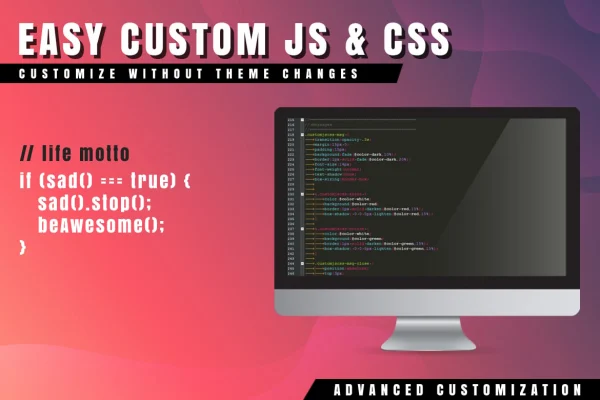
This WordPress plugin gives you a place in the dashboard to write custom JavaScript, CSS and HTML without editing theme or plugin files. A filter builder controls where and when each piece of code runs, so you can target specific pages, devices, browsers or dates.
- Version
- 1.1.2
- Released
- May 2, 2023
- Type
- WordPress plugin
- Licence
- GPL
- Included in
- Every plan, or $3.99 on its own
What’s new in Easy Custom Js And Css (PRO) 1.1.2
Version 1.1.2
Latest
- NewSupport Emoji
What it does
Small design tweaks and extra scripts often end up pasted into theme files, where the next theme or plugin update can wipe them out. Easy Custom Js And Css (PRO) keeps that code separate. You write it in an editor inside WordPress with syntax highlighting, and your changes stay in place when your theme or plugins are updated. JavaScript, CSS and HTML each have their own input, which keeps customizations organized and easier to troubleshoot later.
The filter builder decides when your code runs. You can build rules around URLs, posts, pages, devices, browsers, operating systems, and dates or times. That means you can load styles only on mobile, run a script on a single landing page, or schedule a seasonal design change for a set period. You also choose whether code is added inline or loaded as an external file, and whether it goes in the header or the footer.
Best for
- Site owners adding small style or script tweaks
- Developers and designers customizing client themes safely
- Stores running time-limited promotional designs or scripts
Features
Code editor with syntax highlighting
Write and edit JavaScript, CSS and HTML inside the WordPress dashboard using an editor that highlights syntax, making code easier to read and errors easier to spot.
Filter builder for targeting
Create rules that apply your code only on chosen URLs, posts or pages, or under custom conditions such as a specific date and time.
Separate JS, CSS and HTML inputs
Manage each type of code independently so your customizations stay modular, organized and simpler to maintain or debug over time.
Inline or external file loading
Choose whether each snippet is embedded inline in the page or loaded as an external file, depending on what suits your setup.
Header or footer placement
Decide whether your scripts and styles load in the page header or footer, giving you control over where code appears in the output.
Device, browser and OS targeting
Run custom code only for specific devices, browsers or operating systems, such as applying a style fix just for mobile visitors.
Scheduled code execution
Set JavaScript and CSS to apply on specific dates or times, which works well for time-limited promotions or seasonal design changes.
Customization that survives updates
Change your site's styles and behavior without touching theme or plugin files, so your custom code stays intact after those files are updated.
Questions about Easy Custom Js And Css (PRO)
Will my custom code be lost when I update my theme?
No. The plugin stores your JavaScript, CSS and HTML separately from your theme and plugin files, so updating those files does not overwrite the code you have added through the plugin's editor.
Can I make code run only on certain pages or devices?
Yes. The filter builder lets you set rules based on URLs, posts, pages, devices, browsers and operating systems. You can, for example, apply a stylesheet only on mobile or load a script on one specific page.
Is it possible to schedule code for a set time period?
Yes. You can set custom JavaScript and CSS to apply on specific dates or times. This is useful for seasonal design changes or promotions that should only appear during a defined window.
Can I choose where the code is placed on the page?
You can place scripts and styles in either the header or the footer, and choose whether each one is added inline or loaded as an external file.
Is Easy Custom Js And Css (PRO) free?
The code of Easy Custom Js And Css (PRO) is licensed under the GPL, so anyone may use, change and share it. GPL Feast is a paid service: a plan or a single purchase gives you the download and automatic updates. The developer's own support, licence key and online services are not included.
Which version of Easy Custom Js And Css (PRO) is this?
Version 1.1.2, released May 2, 2023. New versions appear here when the developer publishes them, and members get them as automatic updates.
How do I update Easy Custom Js And Css (PRO)?
Install the free GPL Feast Updater on your site and connect it with your API key. It installs new versions of Easy Custom Js And Css (PRO) automatically and keeps a backup, so you can roll back.
You might also like






