
Plugin
Updated
Ele Blog
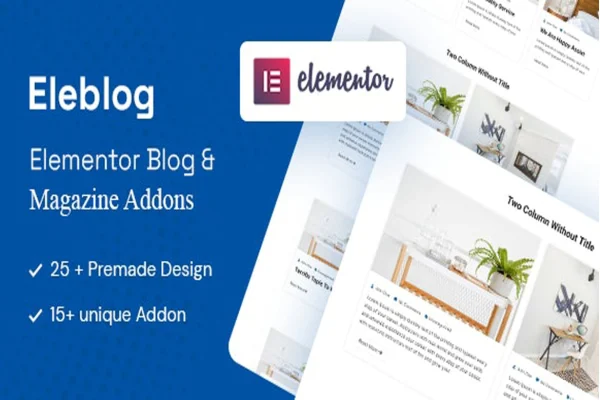
Ele Blog by SolverWp is a WordPress plugin that adds newspaper, magazine and blog addons to Elementor. It gives you premade designs and visual controls for building post listings, sliders and carousels, so you can lay out articles and feature sections without writing code.
- Version
- 2.0.3
- Released
- Aug 26, 2026
- Type
- WordPress plugin
- Requires
- Elementor
- Licence
- GPL
- Included in
- Every plan, or $3.99 on its own
What’s new in Ele Blog 2.0.3
Version 2.0.3 · Aug 26, 2026
Latest
What it does
Building a news or magazine homepage in Elementor usually means a lot of manual work arranging post lists, trimming excerpts and styling each block to match. This plugin, which requires Elementor, gives you more than 15 addons and over 22 premade designs aimed at blogs, newspapers and magazines. You pick a design, drop it onto a page and adjust it in the visual editor, so a section of recent posts or a featured carousel takes far less effort to put together.
Each addon lets you decide what a post card shows. You can show or hide titles and excerpts and set their length, choose which metadata appears (such as author, date and category), change the read more text and set how many posts appear. Layouts switch between grid, slider and carousel, and category and tag filters help visitors sort through your articles. Color and typography settings let you match your brand, and the layouts are responsive across desktop and mobile screens.
Best for
- Bloggers designing post layouts in Elementor
- Online newspapers and news portals
- Magazine-style websites with many categories
Features
Premade post designs
More than 22 premade designs give you ready layouts for post listings that you can apply and then adjust visually inside Elementor.
Over 15 content addons
A set of more than 15 addons covers the post displays commonly needed on magazine, newspaper and blog websites.
Grid, slider and carousel layouts
Switch any post display between a grid, a slider or a carousel to suit the section of the page you are building.
Category and tag filtering
Add category and tag filters so visitors can narrow down your posts and find articles on the topics they care about.
Title and excerpt controls
Show or hide post titles and excerpts, and set the length of each so post cards stay tidy and consistent.
Metadata and read more options
Choose which post metadata appears, such as author, date and category, and write your own text for the read more link.
Post count and styling
Set how many posts each block displays, and adjust colors and typography to match the look of your site.
Questions about Ele Blog
Do I need Elementor to use this plugin?
Yes. The addons are built for Elementor and require it to be active on your site. You place and configure each post display through the Elementor editor.
Can I build a post slider or carousel with it?
Yes. The layout controls let you display posts as a grid, a slider or a carousel, and you can set how many posts appear in each one.
Will I need to write any code to customize the layouts?
No coding is needed. Titles, excerpts, metadata, read more text, colors and typography are all adjusted through visual settings, and the premade designs give you a starting point.
Can visitors filter posts by topic?
Yes. The plugin includes category and tag filtering, so readers can sort the posts shown in a block and move through your content by subject.
Is Ele Blog free?
The code of Ele Blog is licensed under the GPL, so anyone may use, change and share it. GPL Feast is a paid service: a plan or a single purchase gives you the download and automatic updates. The developer's own support, licence key and online services are not included.
Which version of Ele Blog is this?
Version 2.0.3, released Aug 26, 2026. New versions appear here when the developer publishes them, and members get them as automatic updates.
How do I update Ele Blog?
Install the free GPL Feast Updater on your site and connect it with your API key. It installs new versions of Ele Blog automatically and keeps a backup, so you can roll back.
What does Ele Blog need?
Ele Blog needs Elementor installed and active.
You might also like






