
Plugin
Updated
Elementor Form - Color Picker
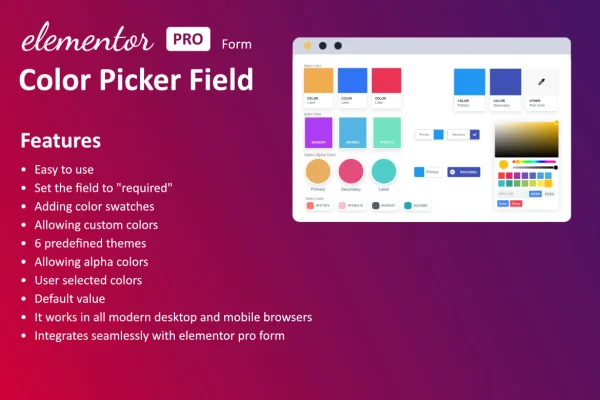
This WordPress plugin adds a color field to forms built with Elementor. Visitors can pick a color directly inside the form, so you capture exact color preferences along with the rest of their answers, without writing code.
- Version
- 1.2.0
- Released
- Aug 19, 2025
- Type
- WordPress plugin
- Requires
- Elementor
- Licence
- GPL
- Included in
- Every plan, or $3.99 on its own
What’s new in Elementor Form - Color Picker 1.2.0
Version 1.2.0 · Aug 19, 2025
Latest
- ImprovedWordPress v6.8 compatible
- ImprovedDependencies update
- ImprovedPOT file updated
- ImprovedCode improved
What it does
Plenty of forms need a color answer: a custom product order, a design brief, a branding questionnaire. A plain text box leaves visitors guessing at names like "dark teal" and leaves you guessing at what they meant. This add-on puts a proper color picker into your Elementor forms, so people select a color visually and the form records a precise value. It requires Elementor, and it works inside the form setup you already use.
You add the color field to a form the same way you add other fields, then pick a picker style that fits your site's look. The field accepts HEX, RGB and HSL values and is built to work on mobile screens as well as desktop. For developers, hooks and settings are included for further customization or for connecting the field to other plugins and tools. It fits portfolio sites, agency client projects and product customization forms.
Best for
- Design agencies collecting branding preferences from clients
- Online stores offering product color customization
- Portfolio sites for artists and designers
Features
Color field for Elementor forms
Add a color picker field to any Elementor form without code, so visitors can choose a color as part of their submission.
Several picker styles
Choose from different color picker designs so the field matches your site's branding and sits comfortably alongside your other form fields.
HEX, RGB and HSL input
The field accepts colors in HEX, RGB and HSL formats, giving you precise values whichever format your visitors or your workflow prefer.
Works on mobile devices
The color picker is responsive, so visitors filling out your forms on phones and tablets can select colors as easily as desktop users.
Simple selection for visitors
A clear interface lets people pick a color quickly, without needing to know color codes or type values by hand.
Light on resources
The add-on is built to stay lightweight, adding the color field to your forms with little extra weight on your pages.
Hooks for developers
Included hooks and settings let developers customize the field further or connect it with other plugins and tools on the site.
Questions about Elementor Form - Color Picker
Do I need Elementor to use this color field?
Yes. The plugin is an add-on for Elementor forms and requires Elementor. The color field is added inside your Elementor forms alongside the fields you already use.
Which color formats can visitors enter?
The field supports HEX, RGB and HSL formats. That gives you flexibility in how colors are entered and recorded, which helps when you pass values to a designer, a print shop or a product configurator.
Can I change how the color picker looks?
Yes. You can choose from several color picker designs so the field fits your site's branding. Developers also get hooks and settings for deeper customization if the built-in options are not enough.
Will the color picker work on phones?
The field is responsive and mobile-friendly, so visitors can open the picker and choose a color on phones and tablets as well as on desktop screens.
Is Elementor Form - Color Picker free?
The code of Elementor Form - Color Picker is licensed under the GPL, so anyone may use, change and share it. GPL Feast is a paid service: a plan or a single purchase gives you the download and automatic updates. The developer's own support, licence key and online services are not included.
Which version of Elementor Form - Color Picker is this?
Version 1.2.0, released Aug 19, 2025. New versions appear here when the developer publishes them, and members get them as automatic updates.
How do I update Elementor Form - Color Picker?
Install the free GPL Feast Updater on your site and connect it with your API key. It installs new versions of Elementor Form - Color Picker automatically and keeps a backup, so you can roll back.
What does Elementor Form - Color Picker need?
Elementor Form - Color Picker needs Elementor installed and active.
You might also like






