
Plugin
Updated
Elementor Form - Signature Field
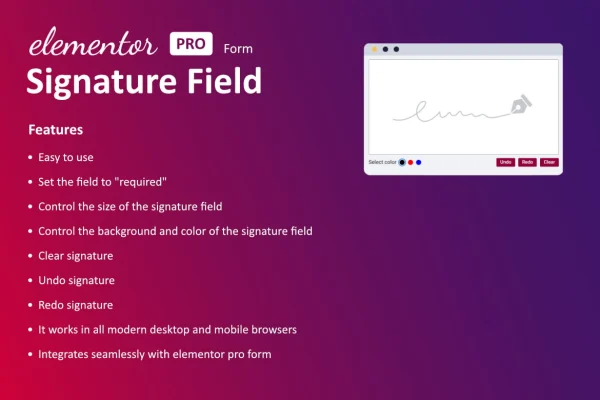
This WordPress plugin adds a signature field to forms built with Elementor. Visitors draw their signature with a mouse, stylus or finger, and the signature is attached to the form submission. It suits contracts, consent forms, agreements and any form that needs a handwritten sign-off.
- Version
- 1.7.0
- Released
- Jun 13, 2025
- Type
- WordPress plugin
- Requires
- Elementor
- Licence
- GPL
- Included in
- Every plan, or $3.99 on its own
What’s new in Elementor Form - Signature Field 1.7.0
Version 1.7.0 · Jun 13, 2025
Latest
- ImprovedDependencies update.
- ImprovedEnvato elements licence integrate code improved.
What it does
Many sites need a signature from a client or visitor, and the usual route means printing, scanning or sending people to a separate signing service. That adds steps and back-and-forth emails. This plugin puts a signature field inside the Elementor form you already use, so people can sign on the same page where they fill in their details. You add it like any other form field, with no coding, and it works with Elementor's native form widget.
When someone submits the form, their signature is attached to the submission automatically, so it is stored with the rest of their answers and easy to find later. The signing area works on desktop, tablet and mobile screens and responds to touch input. You can adjust the field's size, color and style to fit your design. The plugin is described as working with both the free and Pro editions of Elementor, and with multilingual sites.
Best for
- Freelancers collecting signed client agreements
- Agencies building contract or consent forms in Elementor
- Businesses that need signed approvals on their website
Features
Signature field for Elementor forms
Add a signature field to any Elementor form through the regular form builder, with drag-and-drop setup and no code required.
Real-time handwritten signing
Visitors draw their signature directly on the page as they fill in the form, capturing a handwritten mark instead of a typed name.
Mouse, stylus or touch input
The signing area accepts input from a mouse, a stylus or a touchscreen, so people can sign on desktop, tablet and mobile devices.
Adjustable look
Change the size, color and style of the signature field so it matches the branding and layout of the rest of your form.
Signatures saved with submissions
Captured signatures are attached to form submissions automatically, keeping each signature stored alongside the answers it belongs to for later retrieval.
Works with multilingual sites
The field is compatible with multilingual websites, so you can collect signatures on forms presented in different languages.
Free and Pro Elementor editions
The plugin is described as working with both the free and Pro editions of Elementor, and it requires Elementor to be active.
Questions about Elementor Form - Signature Field
Can visitors sign on a phone or tablet?
Yes. The signature field is responsive and touch-friendly, so people can sign with a finger or stylus on mobile and tablet screens, or with a mouse on a desktop computer.
Where do the signatures end up after someone submits a form?
Each captured signature is attached to the form submission automatically. That keeps the signature stored together with the rest of the person's answers, so you can retrieve it alongside the submission later.
Do I need Elementor Pro to use it?
The plugin requires Elementor. According to its description, it works with both the free and Pro editions of Elementor and integrates with Elementor's native form widget.
Can I change how the signature box looks?
Yes. You can adjust the size, color and style of the signature field so it fits your site's branding and sits comfortably with the other fields in your form.
Is Elementor Form - Signature Field free?
The code of Elementor Form - Signature Field is licensed under the GPL, so anyone may use, change and share it. GPL Feast is a paid service: a plan or a single purchase gives you the download and automatic updates. The developer's own support, licence key and online services are not included.
Which version of Elementor Form - Signature Field is this?
Version 1.7.0, released Jun 13, 2025. New versions appear here when the developer publishes them, and members get them as automatic updates.
How do I update Elementor Form - Signature Field?
Install the free GPL Feast Updater on your site and connect it with your API key. It installs new versions of Elementor Form - Signature Field automatically and keeps a backup, so you can roll back.
What does Elementor Form - Signature Field need?
Elementor Form - Signature Field needs Elementor installed and active.
You might also like






