
Plugin
Updated
Elfsight File Embed CC
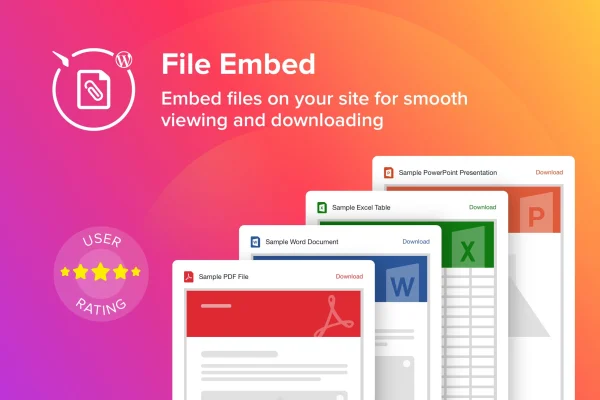
Elfsight File Embed CC is a WordPress plugin by Elfsight for embedding files directly on your pages. It handles formats like PDF, DOCX, XLSX and JPEG, and visitors can read them in place or download a copy without any coding on your part.
- Version
- 1.1.1
- Released
- May 2, 2023
- Type
- WordPress plugin
- Licence
- GPL
- Included in
- Every plan, or $3.99 on its own
What’s new in Elfsight File Embed CC 1.1.1
Version 1.1.1 · May 2, 2023
Latest
What it does
Sharing documents on a website often means linking out to a file and hoping visitors find what they need. This plugin puts the file on the page instead. You upload a PDF report, a Word document, a spreadsheet or an image, and it appears as an embedded widget that visitors can view right there. If they would rather keep a copy, they can download it. That suits sites that publish certificates, guides, technical papers or product manuals.
The widget is built to fit your site's look. You can edit the header, change colors and adjust font sizes, and each file gets an icon that matches its format so people can tell a PDF from a spreadsheet at a glance. Files can be arranged in a grid or a list, depending on how many you have and how you want them organized. The display is responsive and retina ready, so it works on phones, tablets and desktop screens.
Best for
- Businesses publishing product manuals, guides or technical papers
- Bloggers sharing PDFs, spreadsheets or documents with readers
- Organizations displaying certificates or reports on their website
Features
Support for many file formats
Embed PDF, DOCX, XLSX and JPEG files, along with other common formats, so different document types can live on the same site.
View or download options
Visitors can read a file directly on the page or choose to download it, giving them a choice in how they use your documents.
Editable widget headers
Change the header text on each file widget so it introduces the documents in a way that fits the page and its content.
Color and font controls
Adjust colors and font sizes in the widget to match your theme and branding, keeping embedded files consistent with the rest of your design.
Format-specific file icons
Each file is shown with an icon for its type, which helps visitors quickly recognize whether they are opening a PDF, document or spreadsheet.
Grid and list layouts
Arrange files in a grid or a list view, so you can pick the layout that keeps your collection easiest to browse.
Responsive, retina ready display
Embedded files adapt to different screen sizes and stay sharp on high resolution displays, from phones to large desktop monitors.
No coding needed
Upload a file and embed it in a couple of clicks through the plugin interface, without writing or editing any code.
Questions about Elfsight File Embed CC
Which file types can I embed with this plugin?
The plugin supports PDF, DOCX, XLSX and JPEG files, plus other popular formats. That covers common needs like reports, Word documents, spreadsheets and images, all displayed in an embedded widget on your page.
Can visitors download the files as well as view them?
Yes. Visitors can view a file directly on the web page, or they can choose to download it if they want a copy. Both options are available from the same embedded widget.
Can I make the file widget match my site's design?
You can edit the widget header, change colors and adjust font sizes. Files also display with icons for their format, and you can choose a grid or list layout to organize them in a way that suits your pages.
Will the embedded files look right on mobile devices?
The plugin is responsive and retina ready, so embedded files adjust to different screen sizes and stay sharp on high resolution displays. Visitors on phones, tablets and desktops can all view your documents comfortably.
Is Elfsight File Embed CC free?
The code of Elfsight File Embed CC is licensed under the GPL, so anyone may use, change and share it. GPL Feast is a paid service: a plan or a single purchase gives you the download and automatic updates. The developer's own support, licence key and online services are not included.
Which version of Elfsight File Embed CC is this?
Version 1.1.1, released May 2, 2023. New versions appear here when the developer publishes them, and members get them as automatic updates.
How do I update Elfsight File Embed CC?
Install the free GPL Feast Updater on your site and connect it with your API key. It installs new versions of Elfsight File Embed CC automatically and keeps a backup, so you can roll back.
You might also like






