
Plugin
Updated
Elfsight PDF Embed CC
Elfsight PDF Embed CC is a WordPress plugin by Elfsight that puts PDF files directly on your site pages. You add documents by upload or URL, then show them in a full viewer or as clickable icons that visitors can open and save.
- Version
- 1.1.1
- Released
- May 2, 2023
- Type
- WordPress plugin
- Licence
- GPL
- Included in
- Every plan, or $3.99 on its own
What’s new in Elfsight PDF Embed CC 1.1.1
Version 1.1.1 · May 2, 2023
Latest
What it does
Linking to a PDF usually sends visitors off to a separate tab or straight into a file save, which breaks up the flow of a page. This plugin keeps documents on the page itself. You can add several PDFs at once, either by uploading them or by pointing to a URL, and no coding is needed. It suits certificates, technical documents, guides, brochures, e-books and portfolios, so visitors can read the content where they found it.
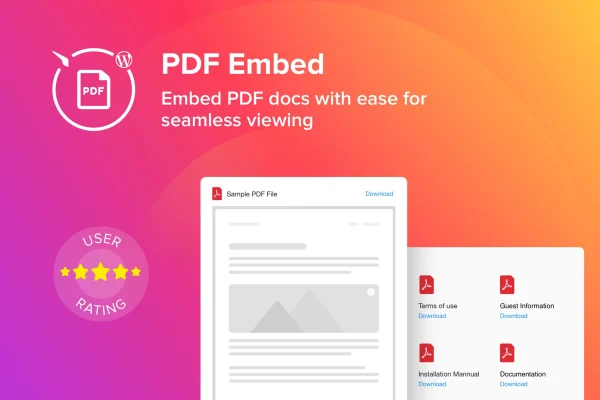
Once your files are added, you decide how they appear. A full viewer mode displays the document right on the page, while icon mode presents each PDF as a clickable file icon, which can be arranged in a grid for collections of documents. You can pick from several icon styles, change interface colors, adjust font sizes and edit the widget header so the viewer matches your site. The layout is responsive and retina ready for phones, tablets and desktops.
Best for
- Businesses sharing brochures, guides or technical documents
- Authors and educators publishing e-books or course material
- Professionals displaying certificates or portfolios
Features
Upload or link PDFs
Add multiple PDF files to a page by uploading them or entering a URL, with no code required to get documents displayed.
Full viewer mode
Display a PDF in a full in-page viewer so visitors can read the document without leaving the page they are on.
Clickable file icons
Show documents as clickable PDF icons instead of a full viewer, a tidy option when you have several files to offer.
Grid layout for icons
Arrange PDF icons in a grid so visitors can scan a collection of documents and pick the one they need.
Icon styles and colors
Choose from several PDF icon styles and set the interface colors to keep the viewer consistent with your site design.
Font size and header editing
Adjust font sizes and edit the widget header text so each embedded document section reads clearly and fits your branding.
View and save files
Visitors can view PDFs right on your site and save a copy to their own device when they want to keep it.
Responsive, retina ready display
The viewer adapts to different screen sizes and supports retina displays, keeping documents sharp on phones, tablets and desktops.
Questions about Elfsight PDF Embed CC
Do I need coding skills to embed a PDF?
No. You add files by uploading them or pasting a URL, then set the display options through the plugin interface. The plugin is aimed at beginners as well as site owners who want to add documents quickly.
Can I show several PDFs on one page?
Yes. You can add multiple PDF files and present them as clickable icons arranged in a grid. This works well for document libraries, sets of guides or a collection of certificates.
Can I match the viewer to my site design?
You can choose from several PDF icon styles, customize interface colors, adjust font sizes and edit the widget header. Those settings help the embedded documents fit in with the rest of your pages.
Will embedded PDFs work on mobile devices?
The plugin is responsive and retina ready, so the viewer adjusts to different screen sizes and keeps documents clear on high resolution displays, including phones and tablets.
Is Elfsight PDF Embed CC free?
The code of Elfsight PDF Embed CC is licensed under the GPL, so anyone may use, change and share it. GPL Feast is a paid service: a plan or a single purchase gives you the download and automatic updates. The developer's own support, licence key and online services are not included.
Which version of Elfsight PDF Embed CC is this?
Version 1.1.1, released May 2, 2023. New versions appear here when the developer publishes them, and members get them as automatic updates.
How do I update Elfsight PDF Embed CC?
Install the free GPL Feast Updater on your site and connect it with your API key. It installs new versions of Elfsight PDF Embed CC automatically and keeps a backup, so you can roll back.
You might also like






