
Plugin
Updated
Elfsight Team Showcase CC
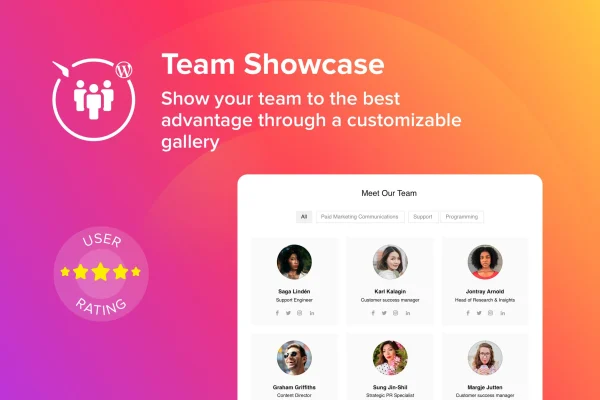
Elfsight Team Showcase CC is a WordPress plugin by Elfsight for presenting the people behind a business. It displays team members with photos, bios, contact details and social media links in customizable layouts suited to About Us and team pages.
- Version
- 1.3.1
- Released
- May 2, 2023
- Type
- WordPress plugin
- Licence
- GPL
- Included in
- Every plan, or $3.99 on its own
What’s new in Elfsight Team Showcase CC 1.3.1
Version 1.3.1 · May 2, 2023
Latest
What it does
Most company sites need a page that introduces the team, and building one by hand with columns, images and links can get tedious to maintain. This plugin gives you a structured way to add each person with a photo, a description, contact information and social profiles, then present them together in a consistent design. Visitors can reach team members directly through clickable phone, email and social links, which makes the page useful as well as informative.
You pick from pre-designed layouts such as grids and lists, then adjust colors, fonts and backgrounds to match your branding. Team members can be sorted into categories or departments, so a larger organization can reflect its structure clearly. Setup requires no coding. The display is responsive and retina ready, so photos and text hold up on desktops, tablets and phones. It fits small businesses, agencies, nonprofits and larger companies that want a tidy, organized team page.
Best for
- Business websites with an About Us or team page
- Organizations listing staff across several departments
- Freelancers and agencies building team pages for client sites
Features
Team member profiles
Add each person with a professional photo, a personal bio and direct contact details so visitors can see who works behind the brand.
Clickable contact links
Phone numbers, email addresses and social media icons are clickable, letting visitors get in touch with a specific team member in one click.
Multiple layout options
Choose from pre-designed layouts, including grids and lists, to present your team in a structure that suits the rest of your site.
Categories and departments
Group team members into categories or departments to show how your organization is structured and help visitors find the right person.
Custom colors and styling
Change colors, fonts and backgrounds so the team display matches your brand instead of looking like a separate add-on.
Responsive and retina ready
The team display adapts to desktops, tablets and smartphones, and images stay sharp on high-resolution screens.
No coding required
Configure profiles, layouts and styling through settings, which keeps the plugin approachable for site owners without development experience.
Questions about Elfsight Team Showcase CC
What information can I show for each team member?
Each profile can include a photo, a bio or personalized description, contact details such as phone and email, and social media links. The contact details and social icons are clickable, so visitors can reach that person directly from the page.
Can I organize a large team by department?
Yes. You can sort team members into categories or departments, which helps present your organizational structure clearly. This is handy for companies with several teams, where visitors need to find the right contact quickly.
Will the team display match my site's design?
You can choose from several pre-designed layouts, including grids and lists, and customize colors, fonts and backgrounds. Those options let you align the team section with your branding and the overall look of your site.
Does it work well on phones and tablets?
The plugin is fully responsive and retina ready. Your team display adjusts to desktops, tablets and smartphones, and photos stay crisp on high-resolution screens, so the page looks consistent wherever visitors view it.
Is Elfsight Team Showcase CC free?
The code of Elfsight Team Showcase CC is licensed under the GPL, so anyone may use, change and share it. GPL Feast is a paid service: a plan or a single purchase gives you the download and automatic updates. The developer's own support, licence key and online services are not included.
Which version of Elfsight Team Showcase CC is this?
Version 1.3.1, released May 2, 2023. New versions appear here when the developer publishes them, and members get them as automatic updates.
How do I update Elfsight Team Showcase CC?
Install the free GPL Feast Updater on your site and connect it with your API key. It installs new versions of Elfsight Team Showcase CC automatically and keeps a backup, so you can roll back.
You might also like






