
Plugin
Updated
Envato Live Preview Switch Bar for WordPress
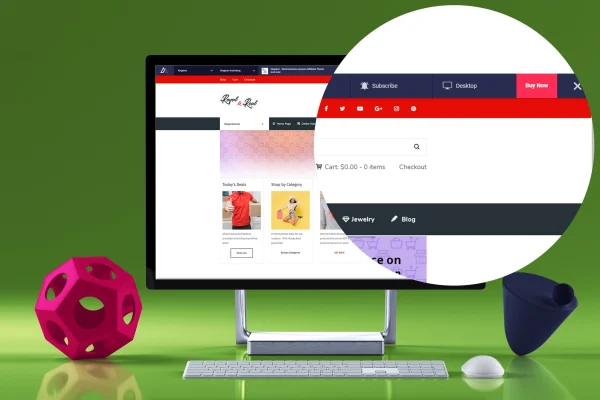
This WordPress plugin adds a live preview switch bar to your site so visitors can move between demos of your themes, plugins or graphics. It pulls product details from Envato automatically and also lets you add items by hand, keeping every demo in one place.
- Version
- 2.0
- Released
- Sep 24, 2019
- Type
- WordPress plugin
- Licence
- GPL
- Included in
- Every plan, or $3.99 on its own
What’s new in Envato Live Preview Switch Bar for WordPress 2.0
Version 2.0 · Sep 24, 2019
Latest
- NewNew Feature - you can now manually add Products (Themes / Plugins / Graphics) outside Envato Marketplace
What it does
Authors who sell several themes or plugins often end up with demos scattered across different pages, which makes browsing slow for visitors. Envato Live Preview Switch Bar for WordPress gathers those demos into a single bar at the top of the preview, so someone can switch from one product to the next with a click and stay on your site the whole time.
The plugin imports product information from Envato, including names, thumbnails, preview images, descriptions, reviews, prices, sales numbers and other attributes, then displays them inside the switch bar. Items that live outside Envato can be added manually, so themes, plugins and graphics sold elsewhere sit alongside the rest. Everything is managed from one dashboard, and the bar is built with a lightweight HTML, CSS and JS code base.
Best for
- Theme and plugin authors selling on Envato
- Developers presenting several live demos to clients
- Sellers of graphics and digital products with preview sites
Features
Automatic product data import
Pulls product names, thumbnails, preview images, descriptions, reviews, prices, sales numbers and attributes from Envato straight into the switch bar, so you skip typing them in.
Manual product entries
Add themes, plugins or graphics that are not listed on Envato, so demos from any source appear in the same bar.
One-click demo switching
Visitors move between live previews of your products from the bar without leaving your site or hunting for separate demo links.
Central demo management
Handle all your live previews from a single dashboard, which keeps the presentation consistent across your whole product lineup.
Responsive, retina-ready layout
The switch bar is fully responsive and retina ready, so it adapts to phones, tablets and desktop screens while keeping images sharp.
Lightweight code base
Built with plain HTML, CSS and JS, the bar fits into an existing WordPress site without adding heavy dependencies.
Included documentation
Documentation covers setup and customization, helping you configure the bar and adjust how your products are presented.
Questions about Envato Live Preview Switch Bar for WordPress
Can I show products that are not sold on Envato?
Yes. Besides the automatic import, you can add products manually, including themes, plugins and graphics sold elsewhere. They appear in the same switch bar and are managed from the same dashboard as your imported items.
What product details can the switch bar display?
It can show product names, thumbnails, preview images, descriptions, reviews, prices, sales numbers and various attributes. For Envato items this information is imported automatically, so you do not have to enter it by hand.
Will the switch bar work on mobile devices?
Yes. The bar is fully responsive and retina ready, so it adjusts to different screen sizes and keeps thumbnails and preview images crisp on high-resolution displays, giving mobile visitors the same way to switch demos.
Does it work with current WordPress versions?
The plugin is built for modern WordPress sites and uses a lightweight HTML, CSS and JS code base, so it fits into a standard WordPress setup without relying on extra page builders or other plugins to run the switch bar.
Is Envato Live Preview Switch Bar for WordPress free?
The code of Envato Live Preview Switch Bar for WordPress is licensed under the GPL, so anyone may use, change and share it. GPL Feast is a paid service: a plan or a single purchase gives you the download and automatic updates. The developer's own support, licence key and online services are not included.
Which version of Envato Live Preview Switch Bar for WordPress is this?
Version 2.0, released Sep 24, 2019. New versions appear here when the developer publishes them, and members get them as automatic updates.
How do I update Envato Live Preview Switch Bar for WordPress?
Install the free GPL Feast Updater on your site and connect it with your API key. It installs new versions of Envato Live Preview Switch Bar for WordPress automatically and keeps a backup, so you can roll back.
You might also like






