
Plugin
Updated
Epic Social Share
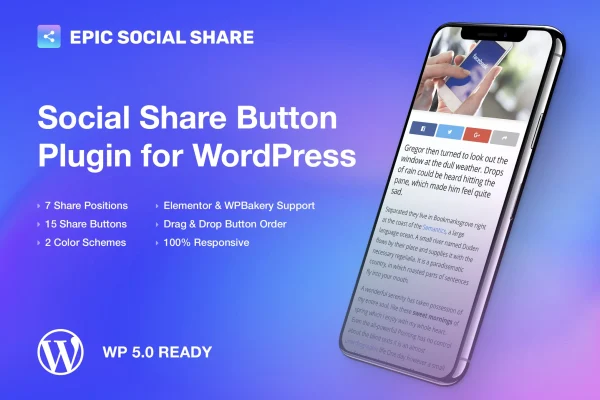
Epic Social Share is a WordPress plugin that adds social share buttons to your posts and pages. It covers more than 15 social networks and mobile apps, offers 7 button positions, and lets you customize the buttons without writing code.
- Version
- 1.0.3
- Released
- May 2, 2023
- Type
- WordPress plugin
- Requires
- Elementor
- Licence
- GPL
- Included in
- Every plan, or $3.99 on its own
What’s new in Epic Social Share 1.0.3
Version 1.0.3 · May 2, 2023
Latest
What it does
Readers who like a post often want to pass it along, and share buttons make that easy. This plugin places buttons for networks such as Facebook, Twitter, LinkedIn, Instagram, WhatsApp, Pinterest and YouTube right on your content, so visitors can send a post to their own followers with a click. It works with Elementor, which the plugin requires, so it suits sites already built with that page builder.
You pick where the buttons appear from 7 placements, so they can sit where they fit your layout. The buttons are responsive and retina ready, which keeps them sharp and usable on desktops, tablets and phones. Setup and customization happen through simple controls with no coding needed. It is a good match for blogs, business sites and content-heavy pages where readers sharing posts is part of how new visitors find you.
Best for
- Bloggers who want readers to share their posts
- Business websites growing a social media presence
- Elementor sites needing simple share buttons
Features
Support for 15+ networks
Visitors can share content to more than 15 social networks and mobile apps, including Facebook, Twitter, LinkedIn, Instagram, WhatsApp, Pinterest and YouTube.
Seven button positions
Choose from 7 different placements for your share buttons so they fit into your site layout without getting in the way of your design.
Responsive button design
Share buttons adapt to different screen sizes, so they display and work properly on desktops, tablets and smartphones.
Retina ready graphics
Button graphics are built for high-resolution screens, which keeps icons crisp on modern phones, tablets and high-density monitors.
Customizable share buttons
Adjust how your share buttons look so they match your site, using simple controls that do not require any coding knowledge.
Works on posts and pages
Add share buttons to both blog posts and regular pages, giving readers a way to share whichever content they land on.
Lightweight build
The plugin is designed to stay light, adding social sharing to your site without loading it down with heavy extras.
Questions about Epic Social Share
Which social networks can visitors share to?
The plugin supports more than 15 social networks and mobile apps. Named examples include Facebook, Twitter, LinkedIn, Instagram, WhatsApp, Pinterest and YouTube, which covers the platforms most site owners want available on their posts.
Can I control where the share buttons appear?
Yes. You can choose from 7 different button positions, which lets you place the share buttons where they suit your layout and keep them from disrupting the design of your posts and pages.
Do I need Elementor to use it?
Yes, the plugin requires Elementor. If your site already runs on Elementor, you can add the share buttons alongside the rest of your page building setup.
Will the buttons look good on phones?
The buttons use a responsive, retina ready design. They adjust to different screen sizes and stay sharp on high-resolution displays, so they look and work well on smartphones, tablets and desktops.
Is Epic Social Share free?
The code of Epic Social Share is licensed under the GPL, so anyone may use, change and share it. GPL Feast is a paid service: a plan or a single purchase gives you the download and automatic updates. The developer's own support, licence key and online services are not included.
Which version of Epic Social Share is this?
Version 1.0.3, released May 2, 2023. New versions appear here when the developer publishes them, and members get them as automatic updates.
How do I update Epic Social Share?
Install the free GPL Feast Updater on your site and connect it with your API key. It installs new versions of Epic Social Share automatically and keeps a backup, so you can roll back.
What does Epic Social Share need?
Epic Social Share needs Elementor installed and active.
You might also like






