
Plugin
Updated
Epic Split Post
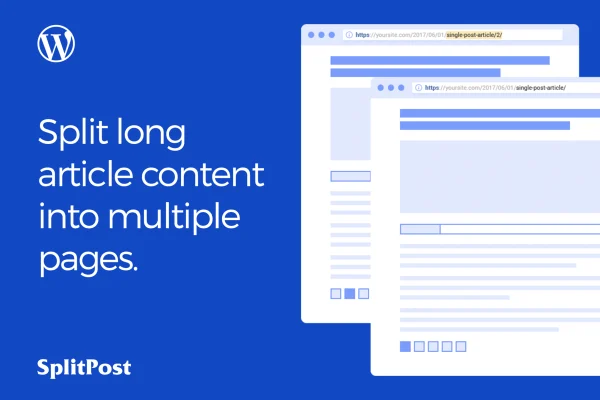
Epic Split Post is a WordPress plugin that breaks long posts into multiple pages. It splits content at the heading tag you choose and lets readers move between sections with Ajax pagination, so the next part loads without a full page reload.
- Version
- 1.0.6
- Released
- May 2, 2023
- Type
- WordPress plugin
- Licence
- GPL
- Included in
- Every plan, or $3.99 on its own
What’s new in Epic Split Post 1.0.6
Version 1.0.6 · May 2, 2023
Latest
What it does
Long articles can be hard to read on a single scrolling page, especially guides, listicles and in-depth reports. This plugin divides a post into smaller sections so readers can work through it one part at a time. You pick a heading level from H1 to H6, and the plugin uses those headings as the break points. That means your existing post structure decides where each page starts, with no need to rewrite content or insert manual page breaks.
You can choose how content loads: all at once, page by page with normal pagination, or page by page with Ajax so readers move forward without refreshing the browser. More than 20 layout templates give you different pagination designs to match your theme. The plugin works with the Gutenberg editor, the layouts are responsive and retina ready, and the settings are handled through a straightforward interface that suits blog owners as well as developers.
Best for
- Bloggers who publish long guides and tutorials
- News and magazine sites with lengthy articles
- Content-heavy sites wanting multi-page post navigation
Features
Split by heading tag
Choose any heading level from H1 to H6, and the plugin divides the post into pages at those headings automatically.
Ajax pagination
Readers move between pages of a post without the browser reloading the whole page, keeping them in the flow of the article.
Three content load options
Load all content at once, load it per page with normal pagination, or load it per page with Ajax pagination.
More than 20 layout templates
Pick from over 20 pagination designs so the page navigation fits the look of your existing theme.
Gutenberg compatible
The plugin works with the Gutenberg block editor, so you can keep writing posts the way you already do.
Responsive and retina ready
Paginated posts adapt to phones, tablets and desktops, and the layouts are prepared for high resolution screens.
Simple settings interface
Post splitting is managed through an easy interface, so you can set it up without writing code or editing templates.
Questions about Epic Split Post
Do I have to add page breaks to every post by hand?
No. You select a heading tag from H1 to H6, and the plugin splits the post at those headings automatically. Posts that already use clear headings can be divided into pages without editing their content.
Can I turn off Ajax and use regular pagination instead?
Yes. There are three content load options: load everything at once, load each page with normal pagination, or load each page with Ajax pagination. You can pick whichever suits your site and readers.
Will the pagination match my theme's design?
The plugin includes more than 20 layout templates for the pagination, so you can choose a design that fits your site. The layouts are also responsive and retina ready, so they display well across devices.
Does it work with the block editor?
Yes. The plugin is compatible with the Gutenberg editor, so you can write and structure your posts in the block editor and let the plugin handle splitting them into pages.
Is Epic Split Post free?
The code of Epic Split Post is licensed under the GPL, so anyone may use, change and share it. GPL Feast is a paid service: a plan or a single purchase gives you the download and automatic updates. The developer's own support, licence key and online services are not included.
Which version of Epic Split Post is this?
Version 1.0.6, released May 2, 2023. New versions appear here when the developer publishes them, and members get them as automatic updates.
How do I update Epic Split Post?
Install the free GPL Feast Updater on your site and connect it with your API key. It installs new versions of Epic Split Post automatically and keeps a backup, so you can roll back.
You might also like






