
Plugin
Updated
Eventful
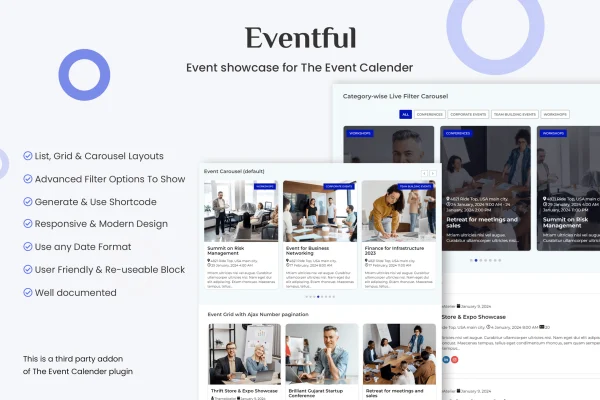
Eventful is a WordPress plugin that adds new display options to The Events Calendar. It gives you list, grid and carousel layouts, event filtering and a shortcode generator, so you can place styled event listings on any page or post of your site.
- Version
- 2.1.15
- Released
- Jan 29, 2026
- Type
- WordPress plugin
- Requires
- The Events Calendar
- Licence
- GPL
- Included in
- Every plan, or $3.99 on its own
What’s new in Eventful 2.1.15
Version 2.1.15 · Jan 29, 2026
Latest
- NewNew option to determine event status by the event start date.
What it does
The Events Calendar handles the work of creating and managing events, but its default listings may not fit every page or design. This add-on, titled Events Showcase For The Events Calendar, gives you more ways to present those same events. You can show upcoming conferences, festivals, classes or meetups as a simple list, a tidy grid or a moving carousel, and pick which events appear using filters so visitors see the ones that matter to them.
It works on top of The Events Calendar, which must be active on your site. You build a display, choose a layout and filters, adjust colors, fonts and display settings, then generate a shortcode to drop into a page or post. No coding is needed. Layouts and carousels are responsive, so they adapt to phones, tablets and desktops. There is also an option to determine event status by the event start date. It suits business sites, community pages and conference websites.
Best for
- Sites already using The Events Calendar
- Community groups and venues listing upcoming events
- Conference and festival websites
Features
List, grid and carousel layouts
Present your events as a list, a grid or a carousel, choosing the style that fits each page and the overall design of your site.
Three carousel modes
Carousels can run in Ticker, Centered or Standard mode, giving you different ways for visitors to browse through upcoming events.
Event filtering
Use filters to choose exactly which events appear in a display, so each listing shows the events that are relevant to its audience.
Shortcode generator
Create shortcodes for your event displays and embed them in any page or post without writing code yourself.
Appearance controls
Adjust colors, fonts and display settings so your event listings match the look of the rest of your website.
Responsive layouts
All layouts and carousels are responsive, adapting to different screen sizes so event listings stay readable on mobile devices.
Status by start date
An option lets you determine event status based on the event start date, giving you control over how events are treated in displays.
Eventful older versions
- 1.1.3Mar 12, 2024
Members and buyers of this product can download older versions.
Questions about Eventful
Does this work without The Events Calendar?
No. It is an add-on for The Events Calendar and uses the events you create there. You need that plugin active on your site, and this one adds extra layouts, filters and shortcodes for displaying those events.
What layouts can I use to display events?
You can choose list, grid or carousel layouts. The carousel has three modes: Ticker, Centered and Standard. Each display can also be styled with your own colors, fonts and display settings.
Can I show only certain events on a page?
Yes. The filtering options let you select which events appear in a display. You can then place that filtered display on a page or post using a generated shortcode.
Will the event layouts look right on phones?
All of the layouts and carousels are responsive, so they adjust to different devices and screen sizes, including phones and tablets.
Is Eventful free?
The code of Eventful is licensed under the GPL, so anyone may use, change and share it. GPL Feast is a paid service: a plan or a single purchase gives you the download and automatic updates. The developer's own support, licence key and online services are not included.
Which version of Eventful is this?
Version 2.1.15, released Jan 29, 2026. New versions appear here when the developer publishes them, and members get them as automatic updates.
How do I update Eventful?
Install the free GPL Feast Updater on your site and connect it with your API key. It installs new versions of Eventful automatically and keeps a backup, so you can roll back.
What does Eventful need?
Eventful needs The Events Calendar installed and active.
You might also like






