
Plugin
Updated
Eventozilla - Event Calendar - Elementor Widget
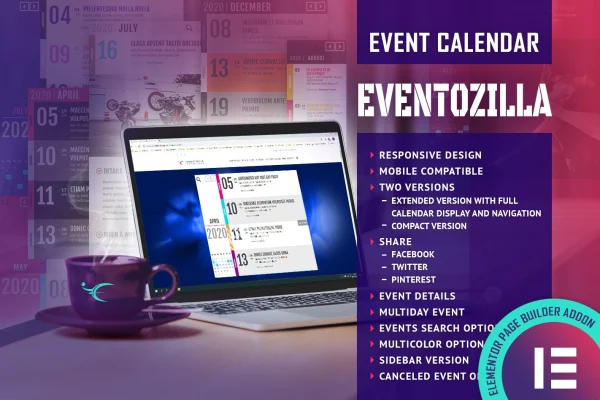
Eventozilla - Event Calendar - Elementor Widget is a WordPress plugin that adds an event calendar widget to Elementor. You place it on a page, enter your events with dates, locations and descriptions, and visitors can browse, search and follow a booking link for each event.
- Version
- 2.1
- Released
- Jan 23, 2026
- Type
- WordPress plugin
- Licence
- GPL
- Included in
- Every plan, or $3.99 on its own
What’s new in Eventozilla - Event Calendar - Elementor Widget 2.1
Version 2.1 · Jan 23, 2026
Latest
What it does
Many sites that run events end up listing them in plain text or a basic list, which gets hard to scan as the schedule grows. This widget gives you a proper calendar inside Elementor. You add events with titles, start and end dates, descriptions and locations, then pick a calendar version that fits the page. The extended version uses a tile navigation system with search, while the compact version offers simpler month navigation with search options.
The calendar fits event organizers, businesses and community groups that want visitors to see what is coming up and act on it. Each event can carry a custom booking URL, which displays a Book Now button with text you can change or translate. Color options let you match the calendar to your brand, and you can choose a full width or centered layout. The design adapts to desktops, tablets and phones, including iOS and Android devices.
Best for
- Event organizers listing upcoming dates on Elementor sites
- Businesses promoting workshops, classes or conferences
- Community groups sharing local event schedules
Features
Booking button per event
Set a custom registration URL for any event and a Book Now button appears automatically. You can rewrite or translate the button text to suit your site.
Extended and compact versions
Choose the extended calendar with a full tile navigation system and search, or the compact calendar with simpler month navigation and search options.
Detailed event entries
Give each event a title, start and end dates, a description and a location so visitors see the details they need in one place.
Event search
Built-in search lets visitors find events by keyword or date range, which helps when your calendar holds many upcoming events.
Color customization
Adjust the calendar's color combinations so it matches your brand and the rest of your page design.
Responsive layouts
The calendar adapts to desktops, tablets and smartphones, and you can display it in a full width or centered layout.
Tile navigation system
Visitors move through months and events using tile-based navigation, making it easier to explore several upcoming events in a row.
Questions about Eventozilla - Event Calendar - Elementor Widget
Do I need Elementor to use this calendar?
Yes. It is built as an Elementor widget, so you add and configure the calendar inside the Elementor editor on any page where you want your events to appear.
Can visitors register or book for an event?
You can give each event a custom booking URL, such as a registration form or ticket page. The calendar then shows a Book Now button for that event, and you can change or translate the button wording.
What is the difference between the calendar versions?
The extended version includes a complete tile navigation system along with search. The compact version uses simpler month navigation with search options, which suits pages with less room or a lighter layout.
Will the calendar work on phones?
The calendar has a responsive design that adjusts to desktops, tablets and smartphones, and it is compatible with iOS and Android devices, so mobile visitors can browse and search your events.
Is Eventozilla - Event Calendar - Elementor Widget free?
The code of Eventozilla - Event Calendar - Elementor Widget is licensed under the GPL, so anyone may use, change and share it. GPL Feast is a paid service: a plan or a single purchase gives you the download and automatic updates. The developer's own support, licence key and online services are not included.
Which version of Eventozilla - Event Calendar - Elementor Widget is this?
Version 2.1, released Jan 23, 2026. New versions appear here when the developer publishes them, and members get them as automatic updates.
How do I update Eventozilla - Event Calendar - Elementor Widget?
Install the free GPL Feast Updater on your site and connect it with your API key. It installs new versions of Eventozilla - Event Calendar - Elementor Widget automatically and keeps a backup, so you can roll back.
You might also like






