
Plugin
Updated
Events Schedule WP Plugin
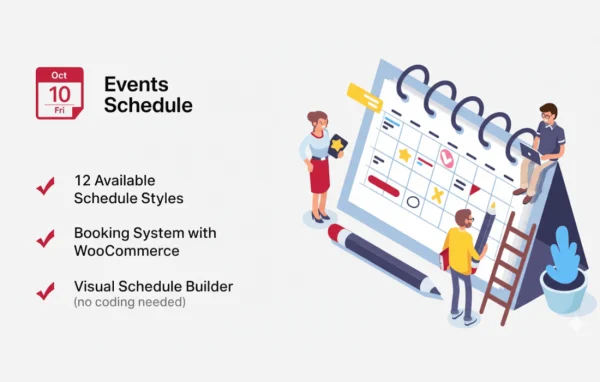
Events Schedule by Curly Themes is a WordPress plugin for building and displaying event timetables. It gives you more than twelve schedule styles, a drag and drop builder and tools for recurring events, so visitors can see what is happening and when.
- Version
- 2.7.2
- Released
- Sep 30, 2025
- Developer
- Curly Themes
- Type
- WordPress plugin
- Licence
- GPL
- Included in
- Every plan, or $3.99 on its own
What’s new in Events Schedule WP Plugin 2.7.2
Version 2.7.2 · Sep 30, 2025
Latest
What it does
Many sites need to publish a schedule: a fitness studio with weekly classes, a conference with parallel sessions, or a business running regular workshops. Keeping that information in a plain page or table gets messy as events repeat, change rooms or span several days. This plugin gives you a dedicated place to create events, sort them into categories and present them as a clear timetable that reads well on phones and desktops alike.
You set up events through a drag and drop timetable builder, with no coding required, and pick from over twelve schedule styles that you can adjust to suit your site's look. Recurring and multi-day events are supported, and tooltips or pop-ups hold extra details so the grid stays tidy. A shortcode generator lets you place a schedule on any page, and category filters help visitors narrow the list. The plugin is also translation-ready for multilingual sites.
Best for
- Fitness studios and gyms publishing weekly class timetables
- Conference and event sites with multi-day session schedules
- Businesses running recurring workshops, classes or appointments
Features
Over twelve schedule styles
Choose from more than twelve schedule styles and customize the design so the timetable fits your site's colors and branding.
Drag and drop builder
Set up and rearrange your timetable by dragging events into place, which makes building and adjusting a schedule quick.
Recurring and multi-day events
Handle classes that repeat every week or events that run across several days without entering each occurrence by hand.
Category filters
Group events into categories and let visitors filter the schedule so they can find the sessions or classes that matter to them.
Tooltips and pop-ups
Show extra event details in tooltips or pop-ups, keeping the main timetable clean while the full information stays one click or hover away.
Responsive layouts
Schedules adapt to the screen they are viewed on, so visitors can read your timetable on mobile phones as well as desktop computers.
Shortcode generator
Build a shortcode for a specific schedule and paste it into any page or post where you want the timetable to appear.
Translation-ready setup
The plugin is translation-ready and supports multilingual use, so you can present your schedule to visitors in other languages.
Events Schedule WP Plugin older versions
- 2.6.2Feb 7, 2024
- 2.5.3Aug 2, 2023
- 2.5.16Apr 18, 2023
Members and buyers of this product can download older versions.
Questions about Events Schedule WP Plugin
Can I show classes that repeat every week?
Yes. Events Schedule supports recurring events, so a weekly yoga class or a regular workshop can be set up once and shown across your timetable. It also handles multi-day events, which is handy for conferences or retreats.
Do I need to know how to code to build a schedule?
No. Events are created and organized through the plugin's interface, and the timetable is arranged with a drag and drop builder. A shortcode generator then gives you a code to paste wherever you want the schedule to appear.
Will the timetable work on mobile phones?
The layouts are responsive, so the schedule adjusts to smaller screens as well as desktops. Tooltips and pop-ups keep extra event details out of the way, which helps the timetable stay readable on a phone.
Can visitors filter events by type?
Yes. You can assign events to categories, and visitors can use filter options to show only the events they care about, such as one class type or one conference track.
Is Events Schedule WP Plugin free?
The code of Events Schedule WP Plugin is licensed under the GPL, so anyone may use, change and share it. GPL Feast is a paid service: a plan or a single purchase gives you the download and automatic updates. The developer's own support, licence key and online services are not included.
Which version of Events Schedule WP Plugin is this?
Version 2.7.2, released Sep 30, 2025. New versions appear here when the developer publishes them, and members get them as automatic updates.
How do I update Events Schedule WP Plugin?
Install the free GPL Feast Updater on your site and connect it with your API key. It installs new versions of Events Schedule WP Plugin automatically and keeps a backup, so you can roll back.
You might also like






