
Plugin
Updated
Fast Gallery Mosaic for Elementor
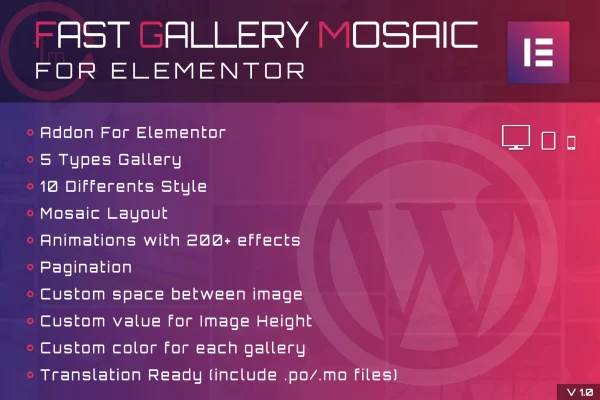
This is an Elementor addon plugin for building mosaic image galleries inside the Elementor editor. You pick a gallery type, choose one of ten mosaic layouts, and adjust spacing, image height, colors and animations until the gallery fits your design.
- Version
- 1.0
- Released
- May 2, 2023
- Type
- WordPress plugin
- Requires
- Elementor
- Licence
- GPL
- Included in
- Every plan, or $3.99 on its own
What’s new in Fast Gallery Mosaic for Elementor 1.0
Version 1.0 · May 2, 2023
Latest
What it does
Plain image grids can look flat, and building a varied, well-spaced gallery by hand takes time. This plugin gives you mosaic layouts that arrange photos in mixed sizes, so a page of images has more visual rhythm. It works as an Elementor addon, which means Elementor is required and you build and manage each gallery from the same interface you already use to design your pages.
Each gallery starts with a type: PrettyPhoto, Magnific Popup, Light Gallery, Custom URL or Slideshow. From there you select a mosaic layout, set the gaps between images and the image height, and apply main and secondary colors with opacity control. More than 200 entrance, hover and transition effects are available, and pagination helps when a gallery holds many images. Galleries are responsive and retina ready, and the plugin ships with .po and .mo files for translation.
Best for
- Photographers presenting portfolios on Elementor sites
- Bloggers who publish image-heavy posts
- Agencies building gallery pages for client websites
Features
Built into Elementor
Create and manage galleries directly inside the Elementor editor, so gallery work happens alongside the rest of your page design.
Five gallery types
Choose between PrettyPhoto, Magnific Popup, Light Gallery, Custom URL or Slideshow to control how images open and behave when clicked.
Ten mosaic layouts
Pick from ten distinct mosaic styles that arrange images in varied sizes and positions instead of a uniform grid.
Over 200 animation effects
Apply entrance, hover and transition effects to gallery images, with more than 200 options to match the tone of your site.
Spacing and height controls
Adjust the space between images and set a custom image height so the gallery sits well within your layout.
Colors with opacity
Set main and secondary gallery colors and adjust their opacity to keep galleries consistent with your branding.
Responsive and retina ready
Galleries adapt to different screen sizes and display sharply on high-resolution screens for both mobile and desktop visitors.
Pagination and translation
Split large galleries across pages for easier browsing, and localize the plugin using the included .po and .mo files.
Questions about Fast Gallery Mosaic for Elementor
Do I need Elementor to use this plugin?
Yes. Fast Gallery Mosaic for Elementor is an Elementor addon, so Elementor must be active. Galleries are created and managed inside the Elementor editor, alongside the other elements on your page.
What lightbox or display options are included?
There are five gallery types: PrettyPhoto, Magnific Popup, Light Gallery, Custom URL and Slideshow. These let you decide whether images open in a lightbox, link to a custom URL or play as a slideshow.
Can I match the gallery to my site's design?
You can choose from ten mosaic layouts, set the spacing between images, define a custom image height, and pick main and secondary colors with adjustable opacity. More than 200 animation effects are also available for entrances, hovers and transitions.
Will galleries work on phones and in other languages?
Galleries are responsive and retina ready, so they adjust to different screen sizes and look sharp on high-resolution displays. The plugin includes .po and .mo files, which you can use to translate it for sites in other languages.
Is Fast Gallery Mosaic for Elementor free?
The code of Fast Gallery Mosaic for Elementor is licensed under the GPL, so anyone may use, change and share it. GPL Feast is a paid service: a plan or a single purchase gives you the download and automatic updates. The developer's own support, licence key and online services are not included.
Which version of Fast Gallery Mosaic for Elementor is this?
Version 1.0, released May 2, 2023. New versions appear here when the developer publishes them, and members get them as automatic updates.
How do I update Fast Gallery Mosaic for Elementor?
Install the free GPL Feast Updater on your site and connect it with your API key. It installs new versions of Fast Gallery Mosaic for Elementor automatically and keeps a backup, so you can roll back.
What does Fast Gallery Mosaic for Elementor need?
Fast Gallery Mosaic for Elementor needs Elementor installed and active.
You might also like






